The Undercover of AI Chatbot Zapier: How to Run Seamless Automation 24/7
In today’s fast-paced digital landscape, businesses are constantly seeking ways to streamline their operations and enhance customer interactions. Enter the dynamic duo of AI chatbots and Zapier integration – a powerful combination that’s revolutionising the way companies automate their processes and engage with customers. But how exactly can you harness this technology to supercharge your business? Let’s dive in and explore the exciting world of AI chatbot Zapier integration.
Understanding AI Chatbots and Zapier Integration
Before we delve into the nitty-gritty of integration, let’s take a moment to understand what AI chatbots and Zapier are, and why their combination is causing such a stir in the business world.
What Are AI Chatbots?
AI chatbots are sophisticated software applications that use artificial intelligence and natural language processing to simulate human-like conversations with users. These virtual assistants can handle a wide range of tasks, from answering frequently asked questions to processing orders and providing personalised recommendations.
Introducing Zapier
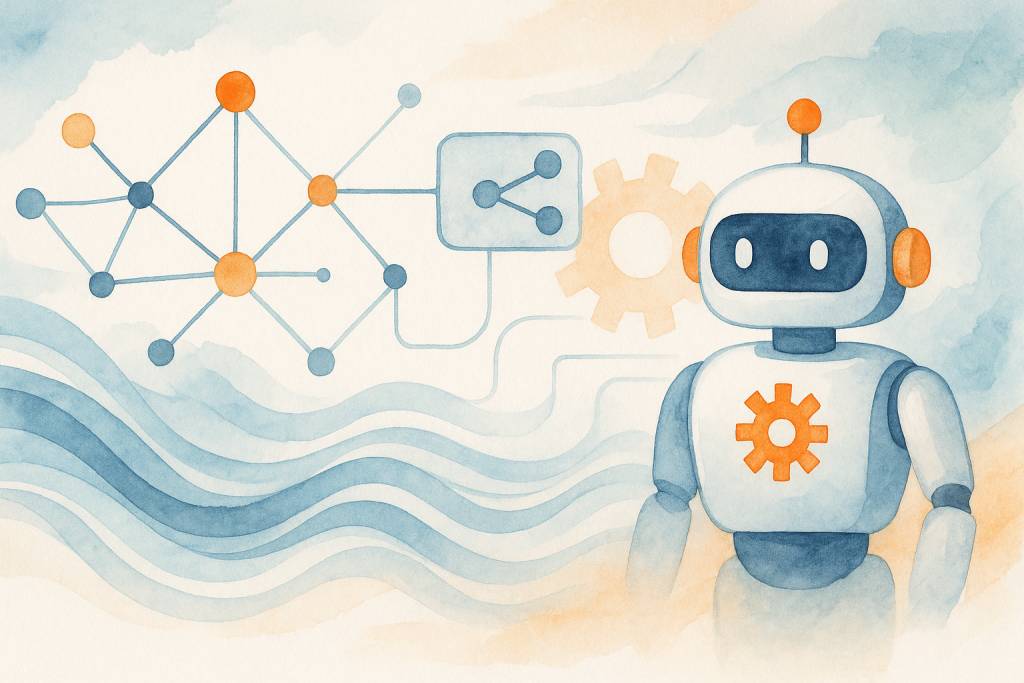
Zapier is an automation tool that allows you to connect different apps and services, creating workflows (called ‘Zaps’) that automate repetitive tasks. It acts as a bridge between various platforms, enabling seamless data transfer and process automation without the need for coding skills.
The Power of AI Chatbot Zapier Integration
When you integrate your AI chatbot with Zapier, you’re essentially giving your virtual assistant superpowers. This combination allows your chatbot to interact with a vast ecosystem of apps and services, expanding its capabilities and enabling it to perform complex tasks across multiple platforms automatically.
Benefits of Integrating AI Chatbots with Zapier
The integration of AI chatbots with Zapier offers a plethora of benefits that can significantly enhance your business operations and customer experience. Let’s explore some of the key advantages:
1. Enhanced Automation
- Streamline workflows by automating repetitive tasks
- Reduce human error and increase efficiency
- Free up staff time for more complex, value-added activities
2. Improved Customer Service
- Provide 24/7 support with instant responses
- Handle multiple customer inquiries simultaneously
- Offer personalised interactions based on customer data
3. Seamless Data Integration
- Connect your chatbot to CRM systems, databases, and other business tools
- Ensure real-time data synchronisation across platforms
- Create a unified view of customer interactions and preferences
4. Scalability and Flexibility
- Easily add new features and integrations as your business grows
- Adapt to changing customer needs and market trends quickly
- Scale your support capabilities without proportionally increasing costs
Implementing AI Chatbot Zapier Integration: A Step-by-Step Guide
Now that we’ve covered the benefits, let’s walk through the process of integrating your AI chatbot with Zapier to create a powerful automation system.
Step 1: Choose Your AI Chatbot Platform
Select an AI chatbot platform that offers Zapier integration. Popular options include Dialogflow, MobileMonkey, and ManyChat. Ensure the platform aligns with your business needs and offers the features you require.
Step 2: Set Up Your Zapier Account
If you haven’t already, create a Zapier account. Familiarise yourself with the platform and explore the available integrations.
Step 3: Define Your Automation Goals
Identify the specific tasks and workflows you want to automate. This could include lead generation, appointment scheduling, or data collection.
Step 4: Create Your Zaps
Design your Zaps to connect your AI chatbot with other apps and services. For example, you might create a Zap that adds new leads from your chatbot to your CRM system automatically.
Step 5: Test and Refine
Thoroughly test your integrations to ensure they’re working as expected. Monitor performance and make adjustments as needed to optimise your automation workflows.
Overcoming Challenges in AI Chatbot Zapier Integration
While the benefits of AI chatbot Zapier integration are numerous, there are some challenges you may encounter. Here’s how to address them:
1. Complexity of Setup
Challenge: The initial setup can be complex, especially for those new to automation.
Solution: Start with simple integrations and gradually build more complex workflows. Utilise Zapier’s extensive documentation and community forums for support.
2. Maintaining Conversation Flow
Challenge: Ensuring smooth conversation flow when integrating multiple services.
Solution: Carefully map out conversation scenarios and use Zapier’s conditional logic to create natural transitions between different services.
3. Data Privacy and Security
Challenge: Protecting sensitive customer data across multiple platforms.
Solution: Choose platforms with robust security measures, implement data encryption, and regularly audit your integrations for potential vulnerabilities.
Conclusion: Embracing the Future of Customer Interaction
Integrating AI chatbots with Zapier is more than just a technological upgrade – it’s a strategic move that can transform your business operations and customer interactions. By harnessing the power of automation and artificial intelligence, you can create a seamless, efficient, and personalised experience for your customers while streamlining your internal processes.
As we’ve explored, the benefits of AI chatbot Zapier integration are substantial, from enhanced automation and improved customer service to seamless data integration and increased scalability. While there may be challenges along the way, the potential rewards far outweigh the initial hurdles.
Are you ready to take your customer interactions to the next level? Don’t let this opportunity pass you by. Embrace the power of AI chatbot Zapier integration and stay ahead of the curve in today’s competitive business landscape.
Ready to get started but need expert guidance? The Crunch is here to help. Our team of specialists can assist you in implementing and optimising your AI chatbot Zapier integration, ensuring you get the most out of this powerful technology. Contact us today to schedule your free consultation and take the first step towards revolutionising your customer interactions!