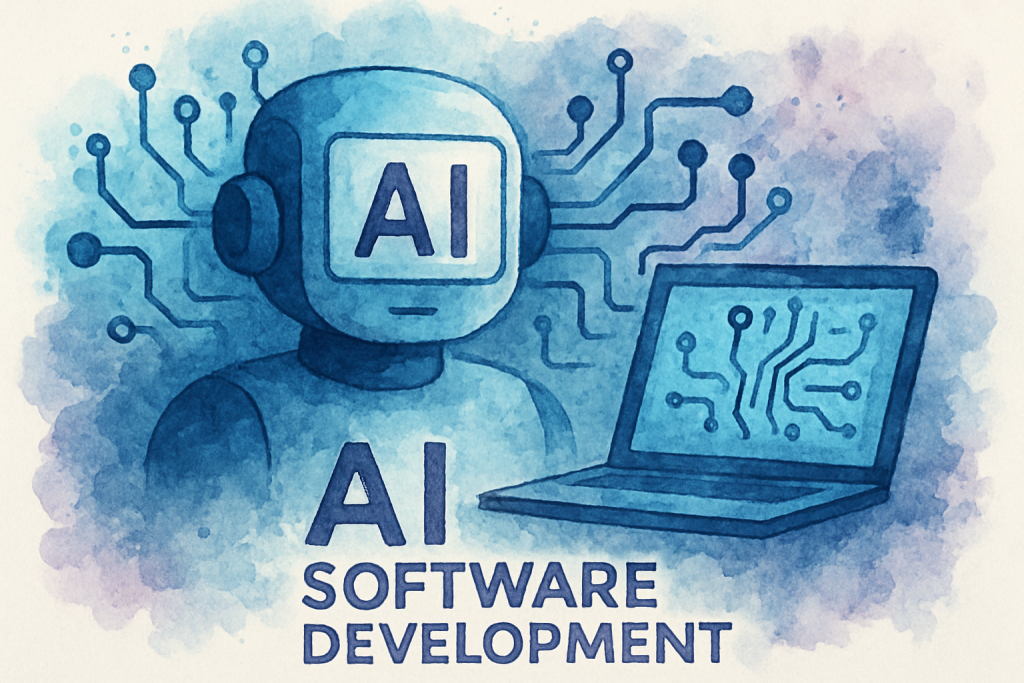
Software development has entered a new era. What once took teams weeks to accomplish now happens in days—sometimes hours. The catalyst? AI software development tools that are fundamentally changing how we write, test, and deploy code.
Developers worldwide are facing mounting pressure to deliver faster, build smarter, and innovate continuously. Traditional development methods simply can’t keep pace with modern demands. That’s where artificial intelligence steps in, offering solutions that augment human capabilities rather than replace them.
In this comprehensive guide, we’ll explore seven groundbreaking AI software development tools that are reshaping the industry in 2026. You’ll discover how these technologies enhance productivity, improve code quality, and solve complex development challenges. Whether you’re a seasoned developer or leading a technical team, understanding these tools isn’t optional—it’s essential for staying competitive.
Let’s dive into the tools that are defining the future of software creation.
Understanding AI Software Development in 2026
AI software development refers to the integration of artificial intelligence technologies into the software creation lifecycle. This encompasses everything from intelligent code completion and automated testing to bug detection and deployment optimization.
The landscape has evolved dramatically. According to recent industry research, 87% of development teams now use at least one AI-powered tool in their workflow. This represents a 340% increase from just three years ago. The reason is simple: AI tools deliver measurable results.
Why AI Tools Matter for Modern Developers
Traditional development workflows involve repetitive tasks that consume valuable time. Writing boilerplate code, debugging syntax errors, and conducting code reviews are necessary but time-intensive activities. AI software development tools automate these processes, allowing developers to focus on creative problem-solving and architecture decisions.
The impact extends beyond individual productivity. Organizations implementing AI development tools report 45% faster time-to-market and 60% reduction in critical bugs reaching production. These aren’t marginal improvements—they’re transformative changes that affect bottom-line results.
Current Trends Shaping AI Development Tools
Several key trends are driving innovation in this space. Context-aware code generation has become remarkably sophisticated, understanding not just syntax but project architecture and coding standards. Natural language processing allows developers to describe functionality in plain English and receive working code.
The 7 Revolutionary AI Software Development Tools
Let’s examine the specific tools that are making the biggest impact on development teams in 2026.
1. GitHub Copilot X: Your AI Pair Programmer
GitHub Copilot X has evolved into a comprehensive AI assistant that goes far beyond simple code completion. It now understands entire codebases, suggests architectural improvements, and even generates comprehensive documentation automatically.
The tool integrates seamlessly with popular IDEs and supports over 50 programming languages. Developers report writing code 55% faster when using Copilot X, with particular gains in unfamiliar languages or frameworks.
2. Tabnine Enterprise: Context-Aware Code Intelligence
Tabnine Enterprise offers AI-powered code completion that learns from your team’s specific coding patterns. Unlike generic tools, it adapts to your organization’s standards, libraries, and best practices.
The enterprise version ensures code privacy by training models on your private repositories without sharing data externally. This makes it ideal for organizations with strict security requirements or proprietary codebases.
3. Amazon CodeWhisperer: Cloud-Native Development Assistant
Amazon CodeWhisperer specializes in cloud-native application development, particularly for AWS environments. It provides real-time security scanning, identifying vulnerabilities as you code rather than during later review stages.
The tool excels at generating infrastructure-as-code templates and optimizing cloud resource configurations. Teams building serverless applications or microservices architectures find particular value in its AWS-specific recommendations.
4. Replit Ghostwriter: Collaborative AI Development
Replit Ghostwriter brings AI capabilities to collaborative development environments. Multiple developers can work simultaneously while the AI assists everyone, maintaining consistency across the team’s contributions.
Its unique strength lies in educational applications and rapid prototyping. The tool explains code logic in natural language, making it valuable for onboarding new team members or exploring unfamiliar technologies.
5. Sourcegraph Cody: Enterprise Code Intelligence
Sourcegraph Cody provides AI-powered code search and understanding across massive codebases. It answers questions about code functionality, identifies dependencies, and suggests refactoring opportunities.
For large organizations with millions of lines of code, Cody serves as an institutional knowledge base. It helps developers understand legacy systems and find relevant code examples without extensive manual searching.
6. Snyk Code: AI-Powered Security Analysis
Snyk Code uses machine learning to identify security vulnerabilities and quality issues in real-time. It provides fix suggestions with explanations, helping developers learn secure coding practices while building applications.
The tool integrates into CI/CD pipelines, automatically scanning pull requests and blocking deployments that introduce critical vulnerabilities. This proactive approach prevents security issues rather than discovering them post-deployment.
7. Cursor: The AI-First Code Editor
Cursor represents a new category: code editors built from the ground up with AI integration. Rather than adding AI features to existing editors, Cursor’s entire interface and workflow center around AI assistance.
Developers can chat with their codebase, request complex refactoring operations in natural language, and receive contextual suggestions that understand project-wide implications. Early adopters report significant productivity gains, particularly when working on large-scale refactoring projects.
Implementing AI Software Development Tools: A Practical Guide
Adopting AI development tools requires thoughtful planning and execution. Here’s how to successfully integrate these technologies into your workflow.
Step 1: Assess Your Team’s Needs
Begin by identifying specific pain points in your current development process. Are code reviews taking too long? Do developers spend excessive time on boilerplate code? Is security scanning catching issues too late in the cycle?
Different AI tools address different challenges. Match tools to your specific needs rather than adopting technology for its own sake. Survey your development team to understand where they feel AI assistance would provide the most value.
Step 2: Start with Pilot Programs
Implement AI software development tools gradually, starting with a small team or specific project. This approach allows you to measure impact, identify integration challenges, and refine processes before organization-wide rollout.
Choose pilot projects that are important but not mission-critical. This provides meaningful results while limiting risk. Set clear success metrics—code quality improvements, development velocity, bug reduction rates—to objectively evaluate effectiveness.
Step 3: Provide Comprehensive Training
AI tools are only valuable if developers use them effectively. Invest in training that goes beyond basic features. Help your team understand how to prompt AI assistants effectively, when to trust AI suggestions, and when human judgment should override automated recommendations.
Create internal documentation with examples specific to your codebase and coding standards. Encourage experienced users to share tips and best practices with colleagues. Consider designating AI tool champions who can provide peer support.
Step 4: Establish Governance and Best Practices
Define clear policies around AI tool usage. Address questions like: When should developers review AI-generated code? How do you handle licensing concerns for AI-suggested code? What security reviews are necessary for AI-assisted development?
Create coding standards that account for AI assistance. For example, require developers to understand and be able to explain any AI-generated code they commit. This ensures knowledge transfer and maintains code quality standards.
Step 5: Measure and Iterate
Continuously monitor the impact of AI tools on your development process. Track metrics like deployment frequency, change failure rate, mean time to recovery, and developer satisfaction scores.
Gather regular feedback from your team. What’s working well? Where are developers experiencing friction? Use these insights to refine your implementation and potentially explore additional tools that address emerging needs.
Overcoming Challenges in AI Software Development
While AI development tools offer tremendous benefits, implementation isn’t without obstacles. Understanding common challenges and their solutions ensures smoother adoption.
Challenge 1: Code Quality and Over-Reliance
Developers may become overly dependent on AI suggestions, accepting code without fully understanding it. This creates maintenance challenges and knowledge gaps within teams.
Solution: Implement mandatory code review processes that specifically evaluate AI-generated code. Require developers to add comments explaining the logic of AI-suggested solutions. Foster a culture where understanding code is valued over speed of implementation.
Challenge 2: Security and Privacy Concerns
Organizations worry about proprietary code being exposed to external AI models or AI tools introducing security vulnerabilities through suggested code.
Solution: Choose enterprise AI software development tools that offer on-premises deployment or private cloud options. Implement security scanning tools like Snyk Code that specifically check AI-generated code. Establish clear data governance policies that specify what code can be processed by external AI services.
Challenge 3: Integration with Existing Workflows
AI tools may not seamlessly integrate with legacy systems, custom development environments, or specialized frameworks your team uses.
Solution: Prioritize tools with robust API support and extensive integration options. Work with vendors to develop custom integrations if necessary. Consider this integration complexity during the tool evaluation phase rather than discovering limitations after commitment.
Challenge 4: Skill Gap and Resistance to Change
Some developers resist AI tools, viewing them as threats to job security or unnecessary complexity. Others lack the skills to effectively leverage AI assistance.
Solution: Communicate clearly that AI software development tools augment rather than replace developers. Share success stories and productivity gains from early adopters. Provide comprehensive training and create safe environments where developers can experiment without pressure. Recognize and reward effective AI tool usage to encourage adoption.
Conclusion: Embracing the Future of Development
AI software development tools have moved from experimental novelty to essential infrastructure. The seven tools we’ve explored—GitHub Copilot X, Tabnine Enterprise, Amazon CodeWhisperer, Replit Ghostwriter, Sourcegraph Cody, Snyk Code, and Cursor—represent the cutting edge of this transformation.
These technologies deliver concrete benefits: faster development cycles, higher code quality, improved security, and more satisfied development teams. Organizations that embrace AI-assisted development gain competitive advantages through increased innovation velocity and reduced time-to-market.
The key to success lies not in adopting every available tool, but in thoughtfully selecting and implementing solutions that address your specific challenges. Start small, measure results, and scale what works. Invest in training and establish governance frameworks that ensure AI tools enhance rather than compromise code quality.
The future of software development is collaborative—humans and AI working together to build better applications faster. The question isn’t whether to adopt AI software development tools, but how quickly you can integrate them effectively into your workflow.
Ready to transform your development process with AI-powered tools? The experts at The Crunch can help you evaluate, implement, and optimize AI software development solutions tailored to your organization’s needs. Schedule a free consultation today to discover how AI can revolutionize your development workflow.
Frequently Asked Questions (FAQ)
1. What is AI software development?
2. How do I get started with AI software development?
3. What are the main benefits of using AI in software development?
4. How does AI software development differ from traditional software development?
5. What programming languages are best for AI software development?
6. How much does it cost to develop AI software?
7. What are common challenges in AI software development?
8. Is AI software development suitable for small businesses?
9. How do I choose the right AI framework or tool for my project?
10. What are the risks or concerns with AI software development?
11. Can I integrate AI features into existing software applications?
12. How long does it take to develop an AI software solution?