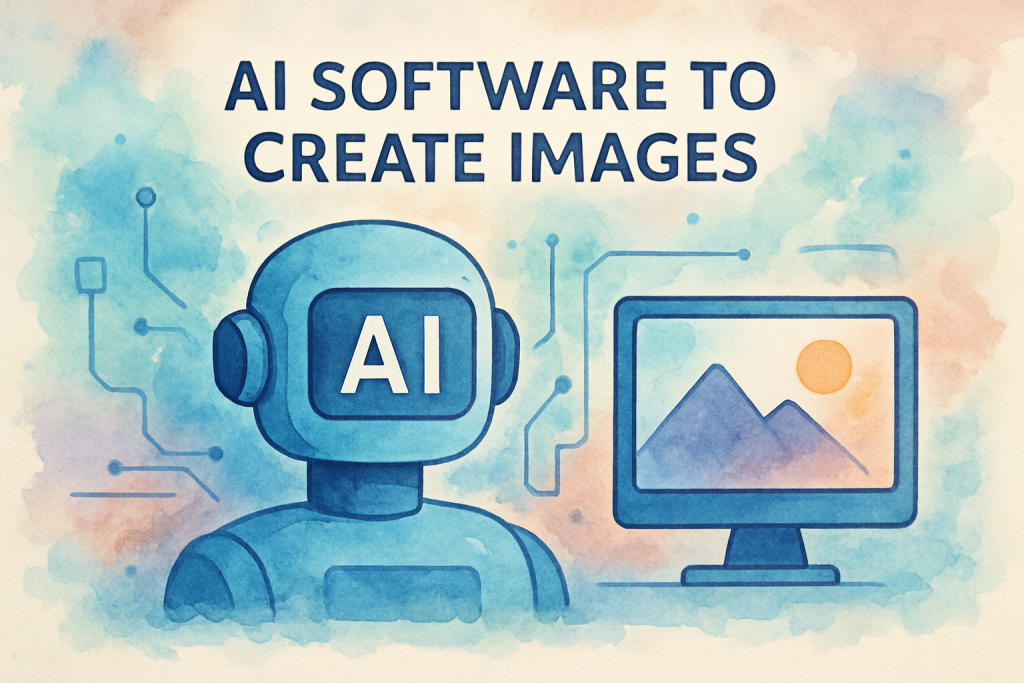
Imagine creating professional-quality visuals for your marketing campaign in seconds, not hours. That’s no longer science fiction—it’s the reality of AI-powered image generation. Whilst traditional graphic design requires specialised skills and considerable time investment, ai software to create images has democratised visual content creation, enabling business owners and marketing managers to produce stunning artwork with nothing more than a text description.
The visual content landscape has transformed dramatically. According to HubSpot’s 2023 Marketing Statistics, 32% of marketers say visual images are the most important form of content for their business. Yet, hiring professional designers or purchasing stock photography can drain budgets quickly. AI image generators bridge this gap, offering an affordable, scalable solution for businesses of all sizes.
Whether you’re crafting social media posts, designing email campaigns, or developing presentation materials, AI image generation tools have become indispensable for modern marketing teams. This comprehensive guide explores the top 10 AI image generators available today, helping you navigate features, pricing, and practical applications to find the perfect solution for your business needs.
Quick Summary
What you’ll discover in this guide:
- How AI image generation technology works and why it matters for your business
- Detailed comparison of the 10 best AI image generators with pricing and features
- Key considerations for choosing the right tool, including licensing and commercial use rights
- Practical applications and best practices for integrating AI imagery into your marketing workflow
- ROI calculations and cost-benefit analysis for business implementation
What is AI Image Generation Software and How Does It Work
AI image generation software represents a groundbreaking category of tools that create original visual content from text descriptions, known as “prompts.” Unlike traditional image editing software that manipulates existing photos, these platforms generate entirely new images from scratch using artificial intelligence.
Understanding Text-to-Image Technology
At its core, text-to-image technology functions like a highly sophisticated artist who’s studied millions of images and learned to understand the relationship between words and visual elements. When you type “a sunset over mountains with purple clouds,” the AI interprets each component and synthesises them into a cohesive image.
The process happens in milliseconds: you input your text prompt, the AI processes your request through its trained neural networks, and within seconds, you receive a unique image matching your description. It’s remarkably intuitive—if you can describe what you want, the AI can typically create it.
The Technology Behind AI Art Creation
Modern ai software to create images relies on several sophisticated technologies working in concert. Neural networks, particularly diffusion models and generative adversarial networks (GANs), form the foundation of these systems. According to research published in Nature Machine Intelligence, these models are trained on vast datasets containing hundreds of millions of images paired with descriptive text.
Machine learning models learn patterns, styles, compositions, and visual relationships through this training process. They understand concepts like perspective, lighting, colour harmony, and artistic styles—knowledge that would take human artists years to master. The models don’t simply copy existing images; they generate novel combinations based on learned principles.
Deep learning algorithms enable these systems to understand context and nuance. They recognise that “corporate headshot” implies professional attire and neutral backgrounds, whilst “fantasy landscape” suggests imaginative, otherworldly elements. This contextual understanding makes AI image generators remarkably versatile.
Common Business Applications
The practical applications for businesses are extensive and growing:
- Marketing materials: Create eye-catching graphics for brochures, flyers, and promotional campaigns without expensive photoshoots
- Social media content: Generate platform-specific visuals that maintain brand consistency across channels
- Product mockups: Visualise product concepts before manufacturing or showcase items in various settings
- Presentations: Develop custom illustrations and diagrams that enhance professional presentations
- Website imagery: Produce unique hero images, background graphics, and supporting visuals
- Email campaigns: Design attention-grabbing headers and inline graphics that boost engagement
- Advertising creative: Test multiple visual concepts quickly for A/B testing campaigns
Top 10 AI Image Generators Compared
The market for AI image generation tools has exploded, with each platform offering unique strengths. Here’s a comprehensive comparison of the leading solutions available today.
1. Midjourney
Key Features: Midjourney has earned its reputation for producing exceptionally artistic and aesthetically refined images. The platform excels at creating images with painterly qualities, dramatic lighting, and sophisticated compositions. It operates through Discord, offering a unique community-driven experience where users can learn from others’ prompts and results.
The latest version delivers photorealistic results alongside stylised artwork, with particular strength in character design, fantasy art, and architectural visualisation. Advanced parameters allow precise control over aspect ratios, stylisation levels, and image variations.
Pricing: Basic Plan at $10/month (200 generations), Standard Plan at $30/month (unlimited relaxed generations), Pro Plan at $60/month (unlimited fast generations). Annual subscriptions offer 20% savings.
Best Use Cases: Marketing agencies requiring high-quality conceptual artwork, brands developing visual identity elements, content creators producing editorial illustrations, and businesses needing premium presentation graphics.
2. DALL-E 3
Key Features: Developed by OpenAI, DALL-E 3 represents a significant advancement in text-to-image accuracy. The system excels at understanding complex prompts and rendering text within images—a notoriously difficult task for AI. Integration with ChatGPT Plus provides an intuitive interface where conversational refinement of images feels natural.
The platform demonstrates exceptional capability with photorealistic imagery, product visualisation, and scenes requiring precise spatial relationships. Safety features prevent generation of harmful content whilst maintaining creative flexibility.
Pricing: Included with ChatGPT Plus subscription at $20/month, or available through API with usage-based pricing starting at $0.040 per image for 1024×1024 resolution.
Best Use Cases: Businesses requiring accurate product mockups, marketing teams creating diverse advertising concepts, content creators needing images with embedded text, and organisations prioritising ethical AI use.
3. Stable Diffusion
Key Features: As an open-source solution, Stable Diffusion offers unparalleled flexibility and customisation. Users can run the software locally, train custom models on specific visual styles, and integrate it into proprietary workflows. The platform supports extensive fine-tuning through techniques like LoRA (Low-Rank Adaptation) and textual inversion.
The active open-source community continuously develops new models, extensions, and capabilities. This ai software to create images provides complete control over the generation process, from sampling methods to seed values.
Pricing: Free for self-hosting (requires technical knowledge and GPU hardware), or accessible through platforms like DreamStudio with credit-based pricing starting at $10 for 1,000 credits.
Best Use Cases: Tech-savvy businesses with specific visual requirements, agencies developing proprietary AI workflows, companies requiring complete data privacy, and organisations with high-volume generation needs.
4. Adobe Firefly
Key Features: Adobe’s entry into AI image generation prioritises commercial safety and creative control. Trained exclusively on licensed content, Adobe Stock imagery, and public domain works, Firefly addresses copyright concerns that plague other platforms. Seamless integration with Adobe Creative Cloud applications enables sophisticated workflows combining AI generation with traditional editing.
Unique features include generative fill, text effects, and recolouring capabilities. The platform emphasises brand consistency with style reference tools and colour palette matching.
Pricing: Free tier with 25 monthly generative credits, Premium Plan at $4.99/month (100 credits), Standard Plan at $22.99/month (500 credits). Creative Cloud subscribers receive credits as part of their existing subscriptions.
Best Use Cases: Enterprises requiring legally safe commercial imagery, creative teams already using Adobe products, brands maintaining strict visual guidelines, and businesses prioritising copyright compliance.
5. Leonardo.AI
Key Features: Leonardo.AI distinguishes itself with game-asset generation capabilities and consistent character creation. The platform offers fine-tuned models for specific use cases, including product photography, architectural renders, and character design. Canvas editing tools enable post-generation refinement without leaving the platform.
The AI Canvas feature provides inpainting and outpainting capabilities, whilst the prompt generation assistant helps users craft effective descriptions. Real-time generation preview accelerates the creative process.
Pricing: Free tier with 150 daily tokens, Apprentice Plan at $10/month (8,500 monthly tokens), Artisan Plan at $24/month (25,000 tokens), Maestro Plan at $48/month (60,000 tokens).
Best Use Cases: Game developers creating concept art and assets, e-commerce businesses requiring product visualisation, marketing teams producing character-based campaigns, and content creators developing consistent visual narratives.
6. Canva AI Image Generator
Key Features: Canva’s AI image generator integrates seamlessly into its popular design platform, making it exceptionally accessible for non-designers. The tool combines image generation with Canva’s extensive template library, enabling rapid creation of complete marketing materials. Magic Edit features allow selective modification of generated images.
The platform’s strength lies in its end-to-end workflow: generate an image, incorporate it into a design template, add text and branding elements, and export—all within one interface. Collaboration features support team-based creative processes.
Pricing: Limited access with Canva Free, Canva Pro at $12.99/month (500 AI image generations), Canva Teams at $14.99/user/month with enhanced features.
Best Use Cases: Small businesses creating social media content, marketing teams without dedicated designers, entrepreneurs developing brand materials, and organisations requiring rapid turnaround on visual content.
7. Jasper Art
Key Features: Jasper Art integrates with Jasper’s AI writing platform, creating a unified content creation ecosystem. This synergy enables coordinated development of written and visual content, particularly valuable for blog posts, articles, and marketing campaigns. The platform offers mood and medium selection tools that simplify prompt creation for non-technical users.
Unlimited high-resolution image generation (on paid plans) removes concerns about credit limits. The interface emphasises speed and simplicity, with preset styles and one-click variations.
Pricing: Included with Jasper subscriptions: Creator Plan at $39/month, Teams Plan at $99/month, Business Plan with custom pricing. All plans include unlimited AI art generation.
Best Use Cases: Content marketing teams producing blog imagery, copywriters requiring complementary visuals, agencies managing multiple client campaigns, and businesses seeking integrated content creation workflows.
8. NightCafe Studio
Key Features: NightCafe offers access to multiple AI models including Stable Diffusion, DALL-E 2, and proprietary algorithms, providing versatility within a single platform. The community-focused approach includes challenges, competitions, and social features that inspire creativity. Advanced features include video generation, style transfer, and bulk creation tools.
The platform’s credit system allows users to earn free credits through community participation, making it accessible for budget-conscious users. Print-on-demand integration enables monetisation of generated artwork.
Pricing: Free tier with 5 daily credits, AI Beginner at $5.99/month (100 credits), AI Hobbyist at $9.99/month (200 credits), AI Enthusiast at $19.99/month (500 credits), AI Artist at $49.99/month (1,400 credits).
Best Use Cases: Artists exploring AI capabilities, businesses testing multiple AI models, content creators requiring diverse visual styles, and organisations with variable generation needs.
9. Craiyon
Key Features: Formerly known as DALL-E mini, Craiyon provides completely free AI image generation with no account required. Whilst image quality doesn’t match premium platforms, the tool offers remarkable accessibility for experimentation and casual use. The simple interface removes barriers to entry, making it ideal for first-time users exploring AI capabilities.
Recent updates have improved generation speed and image quality. The platform supports negative prompts and style selection, providing basic creative control.
Pricing: Free with advertisements, Supporter Plan at $5/month (removes ads, faster generation), Professional Plan at $20/month (priority processing, private images).
Best Use Cases: Small businesses with minimal budgets, individuals exploring AI image generation, rapid concept testing, and non-commercial creative projects.
10. Fotor AI Image Generator
Key Features: Fotor combines AI image generation with comprehensive photo editing capabilities, offering a complete visual content solution. The platform includes AI-powered enhancement tools, background removal, and design templates alongside generation features. This integration streamlines workflows from creation through final polish.
Preset styles simplify prompt creation, whilst the batch processing capability accelerates high-volume projects. Mobile applications extend functionality beyond desktop environments.
Pricing: Free tier with limited features, Fotor Pro at $8.99/month (100 credits), Fotor Pro+ at $19.99/month (unlimited credits and advanced features).
Best Use Cases: Photographers enhancing portfolios with AI elements, social media managers requiring quick edits and generation, small marketing teams needing all-in-one solutions, and mobile-first content creators.
Key Features to Consider When Choosing AI Image Software
Selecting the right ai software to create images requires careful evaluation of features that align with your specific business needs. Here’s what matters most.
Image Quality and Resolution Capabilities
Output quality varies significantly across platforms. Premium tools like Midjourney and DALL-E 3 consistently produce high-resolution images suitable for print materials, whilst budget options may limit resolution or exhibit artefacts. Consider your primary use cases: social media content tolerates lower resolutions, but billboard advertisements or product packaging demand exceptional quality.
Most professional platforms now support 1024×1024 pixels as standard, with many offering upscaling to 2048×2048 or higher. According to Printful’s Image Resolution Guide, print materials require 300 DPI, so calculate whether generated images meet your specifications before committing to a platform.
Customisation and Style Options
Versatility in artistic styles determines how well a tool adapts to diverse projects. Evaluate whether platforms offer:
- Photorealistic rendering for product photography and lifestyle imagery
- Illustration styles ranging from watercolour to vector graphics
- 3D rendering capabilities for product visualisation
- Artistic movements (impressionism, art deco, minimalism) for brand-aligned aesthetics
- Custom model training for proprietary visual styles
Platforms like Stable Diffusion excel in customisation through model fine-tuning, whilst user-friendly options like Canva provide preset styles that simplify selection without technical knowledge.
Speed and Generation Time
Generation speed impacts workflow efficiency, particularly for teams producing high volumes of content. Premium tiers typically offer faster processing, with generation times ranging from 10 seconds to several minutes depending on complexity and platform load.
Consider whether platforms offer queue systems during peak times or guarantee processing speeds. For time-sensitive campaigns, reliable speed becomes crucial. Some platforms like Leonardo.AI provide real-time preview features that accelerate the iterative refinement process.
User Interface and Ease of Use
Interface design significantly affects adoption rates within teams. Evaluate platforms based on:
- Prompt input clarity and guidance
- Preview and iteration workflows
- Organisation features for managing generated images
- Learning curve for team members without design backgrounds
- Mobile accessibility for on-the-go content creation
Tools like Canva prioritise accessibility with intuitive interfaces, whilst platforms like Midjourney require Discord familiarity but offer powerful community learning resources.
Integration with Existing Marketing Tools
Seamless integration with your current technology stack reduces friction and enhances productivity. Investigate whether platforms offer:
- Direct exports to design software (Adobe Creative Suite, Figma)
- Cloud storage integration (Google Drive, Dropbox)
- Social media scheduling tool compatibility
- Content management system plugins
- Digital asset management connections
Adobe Firefly’s native integration with Creative Cloud exemplifies this approach, whilst API-enabled platforms like DALL-E 3 support custom integrations for sophisticated workflows.
API Availability for Workflow Automation
For businesses with technical capabilities, API access enables powerful automation. APIs allow you to:
- Generate images programmatically based on data inputs
- Create dynamic content that responds to user behaviour
- Build custom applications incorporating AI image generation
- Automate bulk generation for product catalogues
- Integrate generation into existing business processes
Platforms like Stable Diffusion, DALL-E 3, and Leonardo.AI offer robust APIs with comprehensive documentation. Evaluate API pricing separately, as it often differs from standard subscription models.
Pricing Models and ROI Considerations
Understanding the financial implications of ai software to create images helps justify investment and select cost-effective solutions.
Free vs Paid Options Breakdown
Free tiers provide valuable opportunities for experimentation but typically include limitations:
- Reduced generation quotas (often 5-25 images daily)
- Lower resolution outputs
- Watermarked images
- Restricted commercial use rights
- Slower processing speeds
- Limited style and customisation options
Paid subscriptions remove these constraints, offering professional-grade capabilities. For businesses generating content regularly, paid plans quickly prove cost-effective compared to traditional design services or stock photography subscriptions.
Subscription Tiers and What They Include
Most platforms structure pricing across multiple tiers:
Entry-level ($5-15/month): Suitable for small businesses with modest needs, typically including 100-500 monthly generations, standard resolution, and basic features.
Professional ($20-50/month): Designed for active marketing teams, offering unlimited or high-volume generation, priority processing, advanced features, and full commercial rights.
Enterprise (custom pricing): Tailored for large organisations, including API access, dedicated support, custom model training, and enhanced security features.
Annual subscriptions commonly offer 15-20% savings compared to monthly billing, making them attractive for committed users.
Credit-Based vs Unlimited Generation Models
Platforms employ two primary pricing structures:
Credit-based systems charge per generation, with credits purchased in packages or included monthly. This model suits businesses with variable needs, preventing payment for unused capacity. However, credit management adds administrative overhead, and costs can escalate unexpectedly during high-activity periods.
Unlimited generation models provide predictable monthly costs regardless of usage volume. These plans benefit high-volume users but may prove expensive for occasional users. Some platforms like Jasper Art include unlimited generation, whilst others like Midjourney offer unlimited “relaxed” generation with slower processing.
Cost Comparison for Business Use
Consider total cost of ownership beyond subscription fees:
- Stock photography alternative: Premium stock sites charge £200-500 monthly for download packages. AI generation typically costs £10-50 monthly for comparable volume.
- Freelance designer rates: According to PeoplePerHour, UK freelance designers charge £25-75 per hour. A single custom illustration might cost £100-300, whilst AI generation produces similar results for pennies.
- In-house designer salary: Full-time designers command £30,000-50,000 annually plus benefits. AI tools supplement (not replace) design teams, extending their capacity significantly.
Calculating ROI for Your Marketing Budget
Quantify return on investment by measuring:
Time savings: If AI generation reduces image sourcing from 30 minutes to 5 minutes per asset, and you create 50 assets monthly, that’s 20.8 hours saved. At a £30/hour labour cost, monthly savings reach £624—far exceeding typical subscription costs.
Increased output: Teams using AI tools report 3-5x increases in visual content production. More content enables expanded campaigns, increased posting frequency, and better A/B testing—all driving improved marketing performance.
Reduced external costs: Eliminating stock photography subscriptions and reducing freelancer dependency creates immediate savings. A business spending £300 monthly on stock images and £500 on freelance design could reduce costs to £50 monthly for AI subscriptions—an 87% reduction.
Improved campaign performance: Custom, on-brand imagery typically outperforms generic stock photos. According to HubSpot research, content with relevant images receives 94% more views than content without. Enhanced engagement translates to better conversion rates and revenue growth.
Commercial Use and Licensing Rights
Understanding intellectual property implications prevents legal complications and ensures confident commercial deployment of AI-generated imagery.
Understanding Ownership of AI-Generated Images
Ownership of AI-generated images remains a complex legal area. Generally, most platforms grant users rights to images they generate, but the specifics vary significantly. Some platforms claim partial ownership or require attribution, whilst others transfer full rights to users.
The UK Intellectual Property Office currently treats AI-generated works as having no human author, potentially affecting copyright protection. However, images created with substantial human creative input (detailed prompts, selective editing, curation) may qualify for copyright protection. Consult legal counsel for definitive guidance on your specific use cases.
Commercial Licensing Terms by Platform
Platform-specific licensing varies considerably:
Midjourney: Paid subscribers receive full commercial rights to generated images. Free trial users receive only non-commercial licences. The platform retains rights to use generated images for promotional purposes.
DALL-E 3: Users receive full rights to commercialise, reprint, sell, and merchandise images, including copyright claims where applicable. OpenAI doesn’t claim ownership of user outputs.
Stable Diffusion: Open-source licence (CreativeML Open RAIL-M) permits commercial use with minimal restrictions. Users own their outputs, though specific implementations may impose additional terms.
Adobe Firefly: Paid subscribers receive full commercial rights. Adobe’s Content Authenticity Initiative provides provenance tracking, valuable for demonstrating legitimate image sourcing.
Canva: Pro and Teams subscribers receive commercial licences for AI-generated content. Free users face restrictions on commercial use.
Always review current terms of service, as licensing evolves rapidly in this emerging field.
Attribution Requirements
Most commercial platforms don’t require attribution for generated images, allowing seamless brand integration. However, some free tiers or open-source implementations may request or require credit.
Even when not required, transparent disclosure of AI-generated content builds trust with audiences. Consider your brand values and audience expectations when deciding whether to disclose AI use.
Legal Considerations for Business Use
Several legal considerations warrant attention:
Training data concerns: Some AI models trained on copyrighted images without explicit permission face ongoing legal challenges. Platforms like Adobe Firefly, trained exclusively on licensed content, mitigate this risk.
Trademark infringement: AI tools may inadvertently generate images resembling trademarked logos or characters. Review outputs carefully and avoid prompts referencing specific brands or copyrighted characters.
Likeness rights: Generating images of real individuals (celebrities, public figures) may violate personality rights. Most platforms prohibit such use in their terms of service.
Regulatory compliance: Certain industries face specific regulations regarding imagery. Financial services, healthcare, and advertising sectors should ensure AI-generated content complies with relevant standards.
How to Protect Your Brand When Using AI Images
Implement these practices to safeguard your brand:
- Maintain detailed records of generation prompts and platform terms accepted
- Review images for unintended brand similarities or trademark issues
- Establish internal guidelines for appropriate AI image use
- Consider registering important AI-generated brand assets as trademarks where applicable
- Use platforms with clear commercial licences and indemnification provisions
- Implement approval workflows ensuring legal review of sensitive applications
- Stay informed about evolving AI copyright legislation in your jurisdiction
Practical Applications for Business Owners and Marketing Managers
The versatility of ai software to create images enables transformation across multiple marketing functions. Here’s how forward-thinking businesses leverage these tools.
Social Media Content Creation at Scale
Social media’s insatiable appetite for fresh visual content makes AI generation invaluable. Marketing teams use AI tools to:
- Create platform-specific imagery optimised for Instagram, Facebook, LinkedIn, and Twitter dimensions
- Generate seasonal content variations maintaining brand consistency
- Produce quote graphics and motivational posts with custom backgrounds
- Develop carousel post sequences with cohesive visual narratives
- Test multiple creative concepts rapidly for A/B performance comparison
A typical workflow involves generating 10-20 variations of a concept, selecting top performers, and refining through additional iterations. This approach, impossible with traditional photography, enables data-driven creative optimisation.
Website and Blog Imagery
Custom imagery elevates website professionalism and user engagement. Applications include:
- Hero images that capture brand essence without stock photography clichés
- Blog post featured images tailored to specific article topics
- Category and section headers maintaining visual consistency
- Infographic elements and data visualisation components
- About page team illustrations when photography isn’t available
- Background textures and patterns for unique design elements
According to Neil Patel’s research, articles with images every 75-100 words receive double the social media shares compared to articles with fewer images. AI generation makes this image density achievable without prohibitive costs.
Email Marketing Visuals
Email campaigns benefit significantly from custom imagery:
- Header graphics that stand out in crowded inboxes
- Product showcase images with lifestyle context
- Seasonal campaign visuals aligned with promotional themes
- Personalised imagery segments for different audience demographics
- Animated GIF sequences created from multiple generated frames
Personalisation extends beyond text—generating imagery reflecting recipient preferences or behaviours creates memorable experiences. A fashion retailer might generate different style aesthetics for various customer segments, whilst a travel company creates destination imagery matching browsing history.
Advertising and Promotional Materials
AI-generated imagery accelerates advertising creative development:
- Rapid concept testing for paid social campaigns
- Display advertising variations for programmatic campaigns
- Print advertisement mockups before committing to professional photography
- Out-of-home advertising concepts for client presentations
- Promotional flyer and poster designs
The ability to generate dozens of creative variations enables sophisticated multivariate testing. Rather than choosing between two concepts, teams test ten or twenty, identifying top performers through data rather than intuition.
Product Concept Visualisation
Product development teams leverage AI for:
- Early-stage concept visualisation before prototyping
- Packaging design exploration and mockups
- Product-in-use lifestyle imagery for market research
- Colour and finish variations for stakeholder review
- Retail environment visualisation for merchandising planning
This application proves particularly valuable for e-commerce businesses. Generating products in various settings, angles, and contexts creates rich product pages without expensive photoshoots. A furniture retailer might show a sofa in modern, traditional, and eclectic room settings, helping customers visualise fit.
Presentation and Pitch Deck Graphics
Professional presentations benefit from custom imagery:
- Concept illustrations that clarify complex ideas
- Background images that enhance rather than distract
- Section dividers maintaining visual flow
- Metaphorical imagery representing abstract concepts
- Custom icons and diagrams aligned with brand aesthetics
Generic stock photography in presentations signals lack of preparation. Custom AI-generated imagery demonstrates attention to detail and professionalism, particularly valuable in
Frequently Asked Questions (FAQ)
1. What is AI image generation software?
2. How does AI software create images from text?
3. What are the main benefits of using AI image generation software?
4. How do I get started with AI image generation tools?
5. Are there free AI image generators available?
6. How do AI image generators compare to traditional graphic design software?
7. What are the typical costs of AI image generation software?
8. Can I use AI-generated images for commercial purposes?
9. Are there any copyright or ethical concerns with AI-generated images?
10. What are some popular AI image generation tools?
11. Do I need technical skills to use AI image generation software?
12. Can AI image generators create images in specific styles or formats?