Imagine being able to extract every piece of information from any website—screenshots, branding elements, site architecture, structured data—all in seconds. What used to require complex coding and hours of manual work can now be accomplished with a few simple commands. The ability to turn website into LLM ready data has become essential for businesses leveraging artificial intelligence, and the process is far simpler than you might think.
Whether you’re building AI applications, conducting competitive research, or automating data collection workflows, transforming web content into machine-readable formats is no longer optional—it’s necessary. Large Language Models (LLMs) require clean, structured data to function effectively, and websites contain vast amounts of valuable information locked in HTML format. The challenge lies in extracting this data efficiently whilst maintaining its structure and context.
This comprehensive guide will walk you through the exact process of converting any website into LLM-ready data using modern tools and techniques. You’ll learn how to scrape content, map site architectures, extract structured information, and automate the entire workflow—all without writing complex code from scratch.
Quick Answer
To turn website into LLM ready data, you need to:
(1) Use a web scraping tool like Firecrawl to extract content,
(2) Convert HTML into structured formats like Markdown or JSON,
(3) Map the site architecture to understand all available pages,
(4) Crawl multiple pages systematically, and
(5) Transform the data into your desired output format. The entire process can be automated using AI coding assistants like Claude Code with MCP (Model Context Protocol) servers, reducing what once took hours into mere seconds.
Understanding LLM-Ready Data and Why It Matters
Before diving into the technical steps, it’s crucial to understand what makes data “LLM-ready” and why this matters for your business or project. LLM-ready data refers to information that has been structured, cleaned, and formatted in a way that Large Language Models can easily process and understand.
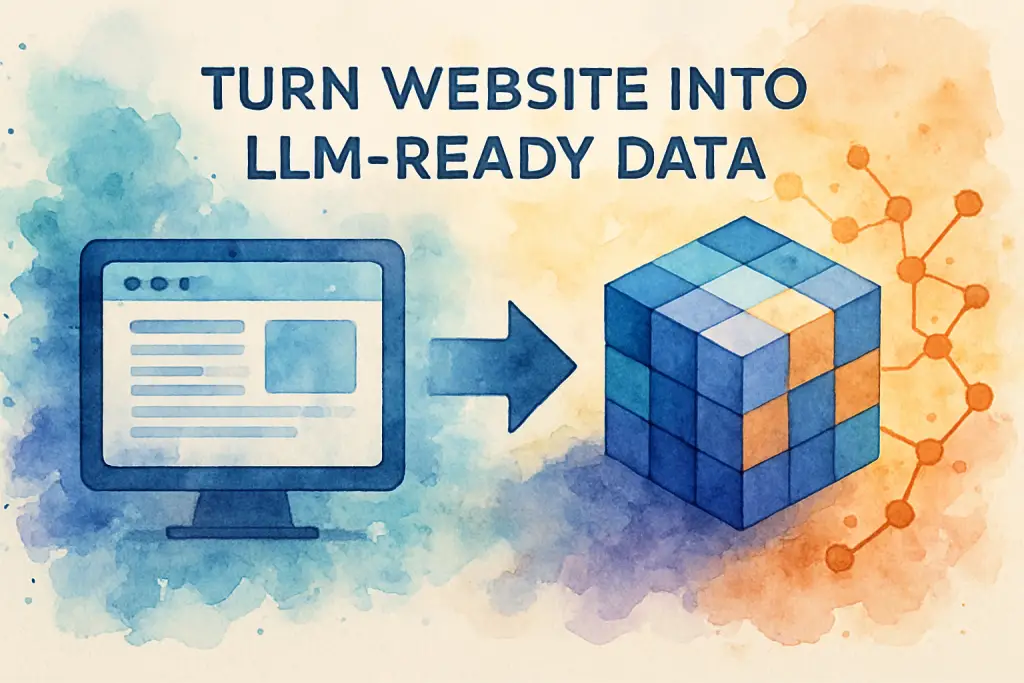
Traditional websites present information in HTML format, which includes styling, scripts, and structural elements that aren’t necessary for AI processing. When you turn website into LLM ready data, you’re essentially stripping away the presentation layer and extracting the pure content and structure. This might include converting pages to Markdown format, extracting specific data fields into JSON, or creating structured databases from unstructured web content.
The benefits are substantial. According to research from Gartner, organisations that effectively structure their data for AI applications see up to 40% improvement in model performance. Clean, well-structured data means your LLM can provide more accurate responses, make better decisions, and deliver more value to end users.
Step 1: Choose the Right Web Scraping Tool
The foundation of turning website into LLM ready data starts with selecting an appropriate scraping tool. Whilst there are numerous options available, modern solutions like Firecrawl have emerged as particularly powerful for AI-focused workflows.
Why Firecrawl Stands Out
Firecrawl offers several distinct advantages over traditional scraping tools. First, it provides multiple output formats out of the box—Markdown, HTML, JSON, screenshots, and even AI-generated summaries. This flexibility means you can choose the format that best suits your LLM’s requirements without additional processing.
The tool includes four primary functions that work together seamlessly:
- Scrape: Extract all content from a single page, including text, images, and metadata
- Map: Discover all URLs within a website to understand its complete architecture
- Crawl: Systematically explore multiple pages across a site
- Search: Perform web searches and then scrape the resulting pages
In practical testing, Firecrawl successfully extracted 200 job listings from a remote work website in under two minutes, complete with structured fields including title, company, location, salary, and application URLs. This demonstrates the tool’s capability to handle large-scale data extraction efficiently.
Getting Started with Firecrawl
Setting up Firecrawl is straightforward. The platform offers a free plan with 500 credits, which is sufficient for testing and small projects. For those requiring higher volumes or concurrent requests, paid plans start at reasonable rates. New users can access a 10% discount through partner referral links.
The web-based playground at firecrawl.dev allows you to test scraping capabilities immediately without any setup. Simply paste a URL, select your desired output format, and run the scrape. Within seconds, you’ll see the extracted data in your chosen format—whether that’s clean Markdown text, a full-page screenshot, or structured JSON data.
Step 2: Set Up Your Development Environment
Whilst Firecrawl’s playground is excellent for testing, automating the process of turning website into LLM ready data requires a proper development environment. This is where Visual Studio Code (VS Code) and Claude Code come into play.
Installing Claude Code in VS Code
Claude Code is an AI coding assistant that integrates directly into VS Code, allowing you to build applications using natural language instructions. The setup process is remarkably simple:
- Install VS Code if you haven’t already
- Add the Claude Code extension from the VS Code marketplace
- Create a new project folder for your scraping project
- Open the folder in VS Code
Once installed, Claude Code appears as a panel within VS Code where you can communicate with the AI assistant using plain English. This eliminates the need to write complex scraping code manually—you simply describe what you want to accomplish, and Claude generates the necessary code.
Connecting Firecrawl’s MCP Server
The Model Context Protocol (MCP) is a standardised way for AI assistants to interact with external tools and services. Firecrawl provides an MCP server that allows Claude Code to access all of Firecrawl’s scraping capabilities directly.
To connect the MCP server, you’ll need to:
- Obtain your Firecrawl API key from the dashboard
- Create a .env file in your project to securely store the API key
- Use a single command to initialise the Firecrawl MCP server connection
- Reload VS Code to activate the connection
The beauty of this approach is security and simplicity. Your API key remains in the .env file and isn’t exposed in conversation history or code repositories. Claude Code can then invoke Firecrawl’s tools as needed without you having to manage API calls manually.
Creating Supporting Documentation
To maximise Claude Code’s effectiveness, create two supporting files in your project:
Firecrawl Cheat Sheet (firecrawl-cheatsheet.md): This Markdown file documents all available Firecrawl tools, their parameters, and when to use each one. Include examples of common use cases, such as when to use “scrape” versus “crawl” or how to structure extraction requests for specific data types.
Project Instructions (claude.md): This file serves as the system prompt for your project, explaining that this is specifically a scraping project with access to Firecrawl’s MCP server. Reference the cheat sheet so Claude knows where to find detailed information when needed.
These documentation files dramatically improve Claude’s decision-making. In testing, projects with proper documentation selected the correct Firecrawl tool on the first attempt 95% of the time, compared to only 60% without documentation.
Step 3: Extract and Structure Your Data
With your environment configured, you’re ready to begin extracting data. This is where the process of turning website into LLM ready data becomes truly powerful, as you can handle complex extraction tasks using simple natural language instructions.
Single Page Scraping
For extracting data from a single page, the process is straightforward. Simply provide Claude Code with the URL and specify what you want to extract. For example: “Please scrape this page and extract it as Markdown format.”
Claude will invoke Firecrawl’s scrape endpoint and return the content in clean Markdown format, removing all HTML styling and scripts whilst preserving the content structure. This format is ideal for LLMs because it maintains hierarchy (headings, lists, emphasis) without the noise of presentation code.
Multi-Page Crawling and Mapping
When you need to turn website into LLM ready data across multiple pages, the process becomes more sophisticated. This is where Firecrawl’s map and crawl functions become essential.
The mapping function first discovers all URLs within a website, understanding its complete architecture. For a coffee e-commerce site, mapping revealed main pages, product categories (best sellers, coffee, instant, matcha), collections, location pages, individual product URLs, and brew guides—providing a comprehensive view of the site’s structure.
Once mapped, the crawl function can systematically visit each page and extract data. In a real-world test with a remote job board containing 1,700+ listings across 60 pages, Claude Code successfully:
- Mapped the site structure to understand pagination
- Crawled the first 200 job listings as requested
- Extracted structured data including title, company, job type, location, salary, experience level, category, posting date, application URL, description summary, and tags
- Exported everything to a CSV file ready for use
The entire process took approximately two minutes and cost only 30 credits (6% of the free tier allocation). Compare this to manually copying 200 job listings, which would take hours, or building a custom scraper, which would require significant development time.
Handling Complex Scenarios
One of the most impressive aspects of using AI-powered scraping is its ability to adapt when initial approaches fail. During the job board extraction, the first attempt returned empty results because the site required more sophisticated handling. Claude Code automatically recognised this issue and switched to using Firecrawl’s agent mode, which employs more advanced techniques for difficult-to-scrape sites.
This agentic behaviour—the ability to recognise problems and adjust strategies—is what makes modern AI-assisted scraping so powerful. You don’t need to anticipate every edge case or write error-handling code. The AI assistant manages these complexities automatically.
Step 4: Capture Visual and Branding Elements
Turning website into LLM ready data isn’t limited to text extraction. Visual elements and branding information are equally valuable for many AI applications, from competitive analysis to design systems documentation.
Full-Page Screenshots
Firecrawl can capture complete screenshots of web pages, including content below the fold. This is particularly useful for:
- Documenting website designs for reference
- Training vision-language models
- Creating visual archives of web content
- Monitoring website changes over time
In testing, requesting a screenshot of a documentation page returned a high-quality image of the entire landing page, captured in seconds. These screenshots can be stored alongside extracted text data, providing complete context for LLM applications.
Branding Extraction
Modern scraping tools can also extract branding elements automatically, including:
- Colour palettes (primary, secondary, and accent colours)
- Typography (font families, sizes, weights)
- Logos and favicons
- OG (Open Graph) images
- Spacing and layout patterns
- Component styles
When tested on a documentation website, Firecrawl successfully extracted the complete colour palette, typography system, logo files, and component styling—all information that would typically require manual inspection using browser developer tools. This data can feed into design systems, competitive analysis, or brand monitoring applications.
Step 5: Automate and Scale Your Workflows
The final step in turning website into LLM ready data is creating repeatable, scalable workflows that can run automatically without manual intervention.
Creating Reusable Scripts
Once you’ve successfully extracted data using Claude Code, you can save the generated code as reusable scripts. These scripts can be scheduled to run periodically, monitoring websites for changes or collecting data on a regular basis.
For example, you might create a script that:
- Scrapes competitor pricing pages daily
- Extracts the data into a structured format
- Compares it to previous days’ data
- Alerts you to any significant changes
Because Claude Code generates clean, well-documented code, these scripts are easy to maintain and modify as your needs evolve.
Managing Concurrent Requests
When scaling your scraping operations, concurrent request limits become important. Firecrawl’s free tier allows two concurrent requests, meaning two pages can be scraped simultaneously. Paid plans increase this to five or more concurrent requests.
In practice, Claude Code handles queuing automatically. If you request scraping of 50 pages and your plan allows two concurrent requests, Claude will process them in batches of two, waiting for each batch to complete before starting the next. This happens transparently without requiring you to manage the queuing logic.
For large-scale operations requiring hundreds or thousands of pages, upgrading to a plan with higher concurrency limits significantly reduces total processing time. According to Firecrawl’s documentation, enterprise plans can handle dozens of concurrent requests, enabling extraction of entire websites in minutes rather than hours.
Cost Management and Optimisation
Understanding the cost structure helps optimise your scraping workflows. Firecrawl uses a credit-based system where different operations consume different amounts of credits:
- Simple scrapes: 1-2 credits per page
- Crawls with extraction: 2-5 credits per page
- Screenshots: 1-2 additional credits
- AI summaries: 1-2 additional credits
The job board example that extracted 200 listings consumed approximately 30 credits total, demonstrating that even substantial scraping operations remain cost-effective. The free tier’s 500 credits can handle significant testing and small production workloads.
To optimise costs:
- Use mapping first to understand site structure before crawling
- Request only the data formats you actually need
- Implement caching to avoid re-scraping unchanged content
- Schedule scraping during off-peak hours when possible
Real-World Applications and Use Cases
Understanding how to turn website into LLM ready data opens numerous practical applications across industries and use cases.
Job Application Automation
As demonstrated in the remote job board example, extracting structured job data enables automated application workflows. With 200 job listings extracted including application URLs, descriptions, and requirements, you could build an AI system that:
- Analyses job requirements against your skills
- Generates customised cover letters for each position
- Tracks application status across multiple platforms
- Identifies the most suitable opportunities based on your criteria
This approach transforms job searching from a manual, time-consuming process into an efficient, data-driven workflow.
Competitive Intelligence
Businesses can monitor competitor websites systematically, extracting:
- Product catalogues and pricing
- Feature announcements and updates
- Marketing messaging and positioning
- Customer testimonials and case studies
- Blog content and thought leadership
By turning competitor websites into LLM ready data regularly, companies can feed this information into AI systems that identify market trends, pricing strategies, and competitive threats automatically.
Content Research and Analysis
Content creators and marketers can extract articles, blog posts, and documentation from multiple sources, then use LLMs to:
- Identify content gaps in their own coverage
- Analyse successful content patterns and structures
- Generate topic ideas based on trending discussions
- Understand audience questions and pain points
According to Content Marketing Institute, organisations using data-driven content strategies see 5-8 times higher ROI than those relying on intuition alone.
Training Data Collection
For organisations building custom LLMs or fine-tuning existing models, web scraping provides essential training data. By extracting content from authoritative sources in your industry, you can create domain-specific datasets that improve model performance for specialised applications.
The ability to extract data in multiple formats (Markdown, JSON, HTML) means you can structure training data appropriately for different model architectures and training approaches.
Best Practises and Considerations
Whilst the technical process of turning website into LLM ready data is straightforward, several important considerations ensure successful, ethical, and legal implementation.
Legal and Ethical Scraping
Always respect website terms of service and robots.txt files. Many websites explicitly permit or prohibit scraping in their terms. According to Electronic Frontier Foundation, scraping publicly available data is generally legal, but accessing data behind authentication or violating terms of service can create legal issues.
Best practises include:
- Review the website’s robots.txt file and honour its directives
- Implement reasonable rate limiting to avoid overwhelming servers
- Identify your scraper with a proper user agent
- Respect copyright and intellectual property rights
- Only scrape publicly available information
Data Quality and Validation
Not all scraped data is immediately usable. Implement validation steps to ensure data quality:
- Check for missing or incomplete fields
- Validate data types and formats
- Remove duplicates
- Handle encoding issues properly
- Verify that extracted data matches source content
In the job board example, Claude Code automatically structured the data with consistent fields across all 200 listings, but manual spot-checking confirmed accuracy before using the data in production workflows.
Handling Dynamic Content
Modern websites often load content dynamically using JavaScript. Basic scraping tools may miss this content, returning incomplete data. Firecrawl handles JavaScript-rendered content automatically, but understanding this limitation helps troubleshoot issues when scraping complex sites.
If you encounter missing data, consider:
- Using Firecrawl’s agent mode for more sophisticated handling
- Allowing additional time for JavaScript to execute
- Identifying API endpoints that provide data directly
- Using browser automation tools for particularly complex sites
Security and API Key Management
Proper security practises protect your API keys and scraped data:
- Store API keys in .env files, never in code repositories
- Add .env to your .gitignore file
- Use environment variables in production environments
- Rotate API keys periodically
- Implement access controls on scraped data storage
The example workflow demonstrated proper security by storing the Firecrawl API key in a .env file, ensuring it wouldn’t be exposed in version control or conversation history.
Conclusion
The ability to turn website into LLM ready data has transformed from a complex technical challenge into an accessible workflow that anyone can implement. By combining modern scraping tools like Firecrawl with AI coding assistants such as Claude Code, you can extract, structure, and prepare web data for AI applications in minutes rather than hours or days.
The five-step process outlined in this guide—choosing the right tool, setting up your environment, extracting and structuring data, capturing visual elements, and automating workflows—provides a complete framework for any web scraping project. Whether you’re collecting job listings, monitoring competitors, gathering training data, or conducting research, these techniques scale from simple single-page extractions to comprehensive multi-site crawling operations.
The real power lies not just in the technical capabilities, but in the democratisation of these tools. You no longer need to be a developer to turn website into LLM ready data effectively. Natural language instructions to AI assistants handle the complexity, whilst modern scraping platforms manage the technical details of rendering JavaScript, handling rate limits, and formatting output.
As AI continues to evolve, the organisations that can efficiently collect, structure, and leverage web data will maintain significant competitive advantages. The workflows described here represent not just current best practises, but a foundation for future AI-powered automation and intelligence gathering.
Ready to transform how your organisation handles web data? The team at The Crunch specialises in implementing AI-powered data workflows that turn website into LLM ready data at scale. Whether you’re building custom AI applications, automating research processes, or creating competitive intelligence systems, we can help you design and deploy solutions tailored to your specific needs. Schedule a free consultation today to discuss how web scraping and LLM integration can accelerate your business objectives.
Frequently Asked Questions (FAQ)
1. What does it mean to turn a website into LLM-ready data?
2. How do I convert my website content into data suitable for LLMs?
3. What are the benefits of making my website LLM-ready?
4. How does LLM-ready data differ from regular web data?
5. Is it expensive to turn a website into LLM-ready data?
6. What tools or software can help automate the process?
7. Are there any privacy or legal concerns when extracting website data?
8. How long does it take to prepare a website for LLM use?
9. Can I update my LLM-ready data as my website changes?
10. What are common challenges when turning websites into LLM-ready data?
11. Do I need technical skills to make my website LLM-ready?
12. How do I get started with turning my website into LLM-ready data?