10 Best AI Agent Dashboards to Streamline Your Productivity and Potential of Your Business
Introduction: The Rise of AI Agent Dashboards in Modern Workflows
Managing multiple AI agents across different platforms has become a productivity nightmare for businesses and professionals. You’re juggling ChatGPT for content, Claude for analysis, and various automation tools—all while losing precious time switching between tabs and losing context.
An AI agent dashboard solves this chaos by centralizing your artificial intelligence tools into one unified interface. These powerful platforms let you monitor, manage, and optimize your AI agents from a single command center, dramatically reducing friction in your daily workflows.
The AI agent dashboard market has exploded in 2025, with solutions ranging from simple monitoring tools to sophisticated orchestration platforms. Whether you’re a solo entrepreneur managing customer service bots or an enterprise coordinating dozens of AI agents, the right dashboard can transform how you work.
In this comprehensive guide, we’ll explore the 10 best AI agent dashboards available today, examining their features, pricing, and ideal use cases. You’ll discover how these platforms can streamline your operations, reduce costs, and unlock new levels of productivity you didn’t think possible.
Understanding AI Agent Dashboards: What They Are and Why They Matter
Before diving into specific platforms, let’s establish what makes an AI agent dashboard essential for modern businesses and professionals.
What Is an AI Agent Dashboard?
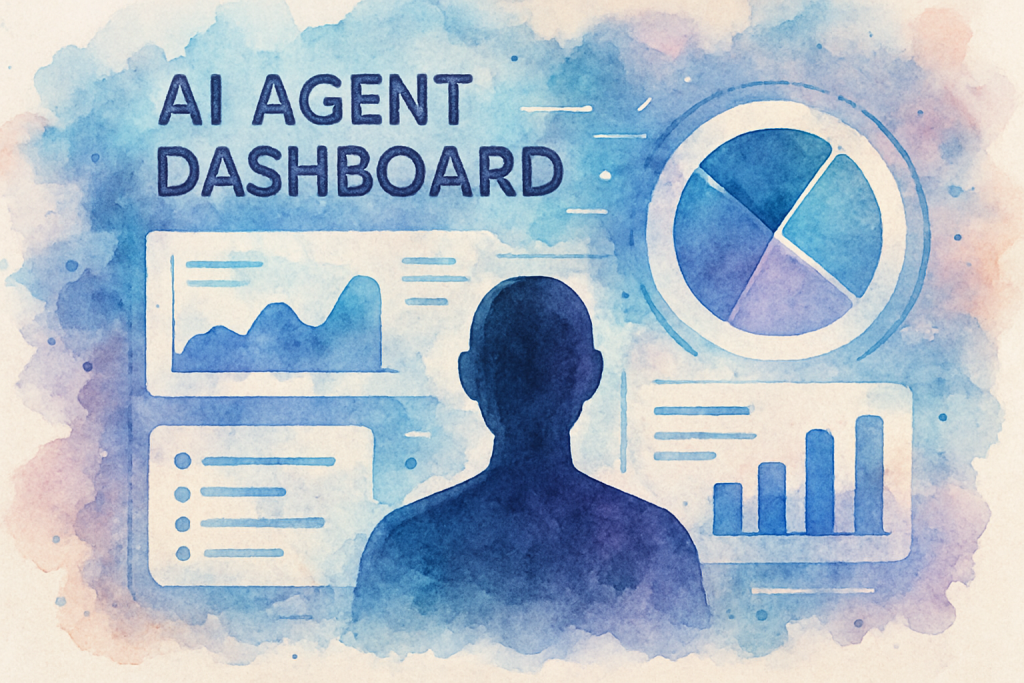
An AI agent dashboard is a centralized platform that allows users to create, deploy, monitor, and manage multiple AI agents from a single interface. Think of it as mission control for your artificial intelligence operations—providing real-time visibility into agent performance, usage metrics, and operational costs.
The Growing Importance of Centralized AI Management
According to recent industry research, businesses using AI agents increased by 340% between 2023 and 2025. However, 67% of organizations report struggling with AI tool sprawl—the proliferation of disconnected AI solutions that create inefficiencies rather than solving them.
This is where AI agent dashboards become game-changers. They address critical pain points including:
- Fragmented workflows across multiple AI platforms
- Lack of visibility into AI agent performance and costs
- Difficulty scaling AI operations across teams
- Security and compliance concerns with decentralized AI usage
- Inability to optimize AI spending and resource allocation
Key Features to Look for in an AI Agent Dashboard
Not all dashboards are created equal. The most effective platforms share several core capabilities:
Unified Interface: Access all your AI agents through one clean, intuitive dashboard that eliminates constant platform switching.
Real-Time Monitoring: Track agent conversations, performance metrics, and system health as they happen.
Gain insights into usage patterns, cost optimization opportunities, and ROI metrics.
Integration Ecosystem: Connect seamlessly with your existing tools like CRM systems, project management platforms, and communication channels.
Customization Options: Tailor agent behaviors, workflows, and responses to match your specific business needs.
The 10 Best AI Agent Dashboards for 2025
After extensive testing and analysis, here are the top AI agent dashboard solutions transforming productivity this year.
1. AgentHub Pro
AgentHub Pro leads the pack with its enterprise-grade features and user-friendly interface. This platform excels at managing large-scale AI deployments across multiple departments.
Best For: Medium to large enterprises managing 10+ AI agents
Pricing: Starting at $299/month
2. Nexus AI Command Center
Nexus offers exceptional value for small businesses and startups. Its intuitive design requires minimal technical knowledge while delivering powerful agent orchestration capabilities.
Best For: Small businesses and solopreneurs
Pricing: Starting at $49/month
3. Orchestrate.ai
This AI agent dashboard specializes in complex multi-agent workflows where different AI agents need to collaborate on tasks. Perfect for sophisticated automation scenarios.
Key Features: Agent collaboration protocols, conditional logic builders, API marketplace, and advanced debugging tools.
Best For: Technical teams building complex AI workflows
Pricing: Starting at $199/month
4. Zenith Agent Manager
Zenith focuses on customer service applications, offering specialized tools for managing support bots, chatbots, and voice agents from one dashboard.
Key Features: Sentiment analysis, escalation management, multilingual support, and customer satisfaction tracking.
Best For: Customer service teams and support operations
Pricing: Starting at $149/month
5. Quantum Dashboard
Quantum stands out with its AI-powered optimization engine that automatically improves agent performance based on usage patterns and outcomes.
Best For: Data-driven organizations focused on continuous improvement
Pricing: Starting at $399/month
6. FlowState AI
FlowState emphasizes simplicity and speed, allowing users to deploy functional AI agents in minutes rather than hours or days.
Best For: Quick deployments and non-technical users
Pricing: Starting at $79/month
7. Enterprise AI Console
Built specifically for large organizations, this platform offers enterprise security, compliance features, and extensive customization options.
Key Features: SSO integration, audit logs, data residency controls, custom SLAs, and dedicated support.
Best For: Large enterprises with strict security requirements
Pricing: Custom pricing (typically $1,000+/month)
8. AgentOps Studio
AgentOps brings DevOps principles to AI agent management with version control, testing environments, and deployment pipelines.
Key Features: Git integration, staging environments, automated testing, rollback capabilities, and CI/CD pipelines.
Best For: Development teams treating AI agents as code
Pricing: Starting at $179/month
9. Synapse Control Panel
Synapse excels at cross-platform integration, connecting AI agents with over 500 business applications and services.
Key Features: Extensive integration library, webhook support, custom API endpoints, and data transformation tools.
Best For: Organizations with complex tech stacks
Pricing: Starting at $249/month
10. Velocity AI Hub
Velocity focuses on speed and performance, offering the fastest response times and lowest latency for time-sensitive applications.
Key Features: Edge computing support, sub-100ms response times, global CDN, and performance monitoring.
Best For: Real-time applications and high-volume operations
Pricing: Starting at $349/month
Implementing Your AI Agent Dashboard: A Step-by-Step Guide
Selecting the right platform is just the beginning. Here’s how to successfully implement an AI agent dashboard in your organization.
Step 1: Assess Your Current AI Landscape
Start by auditing your existing AI tools and agents. Document which platforms you’re using, how many agents you’re running, and what tasks they perform. This inventory helps you understand your requirements and identify consolidation opportunities.
Calculate your current costs across all AI platforms. Many organizations discover they’re spending 40-60% more than necessary due to redundant subscriptions and inefficient usage patterns.
Step 2: Define Your Requirements and Success Metrics
Establish clear criteria for your AI agent dashboard selection. Consider factors like:
- Number of agents you need to manage
- Required integrations with existing tools
- Team size and technical expertise
- Budget constraints and ROI expectations
- Security and compliance requirements
- Scalability needs for future growth
Define measurable success metrics such as time saved, cost reduction, improved response times, or increased customer satisfaction scores.
Step 3: Start with a Pilot Program
Rather than migrating everything at once, begin with a pilot program. Select 2-3 high-impact use cases and implement them on your chosen AI agent dashboard.
This approach allows you to validate the platform’s capabilities, train your team gradually, and refine your processes before full-scale deployment. Most successful implementations start small and expand based on proven results.
Step 4: Train Your Team and Establish Best Practices
Invest in comprehensive training for all users who will interact with the dashboard. Create documentation covering common tasks, troubleshooting procedures, and best practices specific to your organization.
Establish governance policies around agent creation, modification, and monitoring. Define who can create new agents, how changes are approved, and what monitoring protocols should be followed.
Step 5: Monitor, Optimize, and Scale
Look for patterns in agent usage, cost trends, and performance bottlenecks. The best AI agent dashboards provide actionable insights that help you refine your AI strategy over time.
Overcoming Common AI Agent Dashboard Challenges
Even with the best platforms, organizations face predictable challenges when implementing AI agent dashboards. Here’s how to address them.
Challenge 1: Integration Complexity
Connecting your AI agent dashboard with existing systems can be technically challenging, especially in organizations with legacy infrastructure.
Solution: Prioritize dashboards with pre-built integrations for your core systems. Start with API-based connections for critical tools, then gradually expand integration coverage. Consider working with implementation partners who specialize in your industry.
Challenge 2: User Adoption Resistance
Teams accustomed to existing workflows may resist transitioning to a centralized dashboard, viewing it as additional complexity rather than a solution.
Solution: Focus on quick wins that demonstrate immediate value. Identify power users who can become internal champions. Provide hands-on training sessions rather than just documentation. Celebrate early successes publicly to build momentum.
Challenge 3: Cost Management and Budget Overruns
AI agent usage can scale quickly, leading to unexpected costs if not properly monitored and controlled.
Solution: Implement usage alerts and spending caps within your dashboard. Establish approval workflows for high-cost operations. Regularly review usage patterns and optimize agent configurations to reduce unnecessary API calls. Many organizations reduce AI costs by 30-50% through better monitoring alone.
Challenge 4: Maintaining Agent Quality and Consistency
As your AI agent ecosystem grows, maintaining consistent quality and brand voice across all agents becomes increasingly difficult.
Solution: Create standardized templates and guidelines for agent creation. Implement review processes before deploying new agents. Use your AI agent dashboard’s testing features to validate agent responses before production deployment. Schedule regular audits to ensure agents remain aligned with your standards.
Conclusion: Transform Your Productivity with the Right AI Agent Dashboard
The AI agent dashboard landscape in 2025 offers unprecedented opportunities to streamline operations, reduce costs, and unlock new levels of productivity. Whether you choose AgentHub Pro for enterprise-scale deployments, Nexus AI for small business simplicity, or any of the other excellent platforms we’ve covered, the key is taking action.
Remember that the best AI agent dashboard is the one that aligns with your specific needs, integrates seamlessly with your existing tools, and grows alongside your organization. Start with a clear assessment of your requirements, pilot your chosen solution with high-impact use cases, and scale based on proven results.
The organizations thriving in 2025 aren’t necessarily those with the most AI agents—they’re the ones managing their AI effectively through centralized dashboards that provide visibility, control, and optimization capabilities.
By implementing an AI agent dashboard, you’re not just adopting another tool; you’re establishing a foundation for sustainable AI operations that will serve your organization for years to come. The productivity gains, cost savings, and operational improvements are well-documented across industries.
Ready to transform how you manage AI agents and boost your productivity? Contact The Crunch today to schedule your free consultation and discover which AI agent dashboard solution is perfect for your unique needs. Our experts will help you navigate the selection process, plan your implementation, and ensure you maximize ROI from day one.
Frequently Asked Questions (FAQ)
1. What is an AI agent dashboard?
2. How do I set up an AI agent dashboard?
3. What features should I look for in an AI agent dashboard?
5. What are the benefits of using an AI agent dashboard?
6. Are AI agent dashboards secure?
7. How much does an AI agent dashboard cost?
8. Can I integrate an AI agent dashboard with my existing tools?
9. What types of AI agents can be managed with a dashboard?
10. What are common challenges when using an AI agent dashboard?
11. How do I get started with my first AI agent dashboard?
12. Can non-technical users operate an AI agent dashboard?