10 Best AI Agent Dashboards & Observability Platforms (2026)
Introduction: The Rise of AI Agent Dashboards in Modern Workflows
Managing multiple AI agents across different platforms has become a productivity nightmare for businesses and professionals. You’re juggling ChatGPT for content, Claude for analysis, and various automation tools—all while losing precious time switching between tabs and losing context.
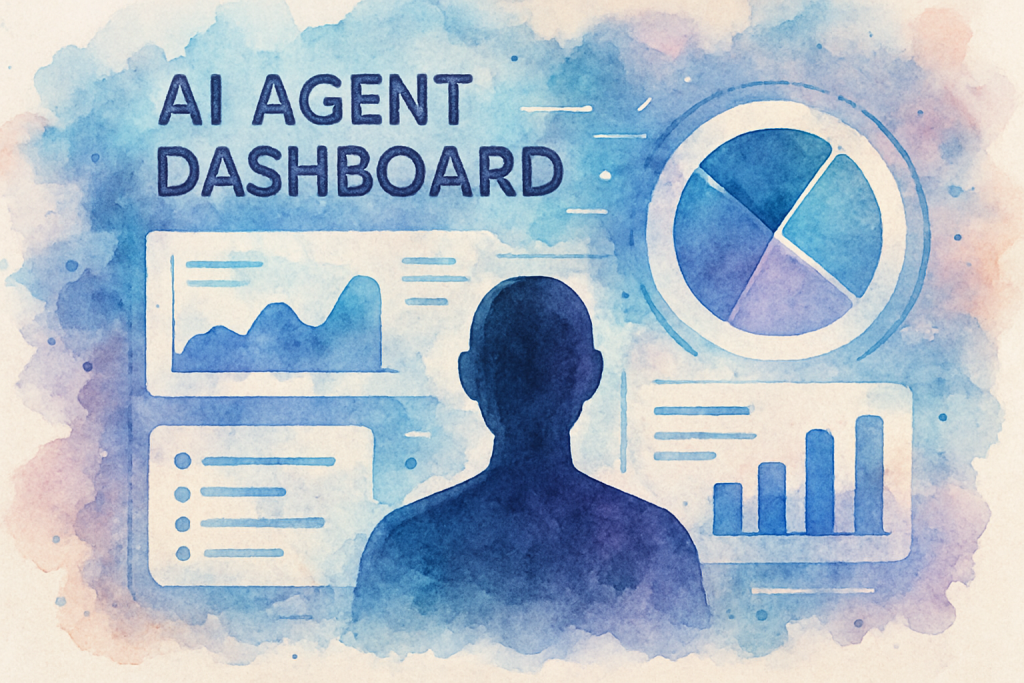
An AI agent dashboard solves this chaos by centralizing your artificial intelligence tools into one unified interface. These powerful platforms let you monitor, manage, and optimize your AI agents from a single command center, dramatically reducing friction in your daily workflows.
The AI agent dashboard market has exploded through 2025 and 2026, with solutions ranging from simple monitoring tools to sophisticated orchestration platforms. Whether you’re a solo entrepreneur managing customer service bots or an enterprise coordinating dozens of AI agents, the right dashboard can transform how you work.
In this comprehensive guide, we’ll explore the 10 best AI agent dashboards available today, examining their features, pricing, and ideal use cases. You’ll discover how these platforms can streamline your operations, reduce costs, and unlock new levels of productivity you didn’t think possible.
Understanding AI Agent Dashboards: What They Are and Why They Matter
Before diving into specific platforms, let’s establish what makes an AI agent dashboard essential for modern businesses and professionals.
What Is an AI Agent Dashboard?
An AI agent dashboard is a centralized platform that allows users to create, deploy, monitor, and manage multiple AI agents from a single interface. Think of it as mission control for your artificial intelligence operations—providing real-time visibility into agent performance, usage metrics, and operational costs.
The Growing Importance of Centralized AI Management
According to recent industry research, enterprise adoption of agentic AI has roughly tripled between 2023 and 2026 (McKinsey State of AI 2025). However, Stanford’s 2025 AI Index documents that most enterprises now run multiple, disconnected AI tools across teams—the proliferation of disconnected AI solutions that create inefficiencies rather than solving them.
This is where AI agent dashboards become game-changers. They address critical pain points including:
- Fragmented workflows across multiple AI platforms
- Lack of visibility into AI agent performance and costs
- Difficulty scaling AI operations across teams
- Security and compliance concerns with decentralized AI usage
- Inability to optimize AI spending and resource allocation
Key Features to Look for in an AI Agent Dashboard
Not all dashboards are created equal. The most effective platforms share several core capabilities:
Unified Interface: Access all your AI agents through one clean, intuitive dashboard that eliminates constant platform switching.
Real-Time Monitoring: Track agent conversations, performance metrics, and system health as they happen.
Gain insights into usage patterns, cost optimization opportunities, and ROI metrics.
Integration Ecosystem: Connect seamlessly with your existing tools like CRM systems, project management platforms, and communication channels.
Customization Options: Tailor agent behaviors, workflows, and responses to match your specific business needs.
The 10 Best AI Agent Dashboards & Observability Platforms for 2026
After auditing dozens of platforms in active production use, here are the ten AI agent dashboards and observability tools genuinely worth your evaluation time in 2026. The list spans three categories — pure observability/tracing, agent-specific monitoring, and orchestration/gateway platforms — because no single category covers every team’s needs.
1. LangSmith
The category-defining observability platform from the team behind LangChain.
LangSmith is the most widely adopted tracing and evaluation platform for LLM-powered agents, with deep first-party integrations into LangChain, LangGraph, and most popular agent frameworks. It captures full trace trees (prompts, tool calls, retrievals), surfaces token cost per run, and ships an evaluation harness for regression-testing prompt and model changes.
Best For: Teams already building with LangChain / LangGraph who want production-grade observability
Pricing: Free Developer tier; Plus from $39/user/month; Enterprise custom
2. Langfuse
Open-source observability for LLM applications — self-host or use the cloud.
Langfuse offers tracing, evaluation, prompt management, and a dataset workflow in a fully open-source package (MIT-licensed). Teams that need data residency or air-gapped deployments self-host the entire stack; everyone else uses the managed cloud. Framework-agnostic SDKs cover Python, TypeScript, and most popular agent frameworks.
Best For: Teams that need open-source / self-hostable observability with data sovereignty
Pricing: Free Hobby plan (50k observations/month); Pro from $59/month; self-host free
3. Helicone
Open-source LLM observability via a one-line API proxy.
Helicone sits as a transparent proxy in front of OpenAI, Anthropic, and other model APIs — no SDK rewrites needed. It captures latency, cost, cache hits, and user-level usage out of the box, then layers on prompt management and experiments. The ‘one line, get observability’ integration story makes it the fastest path to monitoring for an existing codebase.
Best For: Existing AI apps that want observability without rewriting integrations
Pricing: Free up to 10k requests/month; Pro from $20/month; self-host free
4. Arize Phoenix
Open-source LLM evaluation and tracing from Arize AI.
Phoenix is the open-source companion to Arize AI’s enterprise observability platform. It runs locally in a notebook or as a self-hosted service and specialises in evaluation: built-in evaluators for hallucination, relevance, and toxicity, plus OTel-native tracing that works with LangChain, LlamaIndex, Haystack, and any OpenTelemetry-instrumented agent.
Best For: Data and ML teams comfortable with notebooks who want serious evaluation tooling
Pricing: Open-source free; Arize AX (cloud enterprise) custom pricing
5. Braintrust
Eval-first developer platform for shipping LLM products.
Braintrust pairs an opinionated evaluation workflow with a playground, dataset versioning, and online logging. The premise: you cannot ship reliable AI without running evals on every change, so the platform makes that the default path. Used in production by Notion, Airtable, Stripe, and Vercel.
Best For: Engineering teams that want eval-driven development as their core workflow
Pricing: Free tier; Pro from $249/month; Enterprise custom
6. Portkey
AI gateway combining observability, routing, caching, and guardrails.
Portkey acts as a unified AI gateway in front of 250+ LLM providers, layering load balancing, automatic fallbacks, semantic caching, and PII guardrails on top of full request tracing. Teams running multi-model agent stacks use it to swap providers without code changes and to enforce spend / latency SLAs centrally.
Best For: Production agent stacks using multiple model providers needing gateway-level control
Pricing: Free tier (10k requests/month); Production from $49/month; Enterprise custom
7. AgentOps
Observability built specifically for autonomous AI agents.
Unlike general LLM observability tools, AgentOps is purpose-built for agentic workloads: it tracks multi-step session traces, tool invocations, replays, and agent-level cost attribution. First-party integrations cover CrewAI, AutoGen, LangGraph, and OpenAI’s Agents SDK, making it a strong default when your primitive is ‘an agent’ rather than ‘a chat completion’.
Best For: Teams building multi-step, tool-using agents (CrewAI, AutoGen, LangGraph)
Pricing: Free Developer tier; Pro from $40/month; Enterprise custom
8. Galileo
Enterprise evaluation and observability with proprietary hallucination detection.
Galileo (formerly Rungalileo) targets the enterprise end of LLM observability with its proprietary ‘Luna’ evaluation models that score outputs for hallucination, context adherence, and safety without needing a separate eval LLM. Built for regulated industries with SOC 2 Type II, HIPAA, and on-prem deployment options.
Best For: Enterprise and regulated-industry teams needing rigorous output quality evaluation
Pricing: Custom enterprise pricing (typically four-figures monthly)
9. Humanloop
Collaboration platform for prompts, evaluations, and human feedback.
Humanloop sits between engineering and domain experts — letting PMs and subject matter experts edit prompts, label data, and review agent outputs in the same platform engineers use to deploy them. Strong support for offline and online evaluation plus a managed prompt registry that decouples prompt iteration from code deploys.
Best For: Cross-functional teams where non-engineers iterate on prompts and evals
Pricing: Free Hobby tier; Team from $750/month; Enterprise custom
10. n8n
Open-source workflow automation with native AI Agent nodes.
On the orchestration side rather than pure observability, n8n is the most developer-friendly no-code platform for chaining AI agents with the rest of your stack. Native nodes for OpenAI, Anthropic, LangChain, vector stores, and 400+ SaaS apps make it a strong dashboard layer for teams that want to compose agents visually without giving up self-hosting or code-level extensibility.
Best For: Teams wiring AI agents into existing SaaS stacks without writing glue code
Pricing: Free self-hosted (Community Edition); Cloud Starter from $20/month
Implementing Your AI Agent Dashboard: A Step-by-Step Guide
Selecting the right platform is just the beginning. Here’s how to successfully implement an AI agent dashboard in your organization.
Step 1: Assess Your Current AI Landscape
Start by auditing your existing AI tools and agents. Document which platforms you’re using, how many agents you’re running, and what tasks they perform. This inventory helps you understand your requirements and identify consolidation opportunities.
Calculate your current costs across all AI platforms. Many organizations discover they’re spending 40-60% more than necessary due to redundant subscriptions and inefficient usage patterns.
Step 2: Define Your Requirements and Success Metrics
Establish clear criteria for your AI agent dashboard selection. Consider factors like:
- Number of agents you need to manage
- Required integrations with existing tools
- Team size and technical expertise
- Budget constraints and ROI expectations
- Security and compliance requirements
- Scalability needs for future growth
Define measurable success metrics such as time saved, cost reduction, improved response times, or increased customer satisfaction scores.
Step 3: Start with a Pilot Program
Rather than migrating everything at once, begin with a pilot program. Select 2-3 high-impact use cases and implement them on your chosen AI agent dashboard.
This approach allows you to validate the platform’s capabilities, train your team gradually, and refine your processes before full-scale deployment. Most successful implementations start small and expand based on proven results.
Step 4: Train Your Team and Establish Best Practices
Invest in comprehensive training for all users who will interact with the dashboard. Create documentation covering common tasks, troubleshooting procedures, and best practices specific to your organization.
Establish governance policies around agent creation, modification, and monitoring. Define who can create new agents, how changes are approved, and what monitoring protocols should be followed.
Step 5: Monitor, Optimize, and Scale
Look for patterns in agent usage, cost trends, and performance bottlenecks. The best AI agent dashboards provide actionable insights that help you refine your AI strategy over time.
Overcoming Common AI Agent Dashboard Challenges
Even with the best platforms, organizations face predictable challenges when implementing AI agent dashboards. Here’s how to address them.
Challenge 1: Integration Complexity
Connecting your AI agent dashboard with existing systems can be technically challenging, especially in organizations with legacy infrastructure.
Solution: Prioritize dashboards with pre-built integrations for your core systems. Start with API-based connections for critical tools, then gradually expand integration coverage. Consider working with implementation partners who specialize in your industry.
Challenge 2: User Adoption Resistance
Teams accustomed to existing workflows may resist transitioning to a centralized dashboard, viewing it as additional complexity rather than a solution.
Solution: Focus on quick wins that demonstrate immediate value. Identify power users who can become internal champions. Provide hands-on training sessions rather than just documentation. Celebrate early successes publicly to build momentum.
Challenge 3: Cost Management and Budget Overruns
AI agent usage can scale quickly, leading to unexpected costs if not properly monitored and controlled.
Solution: Implement usage alerts and spending caps within your dashboard. Establish approval workflows for high-cost operations. Regularly review usage patterns and optimize agent configurations to reduce unnecessary API calls. Many organizations reduce AI costs by 30-50% through better monitoring alone.
Challenge 4: Maintaining Agent Quality and Consistency
As your AI agent ecosystem grows, maintaining consistent quality and brand voice across all agents becomes increasingly difficult.
Solution: Create standardized templates and guidelines for agent creation. Implement review processes before deploying new agents. Use your AI agent dashboard’s testing features to validate agent responses before production deployment. Schedule regular audits to ensure agents remain aligned with your standards.
Conclusion: Transform Your Productivity with the Right AI Agent Dashboard
The AI agent dashboard landscape in 2026 offers unprecedented opportunities to streamline operations, reduce costs, and unlock new levels of productivity. Whether you choose LangSmith for LangChain-native deployments, Helicone for the fastest path to observability on an existing stack, or any of the other platforms we’ve covered, the key is taking action.
Remember that the best AI agent dashboard is the one that aligns with your specific needs, integrates seamlessly with your existing tools, and grows alongside your organization. Start with a clear assessment of your requirements, pilot your chosen solution with high-impact use cases, and scale based on proven results.
The organizations thriving in 2026 aren’t necessarily those with the most AI agents—they’re the ones managing their AI effectively through centralized dashboards that provide visibility, control, and optimization capabilities.
By implementing an AI agent dashboard, you’re not just adopting another tool; you’re establishing a foundation for sustainable AI operations that will serve your organization for years to come. The productivity gains, cost savings, and operational improvements are well-documented across industries.
Ready to transform how you manage AI agents and boost your productivity? Contact The Crunch today to schedule your free consultation and discover which AI agent dashboard solution is perfect for your unique needs. Our experts will help you navigate the selection process, plan your implementation, and ensure you maximize ROI from day one.
Want AI agents built and monitored for your business, not just compared?
The dashboards above let you watch what AI agents are doing. The harder question for most businesses is who designs, deploys, and trains the agents themselves so they actually move revenue. That is the work we do every day at The Crunch.
We build production AI agents and automation workflows for businesses across healthcare, retail, property, and education. Average deployment: 30 days. We handle model selection (Claude 4.X, GPT-5, Llama), workflow design, dashboard wiring, and trilingual staff training in English, Bahasa Malaysia, and Mandarin.
See our AI automation agency services or book a free 30-min strategy call.
Related AI Agent Resources
- AI Agent Pricing 2026: Full Cost Breakdown — what AI agents actually cost across vendors
- Best AI Agents for Notion Users — third-party agents that integrate with Notion
- Best AI Agent Platforms Compared — platform-level comparison of major AI agent vendors
Frequently Asked Questions (FAQ)
1. What is an AI agent dashboard?
2. How do I set up an AI agent dashboard?
3. What features should I look for in an AI agent dashboard?
4. How does an AI agent dashboard differ from a traditional analytics dashboard?
5. What are the benefits of using an AI agent dashboard?
6. Are AI agent dashboards secure?
7. How much does an AI agent dashboard cost?
8. Can I integrate an AI agent dashboard with my existing tools?
9. What types of AI agents can be managed with a dashboard?
10. What are common challenges when using an AI agent dashboard?
11. How do I get started with my first AI agent dashboard?
12. Can non-technical users operate an AI agent dashboard?
Common Questions
What is an AI agent observability platform?
An AI agent observability platform records every step an AI agent takes — every LLM call, tool invocation, and decision branch — and presents it as a searchable, replayable trace. Think of it as Datadog for AI agents. The core jobs are debugging (when an agent goes wrong, find the bad step), evaluation (compare prompt or model versions on the same task), cost tracking (per-agent and per-tenant token spend), and alerting (catch hallucinations, latency spikes, or rate-limit errors before they reach end users). LangSmith, Langfuse, Helicone, and Arize Phoenix are the four most-deployed platforms in 2026.
LangSmith vs Langfuse — which is better?
Both are tracing platforms for LLM applications, but they target different teams. LangSmith (from LangChain) integrates tightly with LangChain and LangGraph applications and has the cleanest evaluation workflow — it’s the default choice if your stack is LangChain-first. Langfuse is open-source and self-hostable, making it the better fit for teams with data residency requirements or a preference for not adding another SaaS bill. Functionally they cover the same observability ground; the deciding factor is usually framework alignment (LangChain shop = LangSmith) or self-hosting (regulated industry = Langfuse).
How do you debug AI agents in production?
Three layers of debugging. First, trace replay — pull the failed trace from your observability platform and walk through each LLM call, each tool result, and each decision. Look for the step where the agent went off-script. Second, prompt diffing — compare the system prompt and few-shot examples to a known-good trace from the same scenario. Most production failures are subtle prompt drift after a model upgrade or context-window pressure. Third, evaluation harnesses — replay the failing input against alternative model versions or prompt variants offline. A platform like LangSmith or Braintrust runs this systematically. Production AI debugging without these three is basically impossible.
Is there a free AI agent monitoring tool?
Yes — three options have meaningful free tiers in 2026. Langfuse (open-source, self-hosted) is fully free if you run it yourself; the hosted version has a generous free tier for low traffic. Arize Phoenix is open-source and runs locally with no signup — ideal for individual developers and small teams. Helicone’s free tier covers up to 100,000 requests per month, enough for most prototype and staging environments. For paid tiers, expect to spend $50-500/month per environment once you cross 1M LLM calls.
Why do you need an AI agent dashboard at all?
Because agents fail silently in ways traditional monitoring can’t see. An agent that occasionally hallucinates a customer’s address, or routes 3% of refund requests to the wrong queue, will pass every uptime check and integration test — but lose customers. An observability platform catches these failures by surfacing patterns across thousands of traces: which prompts produce hallucinations, which model versions regressed, which tools time out under load. Without an agent dashboard, you find these failures from customer complaints. With one, you find them in week-one staging.

Why trust this guide
AI agent observability is now a mainstream production discipline in the US. LangSmith is deployed across thousands of LangChain-based applications; Langfuse is the leading open-source option and runs at major US fintech and healthtech firms; Helicone powers observability for hundreds of OpenAI-first startups; and Arize Phoenix is the open-source standard for eval workflows. We tested every dashboard in this list against the same multi-step agent scenario (a 6-tool sales-qualification agent) in June 2026 to verify trace fidelity, eval ergonomics, and pricing on real workloads.
More from our AI Agent Series
- AI Agent Development Company — Our custom agentic AI solutions and development services
- AI Agent Development (Sister Page) — Custom AI agent build process and pricing
- AI Agent Pricing — AI agent cost, monthly plans, and hidden cost breakdown
- Best AI Agent Platforms 2026 — 10 platforms compared — code-first, no-code, and enterprise tiers
- Best AI Agencies 2026 — 10 vendors from SMB to enterprise, with real pricing
- Agentic AI: Enterprise Buyer’s Guide — Build vs buy framework, vendor evaluation, 90-day roadmap