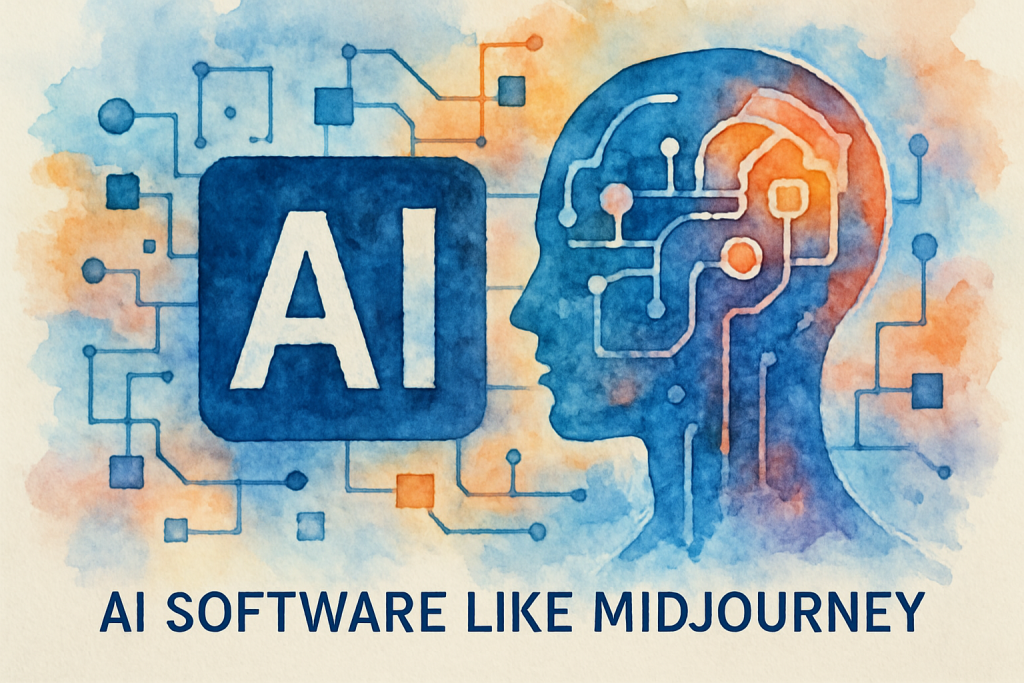
Imagine transforming a simple text description into a breathtaking piece of art in seconds. That’s the power of AI art generators, and while Midjourney has captured the spotlight, it’s far from the only player in this revolutionary space.
The demand for AI software like Midjourney has exploded as creators, marketers, and businesses seek efficient ways to produce high-quality visual content. Whether you’re a digital artist looking to expand your creative toolkit, a content creator needing unique visuals, or a business owner seeking cost-effective design solutions, understanding your options is crucial.
The AI art generation landscape has evolved dramatically, with numerous platforms offering unique features, pricing models, and artistic styles. Some excel at photorealism, others at abstract art, and many provide specialized tools for specific industries.
In this comprehensive guide, we’ll explore seven exceptional alternatives to Midjourney, examining their strengths, limitations, pricing structures, and ideal use cases. By the end, you’ll have a clear understanding of which AI art tool best fits your creative needs and budget.
Understanding AI Art Generation Technology
Before diving into specific tools, it’s essential to understand what makes AI software like Midjourney so powerful and transformative for creative professionals.
How AI Art Generators Work
AI art generators utilize sophisticated machine learning models, primarily diffusion models and generative adversarial networks (GANs), trained on millions of images. When you input a text prompt, these systems analyze the semantic meaning, understand artistic concepts, and generate entirely new images that match your description.
The technology has advanced remarkably since 2022. Modern AI art tools can understand complex prompts, maintain consistent character designs across multiple images, and even replicate specific artistic styles from Renaissance paintings to contemporary digital art.
According to recent market research, the AI image generation market is projected to reach $1.8 billion by 2028, growing at a compound annual growth rate of 17.2%. This explosive growth reflects the technology’s increasing accessibility and practical applications across industries.
Why Businesses and Creators Need AI Art Tools
The practical applications extend far beyond artistic experimentation. Marketing teams use AI-generated images for social media campaigns, reducing design costs by up to 70%. E-commerce businesses create product mockups and lifestyle images without expensive photoshoots. Game developers generate concept art and environmental textures in minutes rather than days.
Content creators face constant pressure to produce fresh, engaging visuals. Traditional stock photography often feels generic and overused, while custom photography or illustration can be prohibitively expensive. AI art generators bridge this gap, offering unique, customizable visuals at a fraction of traditional costs.
Current Trends in AI Art Generation
The industry is witnessing several significant trends. Real-time generation is becoming standard, with some platforms producing images in under 10 seconds. Style consistency features allow creators to maintain brand identity across multiple images. Integration with existing design workflows through APIs and plugins is making AI art generation seamless for professional teams.
Additionally, ethical AI practices are gaining prominence, with platforms implementing better attribution systems, opt-out mechanisms for artists, and transparent training data policies.
The 7 Best AI Software Like Midjourney
Now let’s explore the top alternatives that rival or even surpass Midjourney in specific areas.
1. DALL-E 3 by OpenAI
DALL-E 3 represents OpenAI’s latest advancement in AI image generation, offering exceptional prompt understanding and safety features. Integrated directly into ChatGPT Plus, it provides a seamless experience for users already in the OpenAI ecosystem.
Key Features:
- Superior text rendering within images, solving a common AI art challenge
- Advanced prompt interpretation that understands nuanced descriptions
- Built-in safety measures preventing harmful content generation
- Native integration with ChatGPT for iterative refinement
- Commercial usage rights included with subscription
Pricing: Access through ChatGPT Plus at $20/month or via API with pay-per-use pricing starting at $0.04 per image.
Best For: Content creators who need reliable text integration in images, businesses requiring safe and compliant AI-generated content, and users who value conversational refinement of their prompts.
2. Stable Diffusion
As an open-source alternative, Stable Diffusion has cultivated a massive community of developers and artists. This AI software like Midjourney offers unparalleled customization and control, making it the choice for technical users and developers.
Key Features:
- Completely open-source with no usage restrictions
- Extensive model customization through fine-tuning
- Local installation option for complete privacy
- Massive library of community-created models and extensions
- ControlNet integration for precise composition control
Pricing: Free for local use; cloud-based platforms like DreamStudio offer credits starting at $10 for 1,000 images.
Best For: Developers building AI art applications, privacy-conscious users, artists wanting complete creative control, and businesses needing customized AI models for specific visual styles.
3. Adobe Firefly
Adobe’s entry into AI art generation brings enterprise-grade reliability and seamless integration with Creative Cloud applications. Firefly is trained exclusively on licensed content, addressing copyright concerns that plague other platforms.
Key Features:
- Ethically trained on Adobe Stock and public domain content
- Direct integration with Photoshop, Illustrator, and Express
- Generative Fill and Expand features for image editing
- Text effects and vector recoloring capabilities
- Commercial safety with indemnification for enterprise users
Pricing: Included with Creative Cloud subscriptions starting at $54.99/month; standalone Firefly plans begin at $4.99/month for 100 monthly credits.
Best For: Professional designers already using Adobe tools, businesses requiring legal protection for AI-generated content, and creative teams needing workflow integration.
4. Leonardo AI
Leonardo AI has emerged as a powerful platform specifically designed for game assets, concept art, and consistent character generation. Its focus on production-ready assets makes it invaluable for game developers and digital artists.
Key Features:
- Specialized models for game textures and assets
- Character consistency across multiple generations
- Canvas editor for precise control and inpainting
- Prompt generation assistance for beginners
- Community-shared models and presets
Pricing: Free tier with 150 daily tokens; paid plans from $10/month for 8,500 monthly tokens.
Best For: Game developers, concept artists, character designers, and creators needing consistent visual elements across projects.
5. Ideogram
Ideogram has distinguished itself with exceptional typography capabilities, making it the go-to choice when text must be integrated seamlessly into images. This AI software like Midjourney excels where others struggle with letter formation and text placement.
Key Features:
- Industry-leading text rendering accuracy
- Magic Prompt feature that enhances basic descriptions
- Multiple aspect ratio options
- Remix functionality for iterative improvements
- Clean, intuitive interface for beginners
Pricing: Free tier with 25 daily prompts; Plus plan at $8/month for 400 monthly prompts; Pro plan at $20/month for unlimited priority generation.
Best For: Graphic designers creating posters and marketing materials, social media managers needing text-heavy visuals, and anyone requiring accurate typography in AI-generated images.
6. Playground AI
Playground AI combines powerful generation capabilities with an extensive editing suite, offering a complete creative environment. Its generous free tier makes it accessible for experimentation and learning.
Key Features:
- Advanced editing tools including object removal and background replacement
- Multiple model options including Stable Diffusion variants
- Collaborative features for team projects
- Extensive filter library for style application
- Board organization system for project management
Pricing: Free tier with 500 daily images; Pro plan at $15/month for 2,000 daily images and commercial licensing.
Best For: Social media content creators, small businesses needing diverse visual content, and users wanting both generation and editing in one platform.
7. Artbreeder
Artbreeder takes a unique approach to AI art generation, focusing on collaborative creation and genetic algorithms. Users can “breed” images together, creating endless variations and discovering unexpected artistic directions.
Key Features:
- Unique breeding mechanism for image evolution
- Specialized tools for portraits, landscapes, and abstract art
- Collaborative community features
- Precise control over facial features and characteristics
- Animation capabilities for bringing images to life
Pricing: Free tier with limited features; Starter plan at $8.99/month; Advanced plan at $18.99/month with high-resolution downloads.
Best For: Portrait artists, character designers, creative experimenters, and users who enjoy collaborative artistic exploration.
Implementing AI Art Tools in Your Workflow
Selecting the right AI software like Midjourney is only the first step. Successful implementation requires strategic planning and workflow optimization.
Step 1: Define Your Creative Objectives
Begin by clearly identifying what you need from an AI art tool. Are you creating marketing materials, game assets, social media content, or fine art? Different platforms excel in different areas. Marketing teams might prioritize speed and text integration, while game developers need consistency and asset-specific features.
Document your typical creative process, noting pain points where AI could provide the most value. This assessment helps you choose tools that complement rather than complicate your workflow.
Step 2: Master Prompt Engineering
Effective prompts are the foundation of quality AI-generated art. Start with clear, descriptive language specifying subject, style, lighting, composition, and mood. For example, instead of “a cat,” try “a fluffy Persian cat with blue eyes, sitting on a velvet cushion, soft natural lighting, photorealistic style, shallow depth of field.”
Study successful prompts in your chosen platform’s community galleries. Most AI art tools have distinct prompt syntaxes and respond differently to specific keywords. Experiment with modifiers like “highly detailed,” “8k resolution,” or “trending on ArtStation” to refine outputs.
Create a prompt library documenting what works for your specific needs. This resource becomes invaluable for maintaining consistency and training team members.
Step 3: Establish Quality Control Processes
AI-generated images require curation. Implement a systematic review process evaluating technical quality, brand alignment, and legal compliance. Check for common AI artifacts like distorted hands, inconsistent lighting, or nonsensical background elements.
For commercial use, verify that your chosen platform provides appropriate licensing. Some tools restrict commercial usage on free tiers, while others offer full rights with paid subscriptions.
Consider implementing a two-stage workflow: rapid generation for concept exploration, followed by refinement using traditional editing tools for final assets.
Step 4: Integrate with Existing Tools
Modern AI art platforms offer APIs, plugins, and integrations with popular design software. Adobe Firefly’s Photoshop integration allows seamless AI-assisted editing. Stable Diffusion can be incorporated into custom applications through its API.
Evaluate how AI-generated assets will flow through your existing pipeline. Can they be easily imported into your design software? Do they meet technical specifications for your output channels? Addressing these questions early prevents workflow bottlenecks.
Step 5: Continuous Learning and Adaptation
AI art technology evolves rapidly. Platforms regularly release new features, models, and capabilities. Dedicate time monthly to explore updates and experiment with new techniques.
Join community forums and Discord servers for your chosen platforms. These communities share prompt techniques, troubleshooting advice, and creative inspiration. Many successful AI artists attribute their skill development to active community participation.
Overcoming Common Challenges with AI Art Software
While AI software like Midjourney offers tremendous creative potential, users frequently encounter specific challenges. Understanding these obstacles and their solutions ensures smoother implementation.
Challenge 1: Inconsistent Results
AI art generators can produce wildly different results from similar prompts, frustrating users seeking specific outcomes. This inconsistency stems from the probabilistic nature of AI models.
Solution: Use seed values when available to reproduce specific results. Many platforms allow you to save and reuse seeds from successful generations. Additionally, leverage style reference images or model fine-tuning for greater consistency. Platforms like Leonardo AI and Stable Diffusion offer advanced controls for maintaining visual coherence across multiple images.
Challenge 2: Copyright and Licensing Concerns
The legal landscape surrounding AI-generated art remains complex and evolving. Questions about training data, artist rights, and commercial usage create uncertainty for businesses.
Solution: Choose platforms with transparent training data policies and clear commercial licensing terms. Adobe Firefly’s approach of training exclusively on licensed content provides legal protection. For critical commercial projects, consider platforms offering indemnification or legal guarantees. Always review terms of service carefully and consult legal counsel for high-stakes applications.
Challenge 3: Technical Limitations and Artifacts
AI-generated images often contain telltale artifacts: distorted hands, impossible architecture, inconsistent lighting, or nonsensical text. These issues can undermine professional applications.
Solution: Combine AI generation with traditional editing. Use AI for rapid concept development and base imagery, then refine with Photoshop or similar tools. Inpainting features in platforms like Stable Diffusion and Playground AI allow targeted corrections. For critical elements like hands or faces, consider generating multiple variations and compositing the best elements.
Challenge 4: Prompt Complexity and Learning Curve
Achieving desired results requires understanding each platform’s unique prompt syntax and preferences. This learning curve can be steep, particularly for non-technical users.
Solution: Start with prompt assistance features available in tools like Leonardo AI and Ideogram. These platforms offer prompt enhancement that transforms simple descriptions into effective prompts. Study community galleries to understand what works. Many platforms now offer prompt templates for common use cases, providing excellent starting points for beginners.
Challenge 5: Cost Management at Scale
As usage increases, costs can escalate quickly, particularly with credit-based pricing models. Organizations generating hundreds of images monthly need cost-effective solutions.
Solution: Evaluate pricing structures carefully, considering your actual usage patterns. Subscription models often provide better value than pay-per-use for high-volume needs. Open-source solutions like Stable Diffusion offer unlimited local generation after initial setup costs. For teams, consider platforms with collaborative features that prevent duplicate work and wasted credits.
Conclusion: Choosing Your Ideal AI Art Platform
The landscape of AI software like Midjourney offers unprecedented creative possibilities, with each platform bringing unique strengths to different use cases. DALL-E 3 excels in text integration and safety, Stable Diffusion provides unmatched customization, Adobe Firefly delivers enterprise reliability, Leonardo AI specializes in game assets, Ideogram masters typography, Playground AI combines generation with editing, and Artbreeder enables collaborative exploration.
Your ideal choice depends on specific needs: budget constraints, technical expertise, commercial requirements, and creative objectives. Many successful creators use multiple platforms, leveraging each tool’s strengths for different projects.
The AI art revolution is just beginning. These tools will continue evolving, offering increasingly sophisticated capabilities and seamless integrations. Early adopters who master these platforms now position themselves for significant competitive advantages in creative industries.
Start by experimenting with free tiers to understand each platform’s workflow and output quality. As you identify which tools align with your needs, invest in paid plans that unlock full potential. Remember that AI art generation is a skill requiring practice and refinement—your results will improve dramatically with experience.
The future of visual content creation is here, and it’s more accessible than ever. Whether you’re a solo creator or part of a large organization, AI software like Midjourney and its alternatives can transform your creative process, reduce costs, and unlock new artistic possibilities.
Ready to revolutionize your visual content strategy with AI art tools? The Crunch specializes in helping businesses implement and optimize AI-powered creative workflows. Our team can assess your specific needs, recommend the ideal platforms, and provide training to maximize your investment. Schedule a free consultation today to discover how AI art generation can transform your creative capabilities and drive business results.
Frequently Asked Questions (FAQ)
1. What is AI software like Midjourney?
2. How does Midjourney work?
3. How do I get started with Midjourney or similar AI art tools?
4. What are the main benefits of using AI art generators like Midjourney?
5. How does Midjourney compare to other AI art tools like DALL-E or Stable Diffusion?
6. Is using Midjourney free, or does it require a subscription?
7. Can I use images created with Midjourney for commercial purposes?
8. Are there any concerns about copyright or originality with AI-generated art?
9. What are some common limitations of AI art generators like Midjourney?
10. Do I need any technical skills to use Midjourney?
11. How secure is my data when using AI art platforms like Midjourney?
12. Can I customize the style or quality of images generated by Midjourney?