Imagine having a virtual assistant that never sleeps, responds to leads instantly, and nurtures prospects through your sales funnel 24/7. That’s the power of artificial intelligence in GoHighLevel. As businesses scramble to stay competitive in 2026, learning how to set up AI in GoHighLevel has become essential for agencies and entrepreneurs who want to scale without burning out their teams.
The challenge? Many users feel overwhelmed by the technical aspects of AI integration. They worry about complicated configurations, expensive add-ons, or breaking their existing workflows. The good news is that GoHighLevel has made AI implementation surprisingly straightforward, even for those without a technical background.
Quick Answer
To set up AI in GoHighLevel, navigate to Settings > Labs > Conversation AI, enable the AI assistant, connect your OpenAI API key, configure your AI prompts and personality, then assign the AI to specific workflows or conversations. The entire process takes approximately 15-20 minutes and requires minimal technical knowledge.
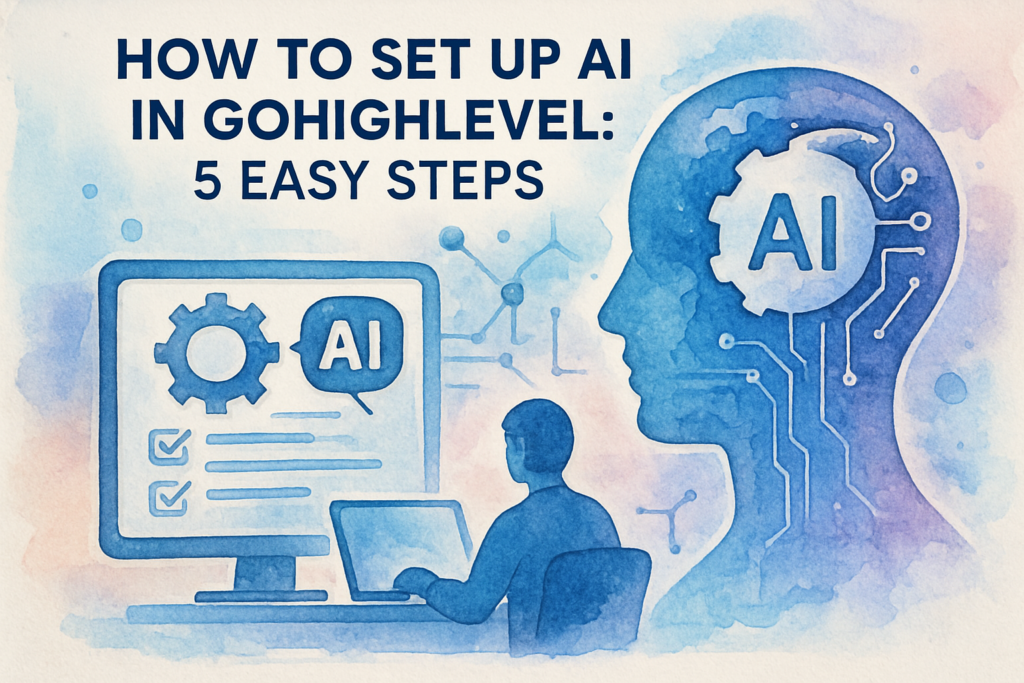
In this comprehensive guide, you’ll discover exactly how to set up AI in GoHighLevel through five simple steps. We’ll walk through everything from initial configuration to advanced customisation, ensuring your AI assistant becomes a revenue-generating asset rather than just another tech tool gathering digital dust.
Understanding AI Capabilities in GoHighLevel
Before diving into the setup process, it’s crucial to understand what AI can actually do within the GoHighLevel ecosystem. The platform’s AI functionality centres around conversational intelligence, designed to handle customer interactions across multiple channels including SMS, email, and live chat.
GoHighLevel’s AI leverages natural language processing (NLP) to understand customer intent, context, and sentiment. This means your AI assistant doesn’t just match keywords—it comprehends the actual meaning behind customer queries. According to research from Gartner, businesses using conversational AI see an average 70% reduction in call, chat, and email enquiries by 2026.
Core AI Features Available
The AI functionality in GoHighLevel includes several powerful capabilities:
- Automated Response Generation: Creates contextually relevant replies based on conversation history and your business information
- Lead Qualification: Asks qualifying questions and routes leads to appropriate team members or workflows
- Appointment Scheduling: Handles booking requests and calendar management without human intervention
- Multi-language Support: Communicates with prospects in their preferred language
- Sentiment Analysis: Detects customer emotions and escalates conversations when necessary
Why AI Integration Matters for Your Business
The implementation of AI in your GoHighLevel account isn’t merely about automation—it’s about transformation. Businesses that have successfully integrated AI report significant improvements across key metrics. A study by McKinsey found that companies using AI for customer engagement see a 10-15% increase in conversion rates and a 20-30% reduction in operational costs.
For agencies managing multiple client accounts, AI becomes even more valuable. Instead of hiring additional staff to handle increased message volume, AI scales infinitely without proportional cost increases. This means better margins and the ability to serve more clients without sacrificing quality.
Benefits and Strategic Advantages of AI in GoHighLevel
Understanding how to set up AI in GoHighLevel unlocks numerous strategic advantages that extend far beyond simple automation. Let’s explore the tangible benefits that make this investment worthwhile.
1. Instant Response Times That Convert
Speed matters in sales. Research from Harvard Business Review shows that companies responding to leads within five minutes are 100 times more likely to connect than those waiting 30 minutes. AI eliminates response delays entirely, engaging prospects the moment they reach out—whether that’s at 2 PM or 2 AM.
This immediate engagement keeps prospects warm and prevents them from exploring competitor options. Your AI assistant can answer common questions, provide pricing information, and even schedule discovery calls whilst your human team focuses on closing deals.
2. Consistent Brand Voice Across All Touchpoints
One challenge growing businesses face is maintaining consistent communication quality as they scale. Different team members have varying communication styles, which can create a disjointed customer experience. AI solves this by delivering perfectly consistent messaging that aligns with your brand guidelines every single time.
You define your AI’s personality, tone, and key messaging during setup. Whether a customer interacts on Monday morning or Saturday night, they receive the same high-quality experience that reflects your brand values.
3. Data-Driven Insights and Continuous Improvement
Every conversation your AI handles generates valuable data. You’ll discover which questions prospects ask most frequently, what objections arise repeatedly, and which messaging resonates best. This intelligence allows you to refine your marketing, improve your offerings, and train your human team more effectively.
The AI also learns from interactions over time. As it processes more conversations, its responses become increasingly sophisticated and contextually appropriate, creating a compounding return on your initial setup investment.
4. Scalability Without Proportional Cost Increases
Traditional scaling requires hiring more staff, which means increased salaries, benefits, training costs, and management overhead. AI scales differently. Whether you’re handling 100 conversations or 10,000 per month, your AI operates at the same cost, making growth significantly more profitable.
For agencies, this is particularly powerful. You can onboard new clients without worrying about whether your team has capacity to handle the additional message volume. The AI absorbs the increased workload seamlessly.
Step-by-Step Implementation Guide: How to Set Up AI in GoHighLevel
Now let’s walk through the practical process of getting your AI assistant up and running. This implementation guide breaks down each step with clear instructions that anyone can follow.
Step 1: Access the Conversation AI Settings
Begin by logging into your GoHighLevel account. Navigate to the left-hand menu and click on Settings. Within the Settings menu, locate and select Labs or Conversation AI (the exact naming may vary depending on your account version).
If you don’t see the Conversation AI option, verify that your subscription plan includes AI features. Some legacy plans may require an upgrade to access these capabilities. Contact GoHighLevel support if you’re uncertain about your plan’s features.
Step 2: Connect Your OpenAI API Key
GoHighLevel’s AI functionality is powered by OpenAI‘s language models. You’ll need to create an OpenAI account and generate an API key. Visit the OpenAI website, create an account if you haven’t already, and navigate to the API section.
Generate a new API key and copy it. Return to your GoHighLevel Conversation AI settings and paste the API key into the designated field. Click Save or Connect to establish the integration.
Important note: OpenAI charges based on usage (tokens processed). For most small to medium businesses, costs typically range from £20-£100 per month depending on conversation volume. Monitor your OpenAI dashboard regularly to track spending.
Step 3: Configure Your AI Assistant’s Personality and Knowledge Base
This step is where your AI transforms from a generic chatbot into a brand-aligned assistant. You’ll define several critical parameters:
Business Information: Provide comprehensive details about your business, including services offered, pricing structures, unique selling propositions, and company values. The more context you provide, the more accurately your AI can represent your business.
Tone and Personality: Specify how your AI should communicate. Should it be formal and professional, or casual and friendly? Should it use industry jargon or explain concepts in simple terms? Define this clearly to ensure consistency.
Response Guidelines: Establish rules for what your AI should and shouldn’t do. For example, you might instruct it to never discuss competitor pricing, always offer to schedule a call for complex questions, or escalate to a human when customers express frustration.
Frequently Asked Questions: Input common questions and ideal responses. This creates a knowledge base that your AI references when generating replies, ensuring accuracy and consistency.
Step 4: Assign AI to Specific Workflows and Channels
GoHighLevel allows you to deploy AI selectively rather than across all communications. Navigate to your Workflows or Automation section and identify where AI assistance would be most valuable.
Common deployment scenarios include:
- Initial lead response workflows that engage new prospects immediately
- After-hours communication handling when your team is offline
- FAQ handling for common enquiries that don’t require human expertise
- Appointment reminder responses and rescheduling requests
- Lead nurturing sequences that maintain engagement between human touchpoints
For each workflow, you can specify triggers that activate the AI. For instance, you might configure the AI to respond automatically to new SMS messages but only suggest responses (requiring human approval) for email communications.
Step 5: Test, Monitor, and Refine Your AI Performance
Before unleashing your AI on real customers, conduct thorough testing. Create test contacts and simulate various conversation scenarios. Ask common questions, pose objections, and try to confuse the AI with ambiguous queries. This testing phase reveals gaps in your configuration that need addressing.
Pay particular attention to:
- Response accuracy and relevance
- Tone consistency with your brand
- Handling of edge cases and unusual requests
- Escalation triggers working properly
- Integration with your calendar and booking systems
Once live, monitor AI conversations regularly during the first few weeks. GoHighLevel provides conversation logs that allow you to review AI interactions. Look for patterns in questions the AI struggles with, then update your knowledge base and prompts accordingly.
Common Challenges and Practical Solutions
Even with straightforward setup instructions, users often encounter specific challenges when learning how to set up AI in GoHighLevel. Let’s address the most common obstacles and their solutions.
Challenge 1: AI Responses Feel Generic or Off-Brand
Many users initially find their AI sounds robotic or doesn’t capture their brand voice. This typically stems from insufficient personality configuration during setup.
Solution: Invest time in crafting detailed personality prompts. Instead of simply saying “be professional,” provide specific examples: “Respond like a knowledgeable consultant who explains complex concepts using simple analogies. Use British English spelling. Occasionally use light humour but never at the customer’s expense. Always end responses with a clear next step.”
Include sample conversations that exemplify your ideal tone. The more specific your instructions, the better your AI performs.
Challenge 2: AI Provides Inaccurate Information
Occasionally, AI may generate responses that sound plausible but contain factual errors—a phenomenon known as “hallucination” in AI terminology.
Solution: Build a comprehensive knowledge base with verified information about your services, pricing, and policies. Instruct your AI to only reference this knowledge base rather than generating information from its general training. Include explicit instructions like: “If you don’t have specific information about a topic in the knowledge base, say ‘I don’t have that information readily available. Let me connect you with a team member who can help.'”
Regularly audit AI conversations and update your knowledge base when you notice gaps or inaccuracies.
Challenge 3: Customers Prefer Human Interaction
Some customers explicitly request human assistance or become frustrated when they realise they’re communicating with AI.
Solution: Transparency builds trust. Configure your AI to identify itself early in conversations: “Hi! I’m the automated assistant for [Company Name]. I can help with common questions and scheduling. For complex matters, I’ll connect you with a team member.”
Implement clear escalation triggers. When customers use phrases like “speak to a person,” “this isn’t helping,” or express frustration, the AI should immediately offer to transfer the conversation to a human team member.
Challenge 4: Integration Issues with Existing Workflows
Sometimes AI implementation disrupts existing automation workflows, creating duplicate responses or conflicting actions.
Solution: Map your current workflows before implementing AI. Identify potential conflicts where both automated workflows and AI might trigger simultaneously. Adjust workflow triggers to exclude conversations where AI is active, or configure AI to pause when specific workflows are running.
GoHighLevel’s workflow builder allows conditional logic that can prevent these conflicts. Use tags or custom fields to track whether AI or traditional automation is handling each conversation.
Maximising Your AI Investment in GoHighLevel
Successfully setting up AI is just the beginning. To truly maximise your investment, consider these advanced strategies that separate basic implementation from transformative results.
Create Specialised AI Assistants for Different Purposes
Rather than using a single AI configuration for all communications, create multiple AI personalities tailored to specific contexts. You might have one AI optimised for lead qualification, another for customer support, and a third for appointment management. Each can have distinct personalities and knowledge bases appropriate to their function.
Integrate AI with Your CRM Data
The most powerful AI implementations leverage existing customer data. Configure your AI to reference contact records, previous interactions, and purchase history. This personalisation transforms generic responses into contextually relevant conversations that feel genuinely helpful rather than automated.
Implement Continuous Learning Loops
Schedule monthly reviews of AI performance metrics. Analyse which types of conversations the AI handles most successfully and where human intervention is most frequently required. Use these insights to refine prompts, expand your knowledge base, and adjust escalation triggers.
Create a feedback mechanism where your team can flag excellent or problematic AI responses. This crowdsourced quality control helps you continuously improve AI performance.
Conclusion
Learning how to set up AI in GoHighLevel represents a pivotal moment for businesses serious about scaling efficiently. The five steps we’ve covered—accessing Conversation AI settings, connecting your OpenAI API, configuring personality and knowledge, assigning to workflows, and testing thoroughly—provide a clear roadmap from setup to success.
The benefits are substantial: instant response times that capture more leads, consistent brand communication that builds trust, valuable data insights that inform strategy, and scalability that doesn’t require proportional cost increases. These advantages compound over time, creating increasingly significant competitive advantages.
Remember that AI implementation isn’t a “set it and forget it” project. The most successful users treat their AI as a team member that requires ongoing training, feedback, and refinement. Start with basic configurations, monitor performance closely, and gradually expand AI responsibilities as you gain confidence in its capabilities.
The businesses thriving in 2026 aren’t those with the largest teams—they’re those leveraging technology intelligently to multiply human effort. By implementing AI in GoHighLevel, you’re positioning your business for sustainable growth without the traditional constraints of hiring and training.
Ready to transform your customer engagement with AI but want expert guidance through the process? The team at The Crunch specialises in GoHighLevel implementations that deliver measurable results. Schedule your free consultation today to discover how AI can specifically benefit your business and receive personalised setup assistance that ensures you’re maximising every feature from day one.
Frequently Asked Questions (FAQ)
1. What is AI in GoHighLevel?
2. How do I set up AI features in GoHighLevel?
3. What types of AI tools can I use with GoHighLevel?
4. Is there an extra cost to use AI in GoHighLevel?
5. What are the benefits of using AI in GoHighLevel?
6. How does GoHighLevel’s AI compare to other platforms?
7. Can I use my own AI models with GoHighLevel?
8. Are there any limitations or concerns with using AI in GoHighLevel?
9. How do I get started with AI automation in GoHighLevel?
10. Do I need technical skills to set up AI in GoHighLevel?
11. Can AI in GoHighLevel help with lead generation?
12. What should I do if I encounter issues setting up AI in GoHighLevel?