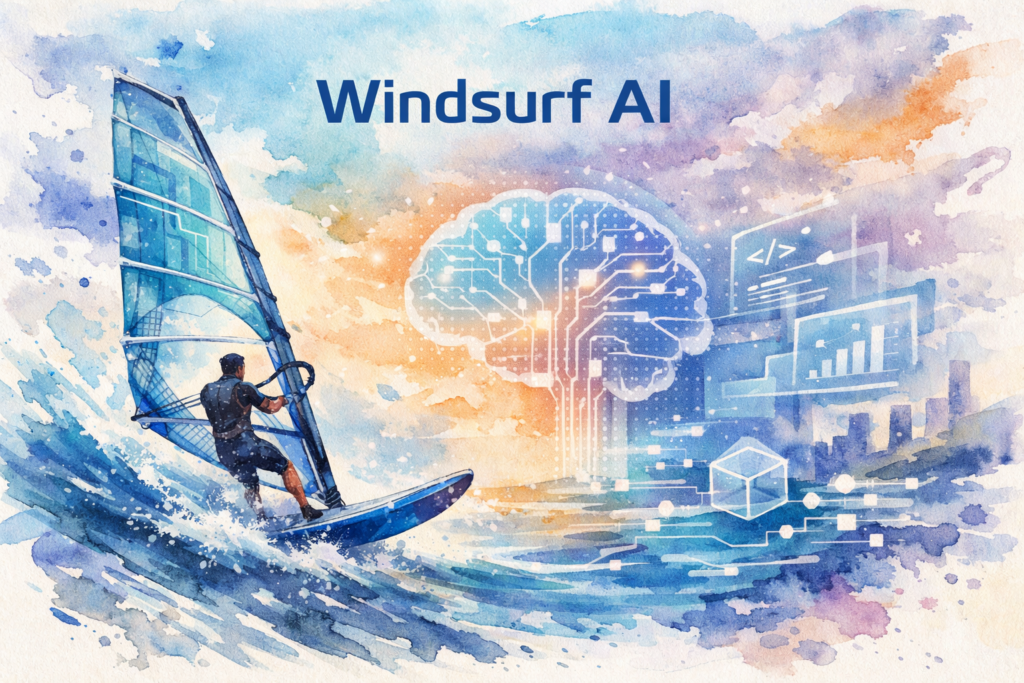
Imagine having a coding assistant that doesn’t just autocomplete your code but truly understands your project’s context, anticipates your next move, and collaborates with you like an experienced developer sitting right beside you. That’s the promise of Windsurf AI, a revolutionary AI-powered integrated development environment (IDE) that’s changing how developers write, debug, and deploy code. As artificial intelligence continues to reshape the software development landscape, tools like Windsurf AI are emerging as game-changers, offering capabilities that go far beyond traditional code editors.
The coding world is experiencing a seismic shift. Developers are no longer satisfied with simple syntax highlighting and basic autocomplete features. They’re demanding intelligent assistants that can understand complex codebases, suggest architectural improvements, and even write entire functions based on natural language descriptions. Windsurf AI steps into this space with a compelling proposition: what if your IDE could think alongside you?
Quick Answer: What Makes Windsurf AI Special?
Windsurf AI is an advanced AI-powered IDE developed by Codeium that combines deep contextual understanding with real-time collaboration features. Unlike traditional coding assistants, it offers Flow Mode for autonomous coding, multi-file editing capabilities, and intelligent command execution. It’s designed for developers who want an AI partner that understands their entire project, not just individual code snippets.
In this comprehensive guide, we’ll explore the seven powerful features that make Windsurf AI a transformative tool for modern developers, examine how it compares to other AI coding assistants, and provide practical strategies for integrating it into your development workflow.
Understanding Windsurf AI and Its Place in Modern Development
Windsurf AI represents the next evolution in AI-assisted development environments. Launched by Codeium in late 2024, it’s built on the foundation of advanced large language models specifically trained for code understanding and generation. Unlike standalone coding assistants that operate as plugins, Windsurf AI is a complete IDE that integrates AI capabilities at every level of the development experience.
The importance of AI-powered development tools cannot be overstated in today’s fast-paced software industry. According to GitHub’s research, developers using AI coding assistants complete tasks up to 55% faster than those without such tools. The global AI in software development market is projected to reach $22.6 billion by 2030, growing at a compound annual growth rate of 23.2%.
The Evolution of AI Coding Assistants
The journey from basic code completion to intelligent AI assistants has been remarkable. Early tools like IntelliSense offered simple autocomplete based on syntax rules. Then came GitHub Copilot, which introduced AI-powered suggestions based on context. Windsurf AI takes this further by offering what Codeium calls “agentic” capabilities—the ability to understand intent, make decisions, and execute complex multi-step operations autonomously.
What Sets Windsurf AI Apart
Several characteristics distinguish Windsurf AI from competitors:
- Deep Codebase Understanding: It indexes and comprehends your entire project structure, not just the current file
- Autonomous Operation: Flow Mode allows the AI to work independently on tasks whilst you focus on other aspects
- Multi-File Awareness: It can make coordinated changes across multiple files simultaneously
- Contextual Memory: The system remembers previous interactions and learns your coding patterns
Current Adoption Trends
Since its launch, Windsurf AI has gained significant traction amongst developers seeking more sophisticated AI assistance. The tool has been particularly popular in the web development, data science, and DevOps communities. Early adopters report productivity improvements ranging from 30% to 60%, depending on the complexity of their projects and their familiarity with AI-assisted development workflows.
Seven Powerful Features That Define Windsurf AI
Let’s explore the core capabilities that make Windsurf AI a transformative tool for developers across all experience levels.
1. Flow Mode: Autonomous Coding at Scale
Flow Mode is perhaps the most revolutionary feature of Windsurf AI. This capability allows the AI to work autonomously on coding tasks whilst you maintain oversight and control. Unlike traditional autocomplete that waits for your input, Flow Mode can understand a high-level instruction and execute multiple steps to complete it.
For example, you might instruct Windsurf AI to “refactor the authentication module to use JWT tokens instead of session cookies.” The AI will then analyse your current implementation, identify all relevant files, make necessary changes across your codebase, update tests, and even modify documentation—all whilst keeping you informed of its progress.
This feature is particularly valuable for repetitive tasks, boilerplate code generation, and large-scale refactoring operations that would otherwise consume hours of developer time.
2. Cascade: Intelligent Multi-File Editing
Cascade is Windsurf AI’s answer to one of the most challenging aspects of modern software development: maintaining consistency across multiple files. When you make a change that affects multiple parts of your application, Cascade automatically identifies all related files and suggests coordinated updates.
This feature understands dependencies, import statements, and architectural patterns. If you rename a function, Cascade will find every reference across your entire project and update them accordingly. If you modify an API endpoint, it will suggest corresponding changes to your frontend code, tests, and documentation.
3. Deep Codebase Indexing and Search
Traditional search functions look for text matches. Windsurf AI understands semantic meaning. Its deep indexing capability creates a comprehensive map of your codebase, understanding not just what the code says, but what it does and how different components relate to each other.
You can ask questions in natural language like “Where do we handle user authentication?” or “Show me all functions that interact with the database,” and receive intelligent, context-aware results. This dramatically reduces the time spent navigating unfamiliar codebases or trying to understand legacy systems.
4. Context-Aware Code Generation
Code generation in Windsurf AI goes beyond simple templates. The system analyses your existing code style, architectural patterns, and project conventions to generate code that seamlessly integrates with your codebase. It understands your naming conventions, error handling patterns, and even your preferred commenting style.
When generating new functions or classes, the AI considers your project’s existing structure, imports the necessary dependencies, and follows the same patterns you’ve established elsewhere in your code. This results in generated code that looks and feels like it was written by a team member who’s been working on the project for months.
5. Intelligent Debugging and Error Resolution
Debugging is often the most time-consuming aspect of development. Windsurf AI transforms this process by not just identifying errors, but understanding their root causes and suggesting fixes. When you encounter a runtime error or unexpected behaviour, the AI can analyse stack traces, examine related code, and propose solutions based on its understanding of your entire application.
The system can also perform proactive debugging, identifying potential issues before they cause problems. It recognises common anti-patterns, security vulnerabilities, and performance bottlenecks, offering suggestions for improvement as you code.
6. Natural Language Command Interface
One of the most accessible features of Windsurf AI is its natural language interface. You can describe what you want to accomplish in plain English (or other supported languages), and the AI translates your intent into code. This lowers the barrier to entry for complex operations and makes it easier to work with unfamiliar libraries or frameworks.
Commands like “add error handling to all API calls” or “create a React component for displaying user profiles with avatar, name, and bio” are understood and executed with minimal additional input required from you.
7. Collaborative AI Pair Programming
Windsurf AI functions as an intelligent pair programming partner. It doesn’t just respond to commands; it actively participates in the development process. The AI can suggest improvements, ask clarifying questions when your intent is ambiguous, and even challenge your approach if it detects potential issues.
This collaborative aspect creates a development experience that feels less like using a tool and more like working with an experienced colleague who’s always available, never gets tired, and has instant access to vast amounts of programming knowledge.
Implementing Windsurf AI in Your Development Workflow
Successfully integrating Windsurf AI into your development process requires thoughtful planning and a willingness to adapt your existing workflows. Here’s a comprehensive guide to getting started and maximising the benefits of this powerful tool.
Step 1: Installation and Initial Setup
Begin by downloading Windsurf AI from the official Codeium website. The installation process is straightforward and similar to other modern IDEs. Once installed, you’ll need to authenticate your account and configure your preferences.
During initial setup, take time to connect your version control systems, configure your preferred keyboard shortcuts, and set up any integrations with tools like Docker, Kubernetes, or cloud platforms you regularly use. The more context you provide during setup, the more effective the AI will be from day one.
Step 2: Project Indexing and Configuration
When you first open a project in Windsurf AI, allow time for the complete indexing process. The AI needs to analyse your codebase structure, understand dependencies, and build its contextual model. For large projects, this might take several minutes, but it’s a one-time investment that dramatically improves subsequent performance.
Configure project-specific settings such as coding standards, preferred frameworks, and any custom conventions your team follows. This ensures that AI-generated code aligns with your project’s requirements.
Step 3: Start with Simple Tasks
Don’t immediately jump into complex autonomous operations. Begin by using Windsurf AI for straightforward tasks like code completion, simple refactoring, and documentation generation. This allows you to build trust in the system and understand its capabilities and limitations.
Practical starting points include:
- Generating boilerplate code for new components or modules
- Writing unit tests for existing functions
- Refactoring small sections of code for improved readability
- Adding comments and documentation to undocumented code
Step 4: Gradually Adopt Advanced Features
As you become comfortable with basic functionality, progressively incorporate more advanced features. Experiment with Flow Mode on non-critical tasks first. Use Cascade for coordinated multi-file changes in development branches before applying it to production code.
Establish a review process for AI-generated code. Whilst Windsurf AI is remarkably accurate, it’s essential to verify that generated code meets your quality standards, handles edge cases appropriately, and doesn’t introduce security vulnerabilities.
Step 5: Integrate with Team Workflows
If you’re working in a team environment, coordinate the adoption of Windsurf AI across your organisation. Establish guidelines for when and how to use AI assistance, particularly for critical systems or security-sensitive code.
Consider creating shared prompts and commands for common tasks. This ensures consistency across your team and helps less experienced developers leverage the tool effectively. Document best practices and share successful use cases to accelerate adoption.
Best Practices for Maximum Productivity
To get the most from Windsurf AI, follow these proven strategies:
- Be Specific with Instructions: The more detailed your prompts, the better the results. Instead of “fix this function,” try “refactor this function to handle null values and add error logging.”
- Review Generated Code Thoroughly: Always understand what the AI has created before committing it to your codebase.
- Provide Feedback: Use the feedback mechanisms to help the AI learn your preferences and improve its suggestions.
- Maintain Version Control Discipline: Commit frequently when using autonomous features so you can easily revert if needed.
- Combine AI with Human Expertise: Use Windsurf AI to handle repetitive tasks whilst you focus on architectural decisions and creative problem-solving.
Measuring Success and ROI
Track metrics to quantify the impact of Windsurf AI on your development process. Key indicators include time to complete specific tasks, code quality metrics, bug rates, and developer satisfaction. Many teams report 40-60% reductions in time spent on routine coding tasks, allowing developers to focus on higher-value activities.
Overcoming Challenges and Common Obstacles with Windsurf AI
Whilst Windsurf AI offers tremendous benefits, developers may encounter challenges during adoption and daily use. Understanding these obstacles and their solutions ensures a smoother integration experience.
Challenge 1: Over-Reliance on AI Assistance
One of the most significant concerns with AI coding tools is the potential for developers to become overly dependent on them, potentially degrading their fundamental coding skills. This is particularly concerning for junior developers who are still building their expertise.
Solution: Establish a balanced approach where Windsurf AI augments rather than replaces human decision-making. Use the tool for repetitive tasks and boilerplate generation, but ensure developers still write complex logic, make architectural decisions, and understand the code being generated. Implement regular code reviews where developers explain AI-generated code, ensuring they comprehend what’s been created.
Challenge 2: Code Quality and Security Concerns
AI-generated code, whilst often impressive, can sometimes introduce subtle bugs, security vulnerabilities, or performance issues that aren’t immediately apparent. The AI might suggest solutions that work but aren’t optimal for your specific use case.
Solution: Implement rigorous code review processes specifically for AI-generated code. Use static analysis tools like SonarQube or Semgrep to automatically scan for common issues. Establish security scanning as part of your CI/CD pipeline. Never deploy AI-generated code to production without thorough testing and human review, especially for security-critical components.
Challenge 3: Integration with Existing Tools and Workflows
Teams often have established toolchains and workflows that may not immediately mesh with a new IDE. Switching from familiar environments like Visual Studio Code, IntelliJ IDEA, or Vim can face resistance.
Solution: Windsurf AI supports many popular extensions and can import settings from other IDEs. Take advantage of these compatibility features to minimise disruption. Consider a gradual migration where developers use Windsurf AI for specific projects or tasks whilst maintaining their primary IDE for others. Document the migration process and provide training to ease the transition.
Challenge 4: Performance with Large Codebases
Very large projects with millions of lines of code can sometimes experience performance issues during indexing or when the AI analyses complex dependencies. This can lead to slower response times and frustration.
Solution: Optimise your project structure by excluding unnecessary directories from indexing (such as node_modules, build artifacts, or vendor directories). Use Windsurf AI’s configuration options to focus indexing on relevant parts of your codebase. For monorepos, consider indexing specific packages rather than the entire repository. Ensure your development machine meets the recommended specifications for optimal performance.
Challenge 5: Cost Considerations for Teams
Whilst individual developers might find the pricing reasonable, organisations with large development teams need to consider the cumulative cost of AI coding assistants. Budget constraints can limit adoption.
Solution: Calculate the return on investment by measuring productivity gains against subscription costs. Many organisations find that even modest productivity improvements of 20-30% easily justify the expense. Consider starting with a pilot programme for a subset of your team to demonstrate value before rolling out organisation-wide. Explore volume licensing options that may offer better pricing for larger teams.
Challenge 6: Learning Curve and Adoption Resistance
Some developers, particularly those comfortable with their current tools and workflows, may resist adopting new AI-powered development environments. The learning curve, whilst not steep, still requires time investment.
Solution: Provide comprehensive training and create internal documentation with examples relevant to your specific projects. Identify early adopters who can become champions and help others. Share success stories and concrete examples of how Windsurf AI has solved real problems or saved time. Make adoption voluntary initially, allowing developers to discover the benefits organically rather than forcing a mandate.
The Future of Development with Windsurf AI
The landscape of software development is evolving rapidly, and Windsurf AI represents a significant step towards a future where AI and human developers work in seamless partnership. As these tools continue to advance, we can expect even more sophisticated capabilities, including better understanding of business requirements, automated testing strategies, and perhaps even AI systems that can architect entire applications based on high-level specifications.
The key to success with Windsurf AI lies in viewing it not as a replacement for developer skills, but as a powerful amplifier of human creativity and expertise. The developers who thrive in this new era will be those who learn to effectively collaborate with AI tools, leveraging their strengths whilst applying human judgement, creativity, and domain expertise to create exceptional software.
By embracing tools like Windsurf AI thoughtfully and strategically, development teams can dramatically increase their productivity, reduce time spent on mundane tasks, and focus more energy on solving complex problems and creating innovative solutions. The seven powerful features we’ve explored—Flow Mode, Cascade, deep codebase indexing, context-aware generation, intelligent debugging, natural language commands, and collaborative pair programming—collectively represent a transformative approach to software development.
As you consider integrating Windsurf AI into your workflow, remember that the goal isn’t to code faster for its own sake, but to create better software more efficiently, allowing you to focus on what truly matters: solving real problems for real users.
Ready to transform your development workflow with AI-powered assistance? The team at The Crunch specialises in helping organisations successfully adopt and integrate cutting-edge development tools like Windsurf AI. Schedule a free consultation today to discover how AI-assisted development can accelerate your projects and enhance your team’s productivity.
“`
Frequently Asked Questions (FAQ)
1. What is Windsurf AI?
2. How does Windsurf AI work?
3. What are the benefits of using Windsurf AI?
4. How do I get started with Windsurf AI?
5. Is Windsurf AI suitable for beginners?
6. How much does Windsurf AI cost?
7. How does Windsurf AI compare to traditional coaching?
8. What equipment do I need to use Windsurf AI?
9. Is my data safe with Windsurf AI platforms?
10. Can Windsurf AI help with weather and safety?
11. Are there any ongoing fees for using Windsurf AI?
12. What are common concerns about using Windsurf AI?