Claude Code for Beginners: What It Is and How to Use It (Even If You’re Not a Developer)
Most people think AI coding tools are only for software engineers. They’re wrong — and Claude Code is the proof.
You don’t need to know how to code to benefit from Claude Code. You need to know how to give clear instructions, understand what you want to achieve, and be willing to review what comes back. If you can do that, Claude Code is one of the most powerful tools you can add to your business workflow right now.
This guide covers the basics — no jargon, no assumptions, no developer experience required.
What Is Claude Code?
You’re probably already familiar with Claude or ChatGPT — you type a question in a browser, it replies. Claude Code is a different kind of tool entirely.
Think of Claude Code as an AI assistant that lives directly on your computer. Instead of just chatting with you, it can open your files, read your projects, write and edit code, run commands, and take multi-step actions — all from a single instruction written in plain English.
The technical term for this is agentic AI. That means Claude Code can plan a task, break it into steps, execute each step, and check its own work — without you needing to guide it at every stage.
How Is It Different from Using Claude in a Browser?
When you chat with Claude on claude.ai, it has no access to your files, your systems, or your projects. It’s a conversation.
Claude Code, by contrast, runs directly on your machine. It reads every file in your project, understands how everything connects, and can make changes across multiple files at once. Every time it wants to do something significant — edit a file, run a command, delete something — it asks your permission first. You stay in control.
Where Does It Sit Amongst AI Tools?
It helps to think of AI coding tools in levels:
- Level 1 — Claude.ai or ChatGPT in a browser. You ask, it answers.
- Level 2 — AI-powered editors like Cursor. It edits files while you watch.
- Level 3 — Claude Code. It runs in your terminal with access to your full computer, works across multiple files, and operates autonomously.
- Level 4 — Claude Code with MCP servers connected to databases, APIs, and external tools like Notion, Airtable, or Gmail.
- Level 5 — Fully autonomous agents. You set the task, walk away, and come back to a finished result.
For most businesses, Level 3–4 is where the real value lives — and it’s completely accessible to non-developers.
What Do You Need to Get Started?
Hardware and System Requirements
Claude Code runs on macOS, Linux, and Windows 11. You’ll need a terminal application — the text-based screen where you type commands rather than click buttons. On a Mac, it’s called Terminal. On Windows, use PowerShell.
Subscription and Pricing
Claude Code requires a paid Anthropic account. Here’s how the pricing breaks down:
- Claude Pro — $20/month: Includes Claude Code access. Good for beginners and light daily use, with roughly 40 to 80 hours of Claude Code per week.
- Claude Max 5x — $100/month: Five times more usage than Pro, plus full access to Opus 4, priority access, and agent teams.
- Claude Max 20x — $200/month: Designed for heavy professional development workflows.
If you’re already paying $20/month for Claude.ai, you already have access to Claude Code. You just need to install it.
How to Install Claude Code (Step by Step)
On a Mac
- Open your Terminal (search “Terminal” in Spotlight)
- Type: npm install -g @anthropic-ai/claude-code and press Enter
- Alternatively, use Homebrew: brew install –cask claude-code
- Verify it installed correctly by typing: claude –version
- Navigate into any project folder: cd your-folder-name
- Type claude — it will prompt you to log in via your browser
On Windows
Use PowerShell specifically — not Git Bash, which has compatibility issues. If you don’t have Git for Windows installed, install that first. Then follow the same steps above using PowerShell.
If the claude command isn’t found after installation, restart your terminal. Path issues after installation are the most common problem beginners encounter.
The Most Important File You’ve Never Heard Of: CLAUDE.md
This is the single biggest thing most beginners skip — and it costs them hours of wasted effort.
Without a CLAUDE.md file, Claude Code has no memory of your project between sessions. Every time you start a new session, Claude has to rediscover your project from scratch — your tech stack, your naming conventions, your rules. You’ll find yourself repeating the same context every single time.
CLAUDE.md is a plain text file you place in your project’s root folder. Claude Code reads it automatically at the start of every session. Think of it as the staff handbook you’d give a new employee on their first day — instead of re-explaining everything each morning, you write it once and it’s always there.
What to Put in Your CLAUDE.md
- What your business does and who your clients are
- Your tech stack (e.g., WordPress, Airtable, Make.com, Notion)
- Your naming conventions and folder structure
- Rules like “always ask before deleting anything”
- Preferred output formats and tone
- Any client-specific context for active projects
Developers with well-written CLAUDE.md files report 40 to 60 percent fewer correction rounds — fewer wasted tokens, less frustration, and dramatically faster results.
How to Give Claude Code Good Instructions
The quality of your output is directly tied to the quality of your prompt. Vague instructions produce vague results.
The Formula
A good Claude Code prompt includes: What you want + Where the problem is + What outcome you expect.
- Bad: “Fix my website”
- Good: “In the contact form on my homepage, the submit button doesn’t send a confirmation email. I’m using WPForms on WordPress. Check the form settings and identify what’s causing the issue.”
- Bad: “Improve the automation”
- Good: “In the Make.com scenario called Client Onboarding v2, the step that sends a welcome email is triggering twice for some clients. Check the trigger conditions and tell me why this might be happening.”
The more context you give, the better the result. Claude Code is excellent at inferring what you want — but it’s even better when you explain your reasoning.
MCP Servers: Connecting Claude Code to the Rest of Your Business
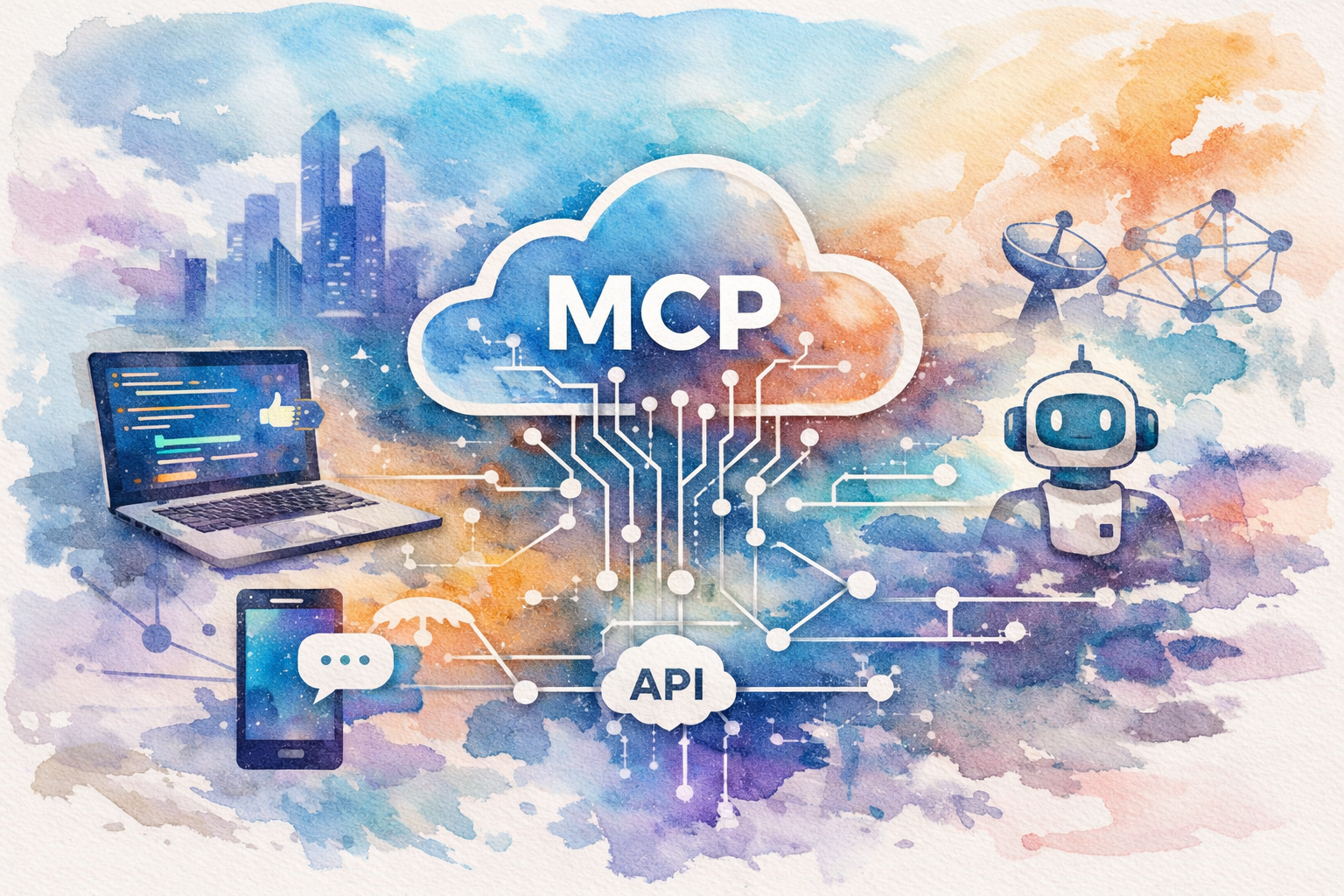
MCP stands for Model Context Protocol. It’s an open standard that lets Claude Code connect to external tools and services.
With the right MCP servers configured, Claude Code can read your documents in Google Drive, update records in Airtable, pull data from Slack, manage tasks in Notion, and trigger workflows in Make.com — all autonomously, as part of a single instruction.
For an AI Automation Agency like The Crunch, this is where things get genuinely powerful. Imagine telling Claude Code: “Read the client brief in Google Drive, build the automation outline in Notion, log the project in Airtable, and draft the kickoff email in Gmail.” That’s a Level 4 workflow — and it’s achievable today.
Managing Context: The Thing That Will Save You Headaches
Claude Code has a context window — essentially, how much information it can hold in its “short-term memory” during a session. As a session gets longer and more complex, that window fills up.
Here’s what happens as the context fills:
- 0–70% full: Claude works cleanly and accurately
- 70–85% full: It starts losing precision — pay attention here
- 85–90% full: Hallucinations increase — use the /compact command to compress the conversation
- 90%+ full: Responses become erratic — use /clear and start a fresh session
The practical lesson: don’t try to do everything in one massive session. Break your work into focused chunks. Start fresh sessions for new tasks.
Key Terms Every Non-Developer Needs to Know
- Terminal / CLI: The text-based screen where you type commands
- CLAUDE.md: The configuration file Claude reads at the start of every session
- MCP Server: A connector that lets Claude talk to apps like Notion, Gmail, and Airtable
- Agentic: Claude can take multiple steps autonomously without you prompting each one
- Git: A version control system — like “track changes” for code
- Context Window: How much Claude can remember in one session
- Prompt: The instruction you give Claude
What Claude Code Can and Cannot Do
What It Can Do
- Read and understand your entire codebase or project folder
- Write, edit, and debug code across multiple files
- Run shell commands on your machine
- Connect to external tools via MCP
- Work autonomously on long tasks
- Commit changes to version control (Git)
- Run tests and verify its own work
What It Cannot Do (Without Your Help)
- Guarantee error-free output — you must review its work
- Understand context it hasn’t been given — hence the importance of CLAUDE.md
- Replace domain expertise — it needs your judgment on business decisions
- Work reliably on very long, unfocused sessions — context management matters
Conclusion
Claude Code is not a developer-only tool. It’s for anyone who wants to work faster, automate more, and delegate the repetitive parts of their workflow to an AI that can actually take action — not just give advice.
The learning curve is real but manageable. Start with the Pro plan, install Claude Code, write a solid CLAUDE.md file for your first project, and give it one focused task. Review the output carefully. Build from there.
For businesses like yours that are already deep in AI automation, Claude Code is the natural next step — from clicking through tools manually to directing an agent that works across your entire tech stack.
Ready to explore how AI automation can transform your operations? Contact The Crunch to schedule a free consultation and find out what’s possible for your business.
Frequently Asked Questions (FAQ)
1. What is Claude Code and how is it different from regular Claude?
2. Do I need to be a developer to use Claude Code?
3. How much does Claude Code cost?
4. Is Claude Code safe to use? Will it delete my files?
5. What is a CLAUDE.md file and why does it matter?
6. What operating systems does Claude Code support?
7. What are MCP servers and how do they relate to Claude Code?
8. How do I write good prompts for Claude Code?
9. Can Claude Code make mistakes?
10. How does Claude Code handle long or complex projects?
By JC Cheong, Founder of TheCrunch
✅ Hands-on tested with Claude Code in production | 📅 Last updated 8 May 2026
Why trust this guide
We’ve deployed Claude Code, OpenAI Codex, and Cursor across multiple client projects in Malaysia and SEA — covering sales ops, customer support, marketing automation, and internal tooling. This review reflects what we’ve actually seen in production deployments, not marketing claims.
References: Anthropic Claude Code · OpenAI Codex · Cursor
Claude Code Use Cases for Business Teams
Most “Claude Code review” articles focus on developer productivity. Here’s what we’re actually seeing in client deployments:
- Sales operations — Auto-update CRM records, draft personalized outreach, qualify inbound leads against ICP criteria, generate weekly pipeline summaries.
- Customer support automation — Tier-1 ticket triage, draft response suggestions for human agents, surface relevant knowledge base articles, escalation routing.
- Internal tooling — Spin up internal dashboards in hours not days, generate one-off scripts (data cleanup, report exports, integration tests), build small Slack/email automations.
- Marketing operations — Repurpose blog content into LinkedIn/Twitter/newsletter, analyze campaign performance from raw exports, draft ad variants for A/B testing.
- Engineering productivity — Code review against your house style guide, auto-generate documentation from existing code, scaffold new features faster.
The common thread: Claude Code shines on repetitive knowledge work that has rules but variation. Not great for: one-off creative work, anything requiring real-time data Claude doesn’t have access to, or work where mistakes are very costly to reverse.
Claude Code Cost: Pricing Tiers Explained
Anthropic offers Claude Code through several tiers. Pricing changes — always verify current rates at anthropic.com/pricing.
| Tier | Best for | What you get |
|---|---|---|
| Free | Trying it out | Limited usage, basic features |
| Pro | Solo professionals | Higher limits, priority access |
| Max | Heavy individual users | 5–20× Pro usage, advanced features |
| Team | Small teams (3–50) | Per-seat pricing, shared workspace, billing controls |
| Enterprise | Larger orgs | Custom contracts, SSO, audit logs, custom limits |
| API (pay-as-you-go) | Developers building products | Per-token billing for app integrations |
How to choose: Solo evaluating? Free → Pro. Small team building internally? Team. Enterprise with compliance needs? Enterprise contract. Building a product? API.
For most Malaysian SMEs we work with, Pro or Team tier covers 80% of business automation use cases. Heavy agentic deployments (multiple agents running in parallel) usually justify Max or API access.
Claude Code vs Cursor vs Codex: Which Should You Choose
Three tools, three different sweet spots. Quick decision matrix:
| Claude Code | Cursor | OpenAI Codex | |
|---|---|---|---|
| Form factor | CLI / IDE plugin | Full IDE | CLI / API |
| Best for | Agentic workflows, long tasks | Day-to-day coding in IDE | Headless automation |
| Strengths | Long-context reasoning, MCP integrations, Skills | Inline code suggestions, fast diff edits | Tight ChatGPT integration |
| Pricing model | Per-tier subscription + API | Per-seat subscription | Pay-as-you-go API |
| Learning curve | Medium (CLI-first) | Low (looks like VS Code) | Medium (API-first) |
Our take after deploying all three: Claude Code wins for agentic workflows (multi-step tasks, file operations, integrations). Cursor wins for real-time coding in an IDE. Codex CLI wins for headless automation triggered from CI/CD or scripts. Most production teams end up using two of these together.
Should You Adopt Claude Code? 6-Question Decision Framework
Don’t adopt because it’s trendy. Adopt because it solves a specific problem. Run through these six questions:
- Repetitive task volume — Do you have at least 5–10 hours/week of structured-but-varied knowledge work that follows rules? If yes, Claude Code can pay for itself fast.
- Technical capacity — Is there at least one person on your team who can write a CLAUDE.md file, configure MCP servers, and debug when things break? You don’t need a senior engineer — but you need someone willing to learn the patterns.
- Data sensitivity — Are you comfortable sending business data through Anthropic’s API? If you handle PHI, financial PII, or trade secrets that can’t leave your perimeter, you’ll need an Enterprise contract or different solution entirely.
- Budget reality — Pro tier is roughly the cost of one office subscription per month. Max and Team are more meaningful spend. Make sure expected value > cost.
- Integration needs — Do you need Claude Code to read/write your tools (CRM, helpdesk, calendar, files)? MCP servers handle most of this — but check the tool you need has an MCP integration before committing.
- Risk tolerance for AI mistakes — In your use case, what’s the cost of a wrong answer? If it’s “we waste 20 minutes finding the bug” — fine. If it’s “we send the wrong contract to a client” — different ballgame.
If you answered yes to 1–2, can address 3–5, and accept 6 → Claude Code is likely a fit.
How TheCrunch Uses Claude Code with Clients
We’ve deployed Claude Code across multiple Malaysian SME and enterprise projects. Common pattern:
Tech stack we use: Claude Code (CLI) + custom CLAUDE.md per project + 4–7 MCP servers (HubSpot, Slack, Gmail, Google Drive, custom client tooling) + n8n for triggered workflows.
Typical engagement shape:
- Week 1: Discovery — map repetitive workflows, identify Claude Code-fit candidates
- Week 2–3: Build — write project-specific CLAUDE.md, configure MCP integrations, train team on prompts
- Week 4: Deploy — first agentic workflow in production with human review gate
- Month 2–3: Iterate — add more agents, raise autonomy as confidence grows
- Ongoing: Maintain — keep CLAUDE.md updated as business evolves
Outcomes we’ve measured on real deployments:
- 60–80% reduction in tier-1 customer-support handle time
- 4–8× speedup on internal report generation
- Net-new capacity equivalent to hiring 0.5–2 additional team members per agentic workflow
Want to apply Claude Code to your business? Book a free strategy call — we’ll map your workflows and show you what’s realistic in 30 minutes.