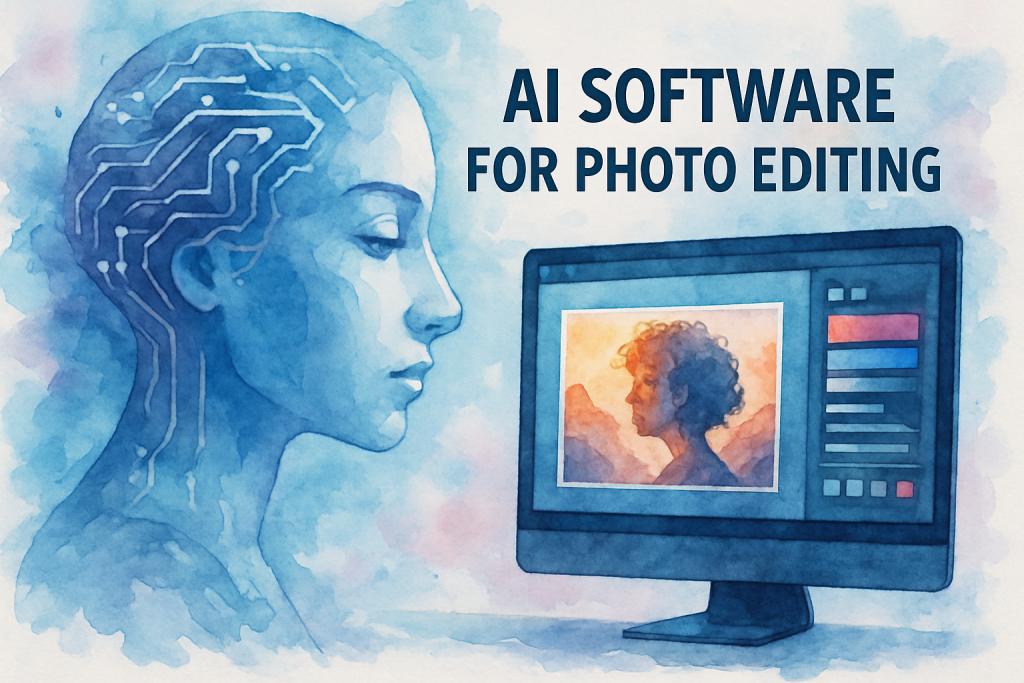
Remember spending hours in front of your computer, painstakingly adjusting every slider and filter to get that perfect shot? Those days are rapidly becoming history. The emergence of ai software for photo editing has fundamentally changed how photographers, designers, and content creators approach image enhancement.
Today’s artificial intelligence tools can accomplish in seconds what once took professionals hours to complete. From automatically removing backgrounds to intelligently enhancing colours and fixing lighting issues, AI-powered editors are democratising professional-grade photo editing for everyone.
Whether you’re a social media influencer looking to perfect your Instagram feed, a small business owner creating marketing materials, or a professional photographer streamlining your workflow, AI photo editing software offers unprecedented speed and quality. In this comprehensive guide, we’ll explore the seven best AI photo editors available today, examining their unique features, pricing structures, and ideal use cases to help you choose the perfect tool for your needs.
Understanding AI Software for Photo Editing: What Makes It Different
Artificial intelligence has transformed photo editing from a manual, skill-intensive process into an intuitive, automated experience. But what exactly makes ai software for photo editing so revolutionary?
How AI Photo Editing Technology Works
Unlike traditional editing software that requires manual adjustments, AI-powered tools use machine learning algorithms trained on millions of images. These algorithms can recognise patterns, understand context, and make intelligent decisions about how to enhance your photos.
The technology leverages neural networks that mimic human visual perception. When you upload an image, the AI analyses elements like composition, lighting, colour balance, and subject matter. It then applies sophisticated adjustments based on what it has learned from processing countless professional-grade images.
According to recent industry research from MarketsandMarkets, the global image recognition market is projected to grow from USD 55.28 billion in 2025 to USD 127.02 billion by 2031, at a CAGR of approximately 14.9% — reflecting the accelerating adoption of AI-powered tools across industries.
Key Advantages Over Traditional Photo Editing Software
The benefits of AI-driven editing extend far beyond simple convenience. These tools offer several distinct advantages that make them indispensable for modern content creators.
Speed and efficiency top the list. Tasks that once required 30 minutes of careful adjustment now take mere seconds. AI can instantly remove backgrounds, enhance portraits, or adjust lighting with a single click.
Accessibility is another game-changer. You no longer need years of Photoshop training to create professional-looking images. AI software democratises high-quality editing, making it available to anyone with a smartphone or computer.
Consistency across multiple images becomes effortless. AI can apply the same style and adjustments to hundreds of photos simultaneously, ensuring brand consistency for businesses and content creators.
The 7 Best AI Software for Photo Editing Transforming the Industry
Let’s dive into the top AI-powered photo editing tools that are setting new standards in image enhancement and manipulation.
1. Adobe Photoshop with Adobe AI (formerly Sensei)
Adobe Photoshop remains the industry standard, now powered by Adobe AI — the evolved form of what was previously called Adobe Sensei. This integration brings intelligent features like Neural Filters, Sky Replacement, and Content-Aware Fill that understand image context.
The software excels at complex tasks like object removal, facial retouching, and style transfers. Its AI-powered Select Subject tool can accurately identify and isolate subjects in seconds, while the Enhance Details feature uses machine learning to sharpen images without artefacts. Adobe has also integrated Adobe Firefly, its commercially safe generative AI engine, directly into Photoshop’s workflow. The two most-used Firefly features inside Photoshop in 2026 are Generative Fill (add, replace, or remove subjects with a text prompt while keeping the original photo’s lighting and perspective) and Generative Expand (extend a photo beyond its original frame in any direction). Both have become baseline Photoshop workflow tools since their 2023 launch and continue to receive model upgrades.
Best for: Professional photographers and designers who need comprehensive editing capabilities alongside AI automation.
Pricing: The Photography Plan (Photoshop + Lightroom + 1 TB storage) is available from $19.99/month. The Photoshop Single App plan also starts at $19.99/month. Visit Adobe’s pricing page for current options, as plans were restructured in early 2025.
2. Luminar Neo
Luminar Neo represents a new generation of ai software for photo editing built entirely around artificial intelligence. Its standout features include AI-powered sky enhancement, portrait bokeh, and intelligent relighting that can add or modify light sources after the photo is taken.
The software’s Relight AI tool is particularly impressive, allowing you to add natural-looking light to specific areas of your image. The Portrait Background Removal feature works flawlessly, even with complex hair details. In 2025, Skylum made significant performance improvements — AI tools including SkyAI, FaceAI, and Portrait BokehAI now run 20% faster on both macOS and Windows.
Best for: Enthusiast photographers seeking powerful AI tools without the complexity of professional software.
Pricing: One-time purchase from $79, or subscription from $9.99/month. A 7-day free trial is available with no credit card required.
3. Topaz Labs AI Suite
Topaz Labs offers a suite of specialised AI tools — now consolidated under the Topaz Photo AI platform — combining the previously separate Gigapixel AI, Sharpen AI, and Denoise AI applications into one interface.
Gigapixel can upscale images up to 6× while maintaining incredible detail and sharpness. The denoise engine removes noise while preserving fine textures better than any traditional noise reduction tool. These specialised capabilities make Topaz Labs essential for photographers working with challenging images.
Important pricing update: Topaz Labs ended all perpetual licences in October 2025 and moved to a subscription-only model. Current pricing starts at approximately $199/year for Topaz Photo AI, with a Desktop Collection (Photo + Video + Gigapixel) available at around $349/year. A free trial with unlimited testing (export requires a paid plan) is available.
Best for: Photographers who need specialised AI enhancement for specific problems like noise, blur, or resolution.
Pricing: Subscriptions from ~$199/year (Topaz Photo AI). Visit topazlabs.com for current pricing.
4. Canva Magic Edit
Canva has integrated powerful AI editing features into its user-friendly design platform. Magic Edit allows users to select and replace elements in photos using simple text prompts, while Background Remover works instantly with impressive accuracy.
The platform’s Magic Eraser can remove unwanted objects seamlessly, and its AI-powered photo enhancer automatically adjusts brightness, contrast, and saturation for optimal results. For businesses and social media managers, Canva’s combination of design tools and AI editing creates an all-in-one solution.
Best for: Small businesses, marketers, and social media creators who need quick, professional results.
Pricing: Free plan available; Canva Pro at $12.99/month (or $119.99/year).
5. Pixlr AI
Pixlr offers browser-based AI photo editing that requires no downloads or installations. Its AI-powered tools include one-click background removal, AI cutout, and intelligent object removal.
The platform’s AI Enhance feature automatically improves image quality, while the AI-powered templates help users create professional designs quickly. The web-based nature makes it accessible from any device, perfect for on-the-go editing.
Best for: Users who need quick edits without installing software, or those working across multiple devices.
Pricing: Free version available; Pixlr Premium from $7.99/month.
6. Fotor AI Photo Editor
Fotor combines traditional editing tools with cutting-edge AI features like AI enlarger, AI background remover, and AI photo enhancer. Its one-tap enhance feature analyses images and applies optimal adjustments automatically.
The AI portrait retoucher can smooth skin, remove blemishes, and enhance facial features naturally. Fotor’s AI art generator also allows users to create unique artistic interpretations of their photos using various AI styles.
Best for: Casual users and content creators who want professional results with minimal effort.
Pricing: Free plan available; Fotor Pro from $8.99/month.
7. ON1 Photo RAW
ON1 Photo RAW integrates AI throughout its workflow, from organisation to final output. Its AI Quick Mask feature creates accurate selections in seconds, while AI Auto Tone analyses images and applies intelligent adjustments.
The software’s AI Match feature can analyse one photo’s style and apply it to others, perfect for maintaining consistency across photo series. The non-destructive editing workflow preserves original files while allowing unlimited experimentation. Unlike most competitors, ON1 still offers both perpetual licences and subscriptions, giving photographers full control over how they buy.
Best for: Professional photographers who want an all-in-one solution with powerful AI capabilities, with the flexibility of owning their software outright.
Pricing: Perpetual licence from $99.99 (standalone) or $169.99 (MAX edition with plugin support). Subscription plans also available. Visit on1.com for current pricing.
Implementing AI Photo Editing Software Into Your Workflow
Adopting ai software for photo editing requires more than just purchasing a subscription. Here’s how to integrate these powerful tools effectively into your creative process.
Step 1: Assess Your Specific Editing Needs
Begin by identifying your most time-consuming editing tasks. Do you spend hours removing backgrounds? Are you constantly adjusting exposure and colour balance? Understanding your pain points helps you choose the right AI tools.
Create a list of your typical editing workflow and note which steps take the most time. This analysis reveals where AI automation can provide the greatest impact on your productivity.
Step 2: Start With Core AI Features
Don’t try to master every AI feature immediately. Focus on the tools that address your primary needs first. If background removal is your biggest challenge, master that feature before exploring advanced options.
Most AI editing software offers tutorials and guided workflows. Invest time in these resources to understand how the AI makes decisions and how to guide it for optimal results.
Step 3: Develop a Hybrid Workflow
The most effective approach combines AI automation with manual refinement. Let AI handle the heavy lifting — background removal, initial colour correction, noise reduction — then add your creative touch with manual adjustments.
This hybrid approach delivers the speed of AI with the precision of human creativity. You’ll complete projects faster while maintaining complete creative control over the final result.
Step 4: Create Presets and Batch Processing Systems
Once you’ve identified effective AI settings for your style, save them as presets. Most ai software for photo editing allows you to create custom presets that apply your preferred AI adjustments automatically.
For photographers handling large volumes of images, batch processing becomes invaluable. Apply AI enhancements to hundreds of photos simultaneously, then review and fine-tune individual images as needed.
Best Practices for Maximum Results
Always work with high-resolution source images when possible. AI algorithms perform better with more data to analyse, producing cleaner, more accurate results.
Maintain organised file structures with clear naming conventions. This organisation becomes crucial when batch processing or comparing AI-edited versions with originals.
Regularly update your AI software. Machine learning models improve continuously, and updates often bring significant enhancements to AI accuracy and capabilities.
Overcoming Common Challenges With AI Software for Photo Editing
While AI photo editing tools offer remarkable capabilities, users often encounter specific challenges. Understanding these obstacles and their solutions ensures smoother implementation.
Challenge 1: Over-Processed or Unnatural Results
AI algorithms sometimes apply adjustments too aggressively, creating images that look artificial or over-edited. This happens particularly with skin smoothing, colour enhancement, and sharpening features.
Solution: Most AI tools offer intensity sliders that let you dial back the effect. Start with lower intensity settings (around 50–70%) and gradually increase until you achieve natural-looking results. Remember that subtle enhancements often look more professional than dramatic transformations.
Challenge 2: AI Misinterpreting Image Content
Artificial intelligence occasionally misidentifies subjects or applies inappropriate adjustments. Background removal tools might clip important details, or portrait enhancers might affect the wrong areas.
Solution: Use manual refinement tools to correct AI mistakes. Most ai software for photo editing includes brush tools or masking options that let you manually adjust AI-generated selections. Additionally, providing clearer source images with good contrast helps AI make more accurate decisions.
Challenge 3: Learning Curve and Feature Overwhelm
Modern AI editing software packs dozens of features, which can overwhelm new users. The abundance of options sometimes leads to decision paralysis or inefficient workflows.
Solution: Focus on mastering 3–4 core features that address your primary needs before exploring advanced options. Create a simple checklist of your go-to AI tools and stick to that workflow until it becomes second nature.
Challenge 4: File Compatibility and Export Issues
Different AI software supports different file formats, and some AI enhancements don’t translate well when exporting to certain formats or platforms.
Solution: Always save a master file in the software’s native format before exporting. This preserves all AI adjustments as editable layers. When exporting for web use, test your images on target platforms to ensure AI enhancements display correctly.
Conclusion: Embracing the Future of Photo Editing
The landscape of photo editing has been permanently transformed by artificial intelligence. The seven ai software for photo editing tools we’ve explored represent the cutting edge of this revolution, each offering unique capabilities that can dramatically improve your creative workflow.
From Adobe’s industry-leading Photoshop with its rebuilt AI engine to specialised tools like Topaz Labs and accessible platforms like Canva, there’s an AI editing solution for every skill level and budget. The key is identifying which features align with your specific needs and learning to leverage AI as a creative partner rather than a replacement for human judgement.
The benefits are undeniable: hours saved on repetitive tasks, professional-quality results without years of training, and the freedom to focus on creative vision rather than technical execution. As AI technology continues to evolve, these tools will only become more powerful and intuitive.
How AI Automation Fits Into Your Broader Business Workflow
If you’ve arrived here as a business owner or marketer, the efficiency gains from AI photo editing tools are just the beginning. The same principles — removing repetitive manual tasks, automating consistency, and freeing your team for higher-value work — apply across your entire operation.
At The Crunch, we help regional businesses build AI-powered systems that go far beyond image editing: from automated customer communication on WhatsApp, to AI chatbots that handle enquiries 24/7, to CRM workflows that follow up leads without manual intervention.
If you’re spending time on tasks that should be automated, we’d like to help you fix that.
👉 Get a free proposal from The Crunch — tell us what’s slowing your business down, and we’ll show you where automation fits.
Or explore what we do for SMEs across healthcare, property, F&B, and professional services.
Notable Recent Entrants Worth Knowing
Beyond the seven tools above, one 2024-2025 entrant has become a regular feature in professional photo-editing workflows and is worth mentioning:
Magnific AI
Magnific became one of the most-talked-about photo enhancement tools of 2024 thanks to its creative upscaling — instead of just sharpening, it reimagines low-resolution detail with generative AI to produce hyper-detailed high-resolution outputs. Its Relight feature (added in 2024) lets photographers re-light an existing photo with a different light source or scene entirely, using a text or image prompt. It sits in a different category from Topaz Labs (which preserves exactly what’s there) and is best treated as a complementary tool for portrait, product, and concept work where creative reinterpretation is welcome.
Best for: Photographers and designers who want creative AI enhancement that goes beyond preservation-based upscaling.
Pricing: Subscription-only, with plans starting around $39/month for the Premium tier. A free trial is available.
Last reviewed and refreshed: May 2026.
Frequently Asked Questions (FAQ)
1. What is AI photo editing software?
2. How does AI improve photo editing compared to traditional methods?
3. What are the main features of AI photo editing software?
4. How do I get started with AI photo editing software?
5. Is AI photo editing software suitable for beginners?
6. How does AI photo editing software compare to Photoshop?
7. What are the benefits of using AI for photo editing?
8. Are there any drawbacks or limitations to AI photo editing software?
9. How much does AI photo editing software cost?
10. Is my data safe when using AI software for photo editing?
11. Can AI software for photo editing be used on mobile devices?
12. What are some popular AI software for photo editing options?