Imagine having a team of AI agents working together seamlessly, each handling specific tasks whilst collaborating to achieve complex goals—all without constant human intervention. This isn’t science fiction; it’s the reality that CrewAI brings to businesses and developers today. As organisations struggle with repetitive tasks, fragmented workflows, and the challenge of scaling AI implementations, a revolutionary framework has emerged that transforms how we orchestrate artificial intelligence.
The traditional approach to AI automation often involves isolated tools that don’t communicate effectively, creating bottlenecks and inefficiencies. CrewAI solves this by enabling multiple AI agents to work as a coordinated crew, each with defined roles and responsibilities, much like a well-oiled human team. Whether you’re a developer looking to streamline your AI projects or a business leader seeking to automate complex processes, understanding how to leverage this framework can dramatically accelerate your results.
Quick Answer: What is CrewAI?
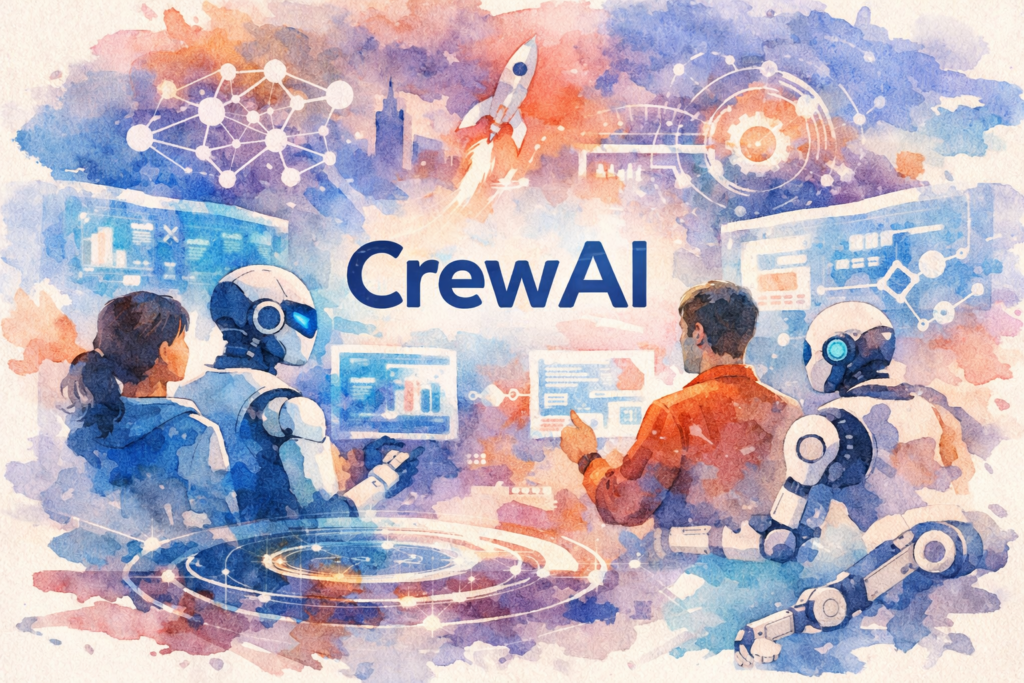
CrewAI is an open-source Python framework that enables developers to create and orchestrate multiple AI agents that work together collaboratively. Unlike single-agent systems, CrewAI allows you to build teams of specialised agents—each with specific roles, goals, and tools—that communicate and coordinate to complete complex tasks autonomously. It’s particularly powerful for automating multi-step workflows, research tasks, content creation, data analysis, and business process automation.
Understanding CrewAI and Its Growing Importance
At its core, CrewAI represents a paradigm shift in how we approach AI automation. Rather than relying on a single AI model to handle everything, this framework allows you to create specialised agents that excel at specific tasks. Think of it as building a virtual company where each employee has distinct expertise and responsibilities.
The framework has gained significant traction since its launch, with the GitHub repository accumulating thousands of stars and a rapidly growing community of developers. This surge in popularity isn’t coincidental—it addresses a critical gap in the AI automation landscape. According to recent industry analyses, organisations implementing multi-agent systems report up to 60% improvements in task completion efficiency compared to traditional single-agent approaches.
The Architecture Behind CrewAI
CrewAI operates on three fundamental components: Agents, Tasks, and Crews. Agents are autonomous units powered by large language models (LLMs) that can reason, make decisions, and use tools. Tasks represent specific objectives that need completion, with clear descriptions and expected outputs. Crews bring everything together, defining how agents collaborate and in what sequence tasks should be executed.
What makes this architecture particularly powerful is its flexibility. You can integrate various LLMs—from OpenAI‘s GPT models to open-source alternatives like Llama—and equip agents with custom tools ranging from web scrapers to database connectors. This modularity means you’re not locked into a single ecosystem.
Current Trends in Multi-Agent AI Systems
The AI industry is witnessing a decisive shift towards collaborative agent systems. Research from leading AI laboratories suggests that multi-agent frameworks will become the standard for complex automation by 2027. CrewAI sits at the forefront of this movement, offering an accessible entry point for developers who previously found agent orchestration prohibitively complex.
Major technology companies are already exploring similar concepts, but CrewAI’s open-source nature and Python-first approach have made it particularly attractive to the developer community. The framework’s ability to work with various LLM providers also future-proofs implementations against the rapidly evolving AI landscape.
Seven Powerful Ways CrewAI Transforms Workflow Automation
Understanding the practical applications of CrewAI is essential for leveraging its full potential. Here are seven proven strategies that demonstrate how this framework accelerates AI workflow automation:
1. Automated Content Research and Creation Pipelines
CrewAI excels at orchestrating content workflows that previously required multiple tools and manual coordination. You can create a crew with a researcher agent that gathers information from various sources, an analyst agent that synthesises findings, and a writer agent that produces polished content. This approach has helped content teams reduce production time by up to 70% whilst maintaining quality standards.
For instance, a marketing agency might deploy a crew where one agent monitors industry trends, another analyses competitor content, and a third generates SEO-optimised articles. The agents work sequentially or in parallel, depending on your workflow design, with each contributing their specialised expertise.
2. Intelligent Data Analysis and Reporting
Data analysis workflows benefit enormously from CrewAI’s multi-agent approach. You can assign one agent to data collection, another to statistical analysis, a third to visualisation, and a fourth to report generation. This division of labour mirrors how human data science teams operate, but executes at machine speed.
Companies implementing this strategy report significant improvements in report accuracy and turnaround time. The framework’s ability to handle complex, multi-step analytical processes makes it particularly valuable for business intelligence applications.
3. Customer Support Automation
CrewAI enables sophisticated customer support systems where different agents handle specific aspects of customer queries. A triage agent can categorise incoming requests, a knowledge base agent retrieves relevant information, a solution agent formulates responses, and a quality assurance agent reviews outputs before delivery.
This multi-layered approach ensures more accurate and contextually appropriate responses than single-agent systems, leading to higher customer satisfaction rates. Organisations using this method have reported 40-50% reductions in support ticket resolution times.
4. Software Development and Code Review Workflows
Development teams are using CrewAI to automate various aspects of the software development lifecycle. One agent might analyse requirements, another generates code, a third performs code review, and a fourth creates documentation. This collaborative approach helps maintain code quality whilst accelerating development cycles.
The framework integrates well with development tools and can be configured to follow specific coding standards and best practices, making it a valuable addition to DevOps pipelines.
5. Market Research and Competitive Intelligence
CrewAI’s ability to coordinate multiple research agents makes it ideal for comprehensive market analysis. You can deploy agents that monitor different data sources—social media, news outlets, financial reports, patent databases—and synthesise findings into actionable intelligence.
This approach provides more thorough and timely insights than manual research methods, enabling businesses to respond quickly to market changes and competitive threats.
6. Automated Email and Communication Management
Email workflows become significantly more efficient with CrewAI. Agents can categorise incoming messages, draft responses based on context and company policies, schedule follow-ups, and even manage calendar coordination. This reduces the administrative burden on teams whilst ensuring consistent communication standards.
7. Complex Decision-Making Processes
Perhaps most impressively, CrewAI can automate multi-faceted decision-making workflows. By assigning different agents to evaluate various aspects of a decision—financial implications, risk assessment, strategic alignment, operational feasibility—you create a comprehensive decision support system that considers multiple perspectives before reaching conclusions.
Implementing CrewAI: A Practical Guide
Getting started with CrewAI requires understanding both the technical setup and strategic planning involved in creating effective agent crews. Here’s a comprehensive implementation guide:
Step 1: Environment Setup and Installation
Begin by installing CrewAI through pip in your Python environment. You’ll need Python 3.10 or higher. The installation process is straightforward, and the framework includes comprehensive documentation. You’ll also need API keys for your chosen LLM provider—whether that’s OpenAI, Anthropic, or an open-source alternative.
Ensure your development environment includes necessary dependencies and consider using virtual environments to manage package versions effectively. This foundational setup typically takes 15-30 minutes for developers familiar with Python.
Step 2: Defining Your Workflow and Agent Roles
Before writing code, map out your workflow on paper. Identify the distinct tasks that need completion and determine which tasks require specialised expertise. This planning phase is crucial—poorly defined roles lead to inefficient crews and suboptimal results.
For each agent, specify their role, goal, and backstory. The backstory might seem frivolous, but it actually helps the LLM understand the agent’s perspective and decision-making framework. A research agent might have a backstory emphasising thoroughness and fact-checking, whilst a creative agent’s backstory might emphasise innovation and originality.
Step 3: Creating and Configuring Agents
In CrewAI, agents are defined with specific attributes including their role, goal, backstory, tools they can use, and the LLM that powers them. You can configure agents to be verbose (providing detailed reasoning) or concise, allow delegation to other agents, and set memory capabilities.
Tools are particularly important—they extend what agents can do beyond text generation. You might equip agents with web search capabilities, database access, API connectors, or custom functions you’ve written. The framework supports both built-in tools and custom tool creation.
Step 4: Defining Tasks and Dependencies
Tasks in CrewAI include a description, expected output format, and the agent responsible for completion. You can create sequential workflows where tasks execute in order, or hierarchical structures where a manager agent coordinates other agents.
Task dependencies are crucial for complex workflows. You can specify that certain tasks must complete before others begin, or allow parallel execution where appropriate. This flexibility enables you to optimise for either speed or thoroughness depending on your requirements.
Step 5: Assembling and Running Your Crew
Once agents and tasks are defined, you assemble them into a crew. The crew configuration specifies the process type (sequential or hierarchical), verbosity level, and memory settings. CrewAI supports both short-term memory (within a single execution) and long-term memory (across multiple executions), enabling agents to learn from past interactions.
Running the crew initiates the workflow. You’ll receive outputs from each task, and the final result represents the collective work of all agents. Monitoring execution helps identify bottlenecks and optimisation opportunities.
Best Practices for CrewAI Implementation
Successful CrewAI implementations follow several key principles. First, start simple—begin with a basic two or three-agent crew before scaling to more complex configurations. This allows you to understand agent interactions and refine your approach.
Second, invest time in prompt engineering for each agent. Clear, specific instructions dramatically improve output quality. Third, implement robust error handling and fallback mechanisms. AI agents can occasionally produce unexpected results, so your system should gracefully handle edge cases.
Finally, monitor costs carefully. LLM API calls accumulate quickly in multi-agent systems. Consider using smaller models for simpler tasks and reserving more powerful (and expensive) models for complex reasoning tasks.
Overcoming CrewAI Challenges and Common Obstacles
Whilst CrewAI offers tremendous potential, implementation isn’t without challenges. Understanding these obstacles and their solutions ensures smoother deployment and better results.
Managing API Costs and Token Usage
One of the most common concerns with CrewAI is the cost of LLM API calls. Multi-agent systems can consume significant tokens, especially during development and testing. The solution involves several strategies: use smaller, more efficient models where possible; implement caching for repeated queries; set token limits for individual agents; and consider using open-source models for non-critical tasks.
Monitoring tools can track token usage across your crew, helping identify which agents or tasks consume the most resources. This data enables targeted optimisation efforts.
Ensuring Output Consistency and Quality
AI agents can sometimes produce inconsistent outputs, particularly when dealing with ambiguous instructions. Combat this by providing detailed task descriptions, clear expected output formats, and examples of desired results. Implementing a quality assurance agent that reviews other agents’ work adds an additional quality control layer.
Temperature settings also affect consistency—lower temperatures produce more deterministic outputs, whilst higher temperatures encourage creativity. Adjust these parameters based on your specific use case.
Handling Agent Coordination Complexity
As crews grow more complex, coordinating agent interactions becomes challenging. Agents might duplicate work, contradict each other, or fail to share relevant information. The hierarchical process type helps by designating a manager agent to coordinate others, but this requires careful configuration.
Clear task dependencies and well-defined agent roles minimise coordination issues. Regular testing and iteration help identify and resolve interaction problems before they impact production workflows.
Debugging and Troubleshooting Multi-Agent Systems
Debugging CrewAI implementations can be more complex than traditional code because you’re dealing with probabilistic AI outputs rather than deterministic logic. Enable verbose mode during development to see detailed agent reasoning. Log all agent interactions and outputs for later analysis.
The CrewAI community provides valuable support through forums and GitHub discussions. Many common issues have documented solutions, and the active community often responds quickly to questions.
Scaling CrewAI for Production Environments
Moving from development to production requires additional considerations. Implement proper error handling, set up monitoring and alerting, and ensure your infrastructure can handle the computational requirements. Consider using asynchronous execution for improved performance and implementing rate limiting to prevent API throttling.
Production deployments benefit from containerisation using Docker and orchestration platforms like Kubernetes, which provide scalability and reliability.
Conclusion: Accelerating Your AI Journey with CrewAI
CrewAI represents a significant leap forward in AI workflow automation, offering a practical framework for building sophisticated multi-agent systems without requiring extensive AI expertise. By enabling specialised agents to collaborate effectively, it mirrors the efficiency of human teams whilst operating at machine speed and scale.
The seven strategies outlined—from content creation pipelines to complex decision-making processes—demonstrate the framework’s versatility across industries and use cases. Whether you’re automating customer support, accelerating software development, or conducting comprehensive market research, CrewAI provides the tools and flexibility to build solutions tailored to your specific needs.
Implementation requires thoughtful planning, from defining clear agent roles to managing API costs and ensuring output quality. However, the investment pays dividends through dramatically improved efficiency, consistency, and scalability. As the AI landscape continues evolving, frameworks like CrewAI that emphasise collaboration and specialisation will become increasingly central to how organisations leverage artificial intelligence.
The challenges—cost management, output consistency, coordination complexity—are surmountable with proper planning and best practices. The active CrewAI community and comprehensive documentation provide valuable support throughout your implementation journey.
Now is the ideal time to explore how CrewAI can transform your workflows. Start with a simple use case, learn from the experience, and gradually expand to more complex implementations. The future of AI automation is collaborative, and CrewAI puts that future within reach today.
Ready to revolutionise your AI workflows with CrewAI? The Crunch specialises in implementing cutting-edge AI automation solutions tailored to your business needs. Our team of experts can help you design, build, and deploy CrewAI systems that deliver measurable results. Schedule your free consultation today and discover how multi-agent AI can accelerate your organisation’s digital transformation.
Frequently Asked Questions (FAQ)
1. What is CrewAI?
2. How does CrewAI work?
3. How do I get started with CrewAI?
4. What are the main benefits of using CrewAI?
5. How does CrewAI compare to other project management tools?
6. Is CrewAI suitable for small businesses or only large enterprises?
7. What does CrewAI cost?
8. Is my data secure with CrewAI?
9. Can CrewAI integrate with other tools I already use?
10. What if I need help or support while using CrewAI?
11. Are there any limitations or drawbacks to using CrewAI?
12. Can I customize CrewAI to fit my team’s workflow?