A safe WhatsApp blast in Malaysia goes out through Meta's official WhatsApp Business Platform, using approved marketing templates, to customers who opted in. Unofficial blasters and browser extensions put your number at risk of a ban. The Crunch sets up official WhatsApp blast Malaysia campaigns with AI answering every reply and booking appointments, from RM 200 a month, plus Meta's fee for each broadcast message.
You have 3,000 past customers in a spreadsheet and a promotion starting Friday. The fastest idea is to paste every number into a blasting tool and press send. Many Malaysian business owners try this once, and some lose the number their customers know.
This guide covers WhatsApp blast Malaysia from the buyer's side: why numbers get banned, the three ways to send, what Meta charges, how to write the message, and how to turn a one-way blast into booked appointments.
WhatsApp blast Malaysia: what the term means
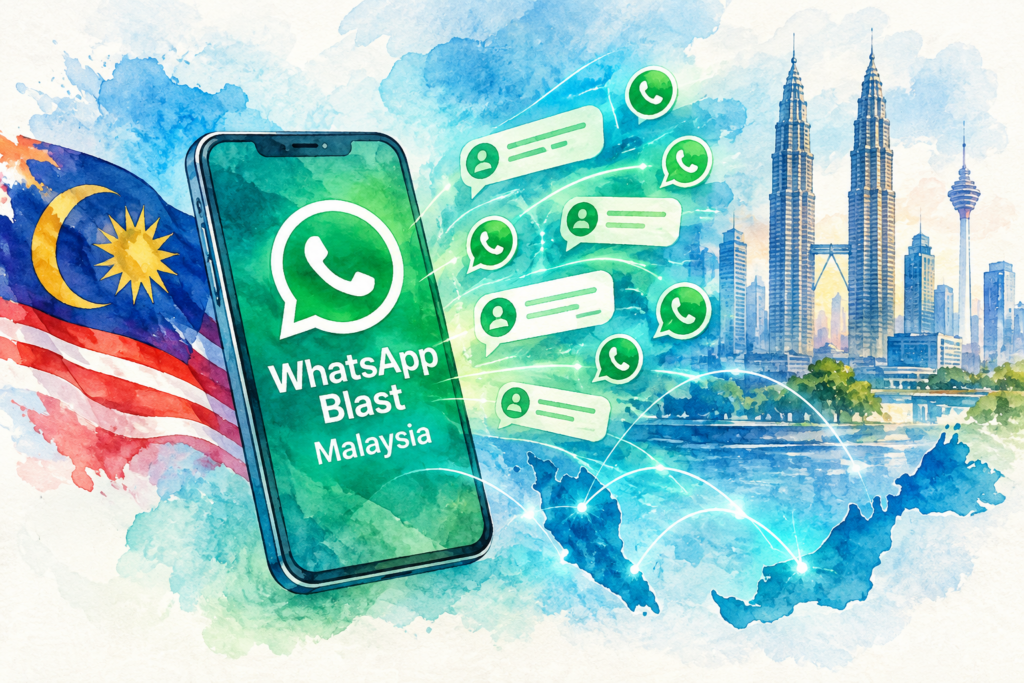
In Malaysia, "blast" means sending one message to a large list of customers at once. Promotions, launch invitations, appointment reminders, festive greetings and restock alerts are the common uses.
WhatsApp offers three routes for a WhatsApp blast Malaysia campaign, and they differ in reach, cost and risk. Pick the route before you write a single message.
| Question | Route 1: free app broadcast list | Route 2: unofficial blasting software | Route 3: official API with templates |
|---|---|---|---|
| Who receives the message | Only contacts who saved your number | Anyone on your list | Anyone who opted in |
| Follows WhatsApp's rules | Yes | No | Yes |
| Risk to your number | Low | High | Low with opted-in lists |
| Daily volume | Small lists only | Large, until the ban | 250 to unlimited, by Meta tier |
| Replies handled by | Staff on one phone | Staff on one phone | Shared inbox and AI |
| Cost | Free | Monthly fee | Meta broadcast fee plus platform |
Why WhatsApp blast Malaysia campaigns get numbers banned
WhatsApp protects its users from spam, and the platform watches how people react to your messages. The WhatsApp Business Messaging Policy sets out the rules every business follows.
(1) No opt-in. The policy allows a business to message people only after they shared their number and gave opt-in permission. A list bought from a vendor or scraped from a directory fails this test.
(2) Blocks and reports. The policy says users block or report businesses, and WhatsApp limits how many messages a business sends when negative feedback builds up. Businesses with significant negative feedback lose access.
(3) Unofficial tools. Blasting software and browser extensions automate the normal app, which WhatsApp's terms do not allow. A number sending hundreds of identical messages from a phone or a browser stands out fast.
(4) Ignoring opt-outs. The policy requires a business to respect every request to stop, on WhatsApp or anywhere else. Each ignored request turns into a block.
Route 1: the free app broadcast list
The free WhatsApp Business app has broadcast lists. You pick contacts, write one message, and each person receives the message as a private chat. WhatsApp's help page on how to use broadcast lists covers the steps.
The limit is reach. A broadcast lands only with contacts who saved your business number in their phone. A walk-in customer who never saved the number receives nothing, and the app gives no warning.
WhatsApp now also lets the Business app turn a broadcast list into paid marketing messages, as described on its page about turning broadcast lists into marketing messages. Check the current terms on the page before relying on the feature.
Route 1 suits a small shop with a few hundred loyal regulars. Our walkthrough on how to broadcast a WhatsApp message shows the setup, and our guide to the WhatsApp Business app vs API explains where the app stops.
Route 2: unofficial WhatsApp blast Malaysia software
Search for WhatsApp blast Malaysia and you find tools promising unlimited sends from your normal number for a flat monthly fee. Most of them work by automating WhatsApp Web or a phone.
These tools send to anyone, including people who never saved your number. The trade is risk. The account sending the blast stays exposed to blocks, reports and automated detection, and a banned number takes the customer history down too.
If a vendor will not say whether the tool runs on Meta's official platform, treat the answer as no. Ask for the name of their Meta Business Partner status or their connection method in writing.
Route 3: official WhatsApp blast Malaysia through the API
The WhatsApp Business Platform is Meta's official route for business messaging at volume. Every WhatsApp blast Malaysia campaign on the platform uses a message template, which Meta reviews before you send.
Volume is controlled by messaging limits. According to Meta's messaging limits documentation, a limit caps the number of unique customers you reach outside an open chat window in a rolling 24 hours, and the limit applies to your whole business portfolio.
(1) New portfolios start at 250 unique customers a day.
(2) The first step up is 2,000. Meta lists three paths: verify your business, have your partner verify the business, or deliver 2,000 high-quality messages outside chat windows within 30 days.
(3) Higher tiers are 10,000, 100,000 and unlimited. Meta raises the limit one step when your messages stay high quality and you used at least half your current limit in the last 7 days.
Quality is the lever. Fewer blocks and reports keep the limit rising. A list of people who asked to hear from you is the cheapest protection for your limit.
How an official WhatsApp blast Malaysia campaign runs, step by step
This is the flow we build for clients. Each step protects the number or turns replies into revenue.
(1) Clean the list. Keep customers who gave their number and agreed to hear from you, through a form, a receipt, a chat or a sign-up at the counter. Record where and when each person opted in.
(2) Write and submit the template. Meta reviews each marketing template. Plan a few days for approval before a launch date.
(3) Segment the audience. Split by branch, last visit, interest or language. Smaller, relevant sends draw fewer blocks than one message to everyone.
(4) Send in waves. Start with your most engaged customers, watch the quality signal, then widen the send within your messaging limit.
(5) Answer every reply. A blast to 3,000 customers brings back questions within minutes: price, stock, location, a free slot on Saturday. Our AI agent answers in English, Bahasa Malaysia, Mandarin and Cantonese, books the appointment and hands complex chats to staff.
(6) Log the result in the CRM. Every reply, booking and opt-out lands in HubSpot, GoHighLevel or your own system. Our WhatsApp CRM integration guide shows the data flow.
Step 5 is where most blasts leak money. A promotion sent at 8 pm creates replies at 9 pm, when the shop is closed. Our missed call automation setup covers the same gap on the phone line.
Writing a WhatsApp blast Malaysia message customers answer
A template has a short header, a body, an optional footer and up to a few buttons. Keep the body under five lines on a phone screen.
(1) Open with the customer's name and the reason. "Hi Aisyah, your skin review is due this month" beats "Dear valued customer".
(2) Make one offer. One date, one price, one action.
(3) Add one clear button. "Book a slot" or "Reply YES" gives the AI a clean reply to act on.
(4) Include the opt-out line. "Reply STOP to unsubscribe" costs nothing and prevents blocks.
Three short examples, written as templates:
| Business | Template body | Button |
|---|---|---|
| Aesthetic clinic | Hi [Name], your follow-up review at our Bangsar branch is due this month. Pick a slot below and we will hold the time for you. Reply STOP to unsubscribe. | Book a slot |
| Property developer | Hi [Name], the show unit at [Project name] opens this Saturday, 10am to 5pm. Want a private viewing time? Reply STOP to unsubscribe. | Choose a time |
| Retail chain | Hi [Name], the new collection lands at your nearest outlet on Friday. Members get first pick until Sunday. Reply STOP to unsubscribe. | Show me |
Write a Bahasa Malaysia and a Chinese version of each template and send by language segment. A customer who chats in BM replies faster to a BM message.
WhatsApp blast vs SMS blast in Malaysia
Many businesses compare a WhatsApp blast Malaysia campaign with an SMS blast. Both reach a phone. The difference shows up in what happens after the send.
| Factor | WhatsApp blast (official API) | SMS blast |
|---|---|---|
| Media | Images, video, documents, buttons | Text only |
| Customer replies | In the same chat, answered by staff or AI | Often one-way |
| Opt-in | Required by WhatsApp's policy | Expected under local rules and PDPA |
| Cost | A Meta fee per broadcast message | Per SMS from a telco or gateway |
| Best for | Promotions, bookings, conversations | One-time passwords, short alerts |
For sales and bookings, WhatsApp wins because the customer replies in the chat they already use. For short alerts to people who rarely use WhatsApp, SMS still has a place.
What a WhatsApp blast Malaysia campaign costs
Two bills make up the cost: Meta's fee for each broadcast message and the platform or service fee.
Meta's broadcast fee. Meta charges a fee for each broadcast message sent through the official platform. Your quote from us includes this fee, so you see the full monthly cost before the first send.
The platform and AI layer. Our managed WhatsApp AI subscription starts from RM 200 a month with no setup fee. Higher tiers up to RM 2,500 a month add branches, languages and CRM connections. Custom builds are quoted on scope.
Is a paid WhatsApp blast Malaysia setup worth the money? If you send fewer than 200 messages a month to regulars who saved your number, the free app is enough. Move to the official platform when you send to thousands, run several branches or need replies booked into a calendar.
Choosing a WhatsApp blast Malaysia provider
Most vendor pages look alike. These six checks separate a safe provider from a risky one.
| Check | Why this matters | What to ask |
|---|---|---|
| Official Meta platform | Unofficial tools risk your number | Which Meta connection do you use? |
| Template help | Rejected templates delay launches | Do you write and submit templates? |
| Replies handled | Unanswered replies waste the blast | Who answers at 10pm? |
| CRM sync | Leads must reach your sales team | Do you connect to HubSpot or GoHighLevel? |
| Languages | Malaysian customers mix languages | Does the AI reply in BM and Mandarin? |
| Local support | Launch-day problems need fast help | Where is your support team based? |
Self-serve inbox tools suit teams with a marketing person to run campaigns. Our reviews of a SleekFlow alternative and a Wati alternative list their published prices, and our Respond.io setup guide covers a third option.
The Crunch, the author of this page, runs a managed service instead: we write the templates, set up the AI to answer replies, connect the CRM and review results with you each month. We disclose this so you weigh our view with our offer in mind.
Who we build WhatsApp blast Malaysia campaigns for
Our clients in healthcare, retail, property and education run blasts to drive bookings, viewings, visits and enrolments.
(1) Clinic groups send review reminders by branch and let the AI fill the open slots. See our healthcare AI chatbot page.
(2) Property developers invite past enquirers to a launch and book viewing times without a sales team on the phone all weekend. See our property AI chatbot page.
(3) Retail chains send new-collection and restock alerts by outlet. See our retail AI chatbot page.
(4) Education centres announce intakes and open days, then answer fee and schedule questions in the parents' language.
A business with several branches keeps one segment per branch. Each customer receives the message from the outlet they visit, and replies go to the team running the outlet.
Our WhatsApp blast Malaysia setup process
A mid-tier setup with templates, AI replies and a CRM connection goes live in 30 days.
(1) Week 1: audit. We review your list, your opt-in records and the questions customers ask most.
(2) Week 2: build. We verify the business with Meta, connect the number, write the first templates and train the AI on your prices, hours and branches.
(3) Week 3: test. Your staff reply to test blasts the way real customers do, including rojak and voice notes. We fix wrong answers before launch.
(4) Week 4: first send. We send to your most engaged segment first, read the replies with you, then widen the audience.
WhatsApp blast Malaysia mistakes to avoid
Blasting a bought list. People who never gave you their number block fast. Block rates drag down quality and your messaging limit.
Sending the same message to everyone. A promotion for the Penang outlet means nothing to a customer in Johor Bahru. Segment by branch and interest.
Blasting at night with nobody on duty. Replies arrive within minutes. Schedule sends for staffed hours or let an AI agent answer.
Labelling reminders as marketing. A genuine appointment reminder belongs in the utility category, not marketing. Pick the category honestly, because Meta reviews each template.
Skipping the opt-out line. A customer without an easy way out uses the block button instead.
Customer data, consent and PDPA
A WhatsApp blast Malaysia list is personal data, so Malaysia's Personal Data Protection Act applies. The Personal Data Protection Department regulates the Act. Keep a record of how each customer consented, honour every opt-out quickly, and limit who exports the list.
Case study
We are preparing a WhatsApp blast Malaysia case study for this page with figures the client has approved. Until then, ask us on a call for examples from your industry.
Rules and limits on this WhatsApp blast Malaysia guide come from WhatsApp's Business Messaging Policy and Meta's developer documentation on messaging limits, read on 19 October 2026. Meta changes these pages often, so check the current version before a large send. Our own price is the one we publish: from RM 200 to RM 2,500 a month.
The Crunch has run WhatsApp for Malaysian, Singapore and Hong Kong businesses across healthcare, retail, property and education since 2019, in English, Bahasa Malaysia, Mandarin and Cantonese.
WhatsApp blast Malaysia FAQ
01Is WhatsApp blasting legal in Malaysia?+
Sending to customers who opted in, through Meta's official platform, follows WhatsApp's rules.
Messaging people without consent breaks WhatsApp's policy and raises PDPA concerns.
02Will my number get banned for a WhatsApp blast?+
Unofficial blasting tools carry a real ban risk.
On the official platform, opted-in lists and an opt-out line keep blocks low, and low blocks protect the number.
03Am I allowed to blast customers who never messaged me?+
Yes, if they gave you their number and opted in to hear from you, for example at checkout or through a form.
The message must use an approved template.
04How many WhatsApp messages does Meta let me send a day?+
New business portfolios reach 250 unique customers in a rolling 24 hours, according to Meta.
The limit rises to 2,000, then 10,000, 100,000 and unlimited as quality stays high.
05How much does a WhatsApp blast cost in Malaysia?+
Meta charges a fee for each broadcast message.
Our managed service starts from RM 200 a month, and your quote shows the full monthly cost including Meta's fee.
06Is there a free way to do a WhatsApp blast?+
The free app's broadcast list costs nothing, but only contacts who saved your number receive the message.
"Free unlimited" blasters run outside WhatsApp's rules.
07Does the AI reply in Bahasa Malaysia and Mandarin?+
Yes. Our setups answer in English, Bahasa Malaysia, Mandarin and Cantonese, including mixed-language replies.
Complex chats go to a staff member with the full history.
08Does a WhatsApp blast setup work with HubSpot or GoHighLevel?+
Yes. We connect HubSpot and GoHighLevel as standard, so every reply and booking lands in your CRM.
Other CRMs are checked during discovery and quoted on scope.
Planning a WhatsApp blast Malaysia campaign for your branches or a launch? Tell us your list size, your branches and your goal, and we will map a safe setup in one call. Book a call with The Crunch.