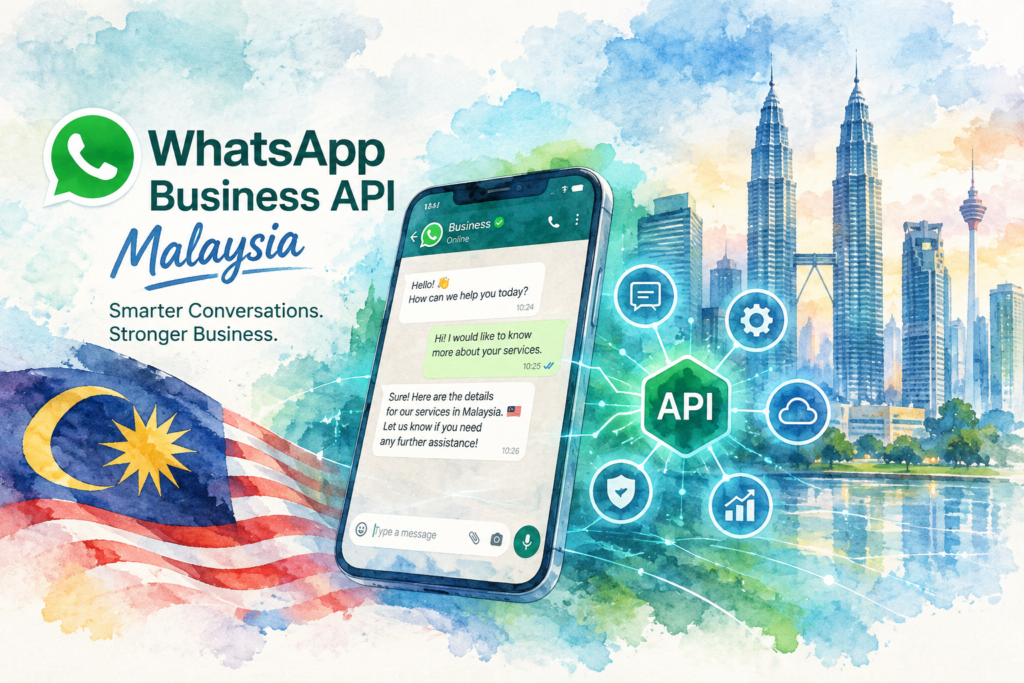
The WhatsApp Business API Malaysia businesses use is Meta's official WhatsApp Business Platform, the route for teams who outgrow one phone running the free app. You get several staff and an AI agent on one number, approved templates for outbound messages and a link to your CRM. The Crunch sets up WhatsApp Business API Malaysia accounts with AI replies in English, Bahasa Malaysia, Mandarin and Cantonese, from RM 200 a month.
Your WhatsApp Business app sits on one phone at the front desk. Three branches forward enquiries to the same number. Staff reply in turns, chats go unanswered after 6 pm, and nobody knows which lead came from last week's ad.
This guide is for the owner at this point. You will see what the official API gives you, how Meta's approval works step by step, what the setup costs, and how to pick a provider without risking your number.
WhatsApp Business API Malaysia in plain words
The API is the business version of WhatsApp built for software, not for a phone. Meta calls the product the WhatsApp Business Platform, and developers connect to the Cloud API described in Meta's WhatsApp developer documentation.
There is no screen to download. You reach the API through a provider's inbox, a CRM or a custom build. Many people in Malaysia search for "WhatsApp API Malaysia" when they mean the same thing.
App vs API in five lines
(1) The free app runs on one phone plus a few linked devices, and suits a small shop with one person replying.
(2) The API runs through software, so a whole team and an AI agent share one number.
(3) Outbound messages on the API go out as templates Meta approves first.
(4) Automation and CRM sync are standard on the API and limited on the app.
(5) The API has costs, the app does not.
For the full side-by-side, read our guide to the WhatsApp Business app vs API.
How to get WhatsApp Business API in Malaysia step by step
The WhatsApp Business API Malaysia setup follows Meta's global process. Each step below comes from Meta's own pages, read on 19 October 2026. Meta updates these pages often, so check the linked page before you start.
Step 1: verify your business with Meta
Your business needs a business portfolio in Meta Business Suite. Meta's business verification guide for developers says only someone with an Admin role in the business completes verification. Meta's Help Center article on how to verify your business lists the documents Meta accepts.
For a Malaysian company, we prepare your SSM registration details, business address, phone number and website before submitting. The business name you enter should match your official records exactly. Mismatched names are the most common delay we see.
Verification is optional on day one, but worth doing early. According to Meta's messaging limits page, a verified business moves from 250 to 2,000 unique customers a day once Meta reviews message quality.
Step 2: choose the phone number
Meta's page on business phone numbers sets the rules. The number must belong to you, carry a country and area code, and receive a voice call or SMS for the verification code. Short codes are not supported.
A number already active on WhatsApp has to be deleted from WhatsApp before registration, with one exception covered in step 3. Mobile numbers are Meta's recommended type. A landline works with voice verification, and a number behind an IVR must route the registration call to a person.
New business portfolios start with a cap of two registered numbers. Meta raises the cap to 20 after business verification or after you reach the 2,000 messaging limit.
Step 3: keep your current number on the app and the API
Most Malaysian owners want to keep the number customers already saved. Meta's page on onboarding WhatsApp Business app users describes how a provider connects an existing Business app number to the Cloud API, with the app still working on the same phone.
(1) The phone needs WhatsApp Business app version 2.24.17 or higher.
(2) Contacts sync, along with one-to-one chats from the most recent 6 months. Group chats do not sync.
(3) Messages sent from the app and the API mirror each other, so your team sees one history.
(4) Broadcast lists on the app switch to read-only, and features such as calls, catalogs and groups stay outside the API.
Only a Solution Partner or Tech Provider runs this onboarding, which brings us to the next choice.
Step 4: pick a provider
Meta's page on solution providers names the partner types. A Solution Partner offers the full range of platform services and handles billing for clients. A Tech Provider offers the same services but clients pay Meta directly for API usage. A Tech Partner is a Tech Provider with Meta Business Partner status.
Many vendors in Malaysia still use the older term BSP, short for Business Solution Provider. Ask any WhatsApp Business API Malaysia vendor which of Meta's current types they hold, and who receives Meta's bill.
Step 5: set the display name
Every number carries a display name, shown on the WhatsApp profile and in the chat list. Meta's display names page says the name goes through review automatically when your business reaches a higher messaging limit.
If Meta declines the name, you edit and resubmit, or appeal through developer support. You get up to 10 name changes in 30 days. We use the trading name customers already know, such as the name on your signboard and website.
Step 6: submit your first templates
Meta's message templates documentation states templates are the only message type a business sends to someone outside an open customer service window. When a customer messages you first, the AI and your staff reply in normal chat.
Each template sits in one of three categories: marketing, utility or authentication. Meta reviews templates automatically after creation or editing, and review takes up to 24 hours. Only approved templates get sent. A rejected template gets edited and resubmitted, or appealed.
We submit a first set of 5 to 10 templates during setup: booking confirmation, reminder, follow-up after an enquiry, and one or two promotions.
What you get on top of the WhatsApp Business API Malaysia setup
The API alone is plumbing. A WhatsApp Business API Malaysia account earns money once replies, routing and records sit on top. Our setups include four layers.
(1) Shared inbox. Every staff member logs in with their own account on one WhatsApp Business API Malaysia number. Chats get assigned by branch or topic, and a manager sees who replied and when. Our guide to WhatsApp Business with multiple users covers the team setup.
(2) AI replies in your customers' languages. The AI agent answers price, location, stock and hours questions in English, Bahasa Malaysia, Mandarin and Cantonese, including rojak messages mixing all four. Complex chats pass to a person with the full history.
(3) CRM sync. Every new contact, tag and booking flows into HubSpot, GoHighLevel or your own system. Our WhatsApp CRM integration guide shows the data flow.
(4) Booking. The AI offers open slots from your calendar and confirms with a utility template. Missed appointments drop when the reminder goes out on time without a staff member pressing send.
Phone calls follow the same logic. If your branches miss calls as well as chats, our AI call centre in Malaysia page explains the voice side.
WhatsApp Business API Malaysia cost
Two bills make up the cost of a WhatsApp Business API Malaysia account.
Meta's fee. Meta charges a fee for each broadcast message. Your quote from us includes this fee, so you see one monthly figure before the first send.
Our platform and AI. Our managed WhatsApp AI subscription starts from RM 200 a month, with no setup fee on the entry plan. Plans with more branches, languages and CRM connections cost more, and custom builds are quoted on scope.
For a breakdown of how providers package their fees, read our WhatsApp API pricing Malaysia guide.
Do you need the API yet? If one person answers fewer than 30 chats a day and you never message customers first, stay on the free app. Move to the WhatsApp Business API Malaysia route once two or more staff share replies, you run branches, or leads arrive after hours with nobody to answer.
Choosing a WhatsApp Business API Malaysia provider
WhatsApp Business API Malaysia vendor pages read alike. These checks separate the options. We include ourselves in the table, labelled, so you weigh our view with our offer in mind.
| Check | Self-serve inbox software | Direct Cloud API build | The Crunch (this site, managed service) |
|---|---|---|---|
| Runs on Meta's official platform | Ask for the partner type in writing | Yes, direct with Meta | Yes, official API |
| Who does verification and templates | You, with help docs | Your developer | We do both |
| Malaysian support hours | Varies by vendor | Your own team | Malaysia-based team |
| AI replies | Often an add-on | Built from scratch | Included, trained on your business |
| CRM sync | Built-in CRM or integrations | Custom code | HubSpot and GoHighLevel as standard |
| BM, Mandarin and Cantonese | Check per vendor | Your build | All three plus English |
| Best for | Teams with a person to run campaigns | Companies with in-house developers | Owners who want the work done for them |
Self-serve software suits a team with a marketing person who enjoys building flows. Our reviews of a SleekFlow alternative and a Wati alternative set out their published plans, and our respond.io setup guide for Malaysia covers a third option.
A direct build suits a company with developers and a long roadmap. Pick us when WhatsApp brings in most of your leads and nobody on your team owns the follow-up. If you send fewer than a few hundred messages a month, a self-serve plan costs less.
Who we set up WhatsApp Business API Malaysia accounts for
Our clients sit in four industries: healthcare, retail, property and education.
(1) Clinic groups put every branch on one number, and the AI books the patient into the right outlet.
(2) Retail chains answer stock and outlet questions in the customer's language and send restock alerts by template.
(3) Property developers reply to ad leads within seconds and book showroom viewings over the weekend.
(4) Education centres answer fee and schedule questions from parents and confirm trial classes.
Multi-branch on one number. A business with 5 outlets keeps one number on the signboard and the ads. Chats route by branch inside the inbox, and each manager sees only their outlet. One point to plan for: Meta sets the messaging limit at the business portfolio level and shares the limit across every number in the portfolio, according to its messaging limits page.
Once the account is live, outbound work starts. Our guides to WhatsApp blast in Malaysia and WhatsApp marketing in Malaysia cover the campaign side.
Our WhatsApp Business API Malaysia setup in 30 days
A mid-tier setup with verification, templates, AI replies and a CRM connection goes live in 30 days.
(1) Week 1: audit. We collect your SSM details and Meta Business Suite access, check your number, and list the 30 questions customers ask most.
(2) Week 2: connect. We submit verification, connect your number to the API, set the display name and submit the first templates.
(3) Week 3: train and test. We train the AI on your prices, hours, branches and policies. Your staff test the agent the way customers write, including voice notes and mixed languages.
(4) Week 4: launch. We switch on live replies, watch the first week of chats with you and fix wrong answers the same day.
WhatsApp Business API Malaysia mistakes to avoid
Registering a brand-new number nobody knows. Customers saved your old number. Bring the existing Business app number across instead, so the WhatsApp Business API Malaysia account keeps every saved contact.
Skipping verification. An unverified portfolio stays at 250 customers a day outside open chats. Submit verification in week one, not after the first campaign.
Labelling promotions as utility. Meta reviews the category of every template. Pick the honest category, because a wrong label leads to rejection and delays.
Switching on the AI without a hand-over. The policy asks for a clear route to a person. Set a hand-over rule before launch, for example on complaints, refunds and medical questions.
Choosing a vendor on price alone. A cheap WhatsApp Business API Malaysia plan with nobody to answer chats after 6 pm loses the leads you paid for. Ask who replies at night before you sign.
WhatsApp policy and PDPA opt-in rules
The WhatsApp Business Messaging Policy applies to every WhatsApp Business API Malaysia account. Three rules shape the setup.
(1) Opt-in first. You contact people only after they gave you their number and opt-in permission to receive messages from your business.
(2) Respect every opt-out. The policy requires a business to honour all requests to stop, on WhatsApp or anywhere else.
(3) Offer a human. Automated chats need prompt, clear and direct ways to reach a person, such as a hand-over in the chat or a phone number.
Customer chats hold personal data, so Malaysia's Personal Data Protection Act applies as well. The Personal Data Protection Department regulates the Act. We record where each contact opted in, limit who exports chat data, and set retention rules with you during setup.
Case study
We are preparing a WhatsApp Business API Malaysia case study for this page with figures the client has approved. Until then, ask us on a call for examples from your industry.
Steps and limits on this WhatsApp Business API Malaysia guide come from Meta's developer documentation on business verification, phone numbers, display names, message templates, messaging limits, solution providers and Business app onboarding, and from the WhatsApp Business Messaging Policy, all read on 19 October 2026. Our own price starts from RM 200 a month.
The Crunch has run WhatsApp for Malaysian, Singapore and Hong Kong businesses across healthcare, retail, property and education since 2019, in English, Bahasa Malaysia, Mandarin and Cantonese, with a 30-day timeline for mid-tier scope.
WhatsApp Business API Malaysia FAQ
01Is the WhatsApp Business API free?+
No. Meta charges a fee for each broadcast message, and providers charge for the platform.
Our managed setup starts from RM 200 a month, and your quote shows the full monthly cost including Meta's fee.
02How long does WhatsApp Business API approval take?+
Meta says template review takes up to 24 hours. Business verification and display name review have no fixed time on Meta's pages.
Our mid-tier setup, including AI and CRM, goes live in 30 days.
03Can I keep my current WhatsApp number?+
Yes. A number on the WhatsApp Business app connects to the API through Meta's onboarding flow for app users.
A number on personal WhatsApp has to be deleted from WhatsApp before registration.
04Do I need SSM registration for the WhatsApp Business API?+
Business verification asks for official documents proving your business, and for a Malaysian company the SSM registration is the natural source.
Verification also opens the path from 250 to 2,000 customers a day, once Meta reviews your message quality.
05Can I use the app and the API on one number?+
Yes. Meta lets a Business app number run on the app and the Cloud API together, with messages mirrored between both.
Broadcast lists on the app turn read-only, and group chats stay on the app only.
06Can the AI reply in Bahasa Malaysia?+
Yes. Our AI agent replies in English, Bahasa Malaysia, Mandarin and Cantonese, including mixed-language messages.
Complex chats go to a staff member with the full history.
07What happens if Meta rejects my template?+
You edit the template and resubmit, or file an appeal. A rejected template cannot be sent until approved.
We write templates to Meta's category rules from the start to avoid rejections.
08Does the WhatsApp Business API work with HubSpot or GoHighLevel?+
Yes. We connect HubSpot and GoHighLevel as standard, so every chat and booking lands in your CRM.
Other CRMs are checked during discovery and quoted on scope.
Ready to move from one phone to the official API? Tell us your branches, your number and your monthly chat volume, and we will map your WhatsApp Business API Malaysia setup in one call. Book a call.