
QUICK ANSWER
The WhatsApp Business App is a free phone app for one business run by a few people. The WhatsApp Business Platform, usually called the API, is infrastructure you connect software to, and it has no app of its own. The app is free to install. Its paid extras are business broadcasts and a Meta One plan for more replies from Meta’s own AI agent.
The API is free from Meta as software but charges per message delivered, and you reach it through a provider whose platform fee runs from roughly RM 299 to RM 1,419 per month in Malaysia. Choose the app if your team is small and replies by hand. Choose the API when you need automation, more than a handful of agents, or a record of every conversation in your CRM. Coexistence now lets one number run both, so moving to the API no longer means giving up the app.
This is the decision that stalls most Malaysian businesses for about six months. They know the free app is running out of room. They cannot tell whether the API is the next step up or a different product entirely.
It is a different product entirely. That is the part worth understanding before you compare prices, because the two are not tiers of the same thing.
Updated 7 October 2026: Meta now charges for your replies, coexistence lets one number run the app and the API together, and the app itself gained paid business broadcasts and Meta’s own AI agent.
WhatsApp Business app vs API: the difference in one line
The Business App is software you use. The API is a socket you plug software into.
Download the app and you have an inbox on a phone. Get access to the API and you have nothing at all until you connect something to it, which is why every business on the API is also paying somebody for the software that sits in front of it. Meta documents the platform on Meta for Developers, and the documentation is written for engineers rather than owners, which is itself a signal about what you are buying.
What the Business App actually gives you
The free app is better than most people assume, and a lot of businesses leave it earlier than they need to.
(1) A business profile with address, hours, website and a catalogue.
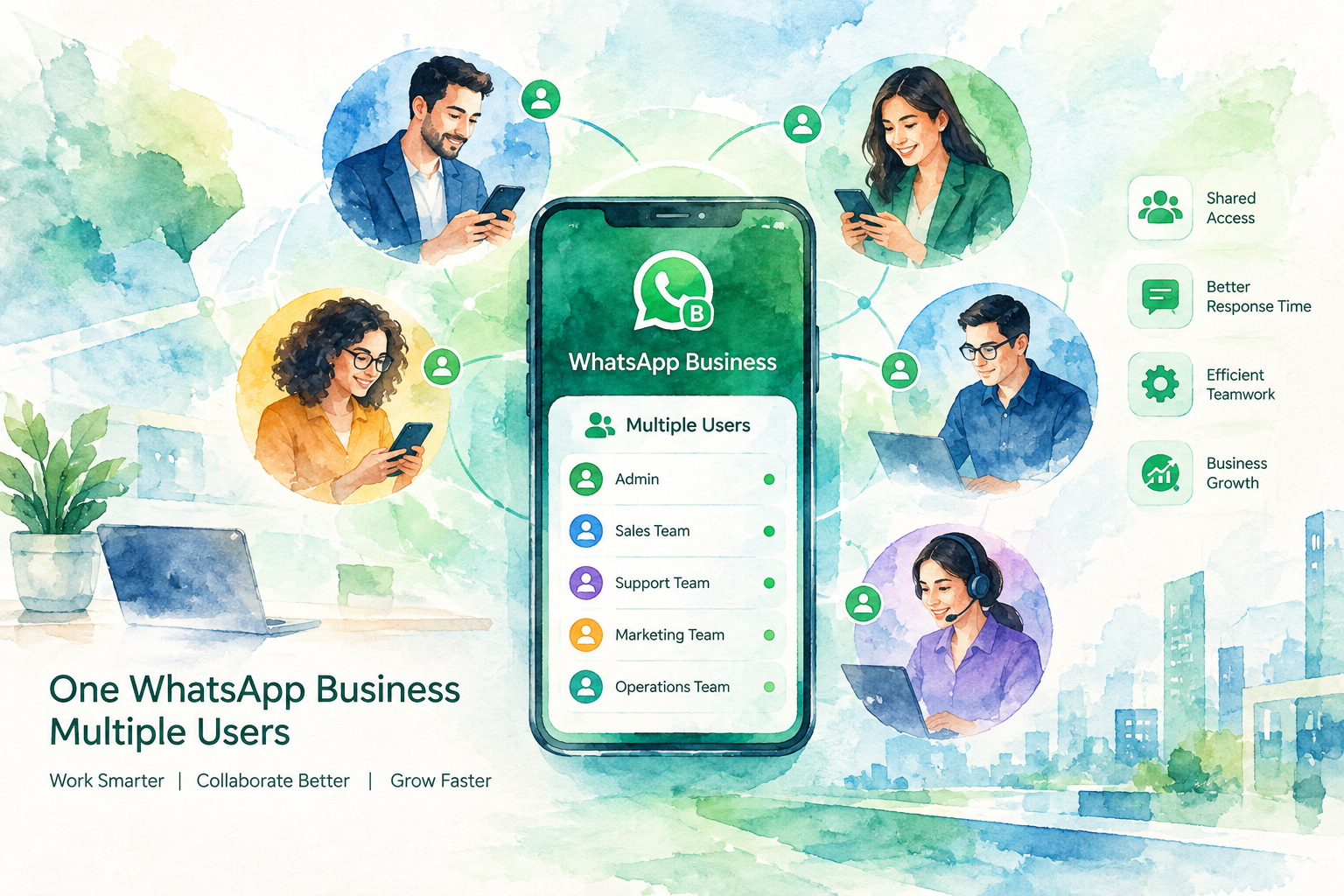
(2) Quick replies and labels, which cover a surprising amount of what people think they need automation for. If several staff share one number, see WhatsApp Business with multiple users for how many devices and agents it supports.
(3) Greeting and away messages, so after-hours enquiries at least get acknowledged. Our guide to auto reply on WhatsApp Business shows how to set both up.
(4) Broadcast lists, free but capped at 256 contacts, and they only reach people who saved your number.
(5) Business broadcasts, a paid option billed per delivered message. They reach customers who never saved your number.
(6) Meta Business Agent, Meta’s own AI agent, rolled out worldwide in June 2026. The agent answers questions about your business, recommends products and takes bookings inside the chat. Getting started is free, and a paid Meta One plan adds more replies.
What it does not give you is the reason people leave: a limited number of linked devices, no way to route a conversation to the right person, and no link from the app to your calendar, CRM or order system. Meta’s agent books inside the chat. Getting the booking into your own systems takes the API. One person can work the app well. Five people cannot work it at all.
What the API gives you, and what it demands
The API removes every one of those ceilings and adds requirements in exchange.
(1) Unlimited agents working the same number from a shared inbox, with routing and assignment.
(2) Real automation that can read and write to your calendar, CRM and order system. Our page on WhatsApp Business API Malaysia compares providers, setup and cost.
(3) Template messages that let you start a conversation rather than only reply to one, subject to Meta approval.
(4) A verified business profile, which requires Meta Business verification and takes real paperwork.
(5) A decision about your number. A number runs on the API alone, or runs the Business App and the API together through coexistence. Coexistence keeps the phone app but adds limits, covered below.
Make the number decision before you migrate. A number moved onto the API alone loses the app. A number connected through coexistence keeps the app on your phone.
WhatsApp Business app vs API, side by side
| Factor | Business App | Business Platform (API) |
|---|---|---|
| Cost of the software | Free | Free from Meta, but requires a provider subscription |
| Cost per message | None for chats. Business broadcasts are billed per message | Charged by Meta per message delivered: templates by category, and replies since 1 October 2026 |
| Users on one number | A handful of linked devices | Unlimited, with routing |
| Keep the phone app on the same number | Yes | Only through coexistence, with limits |
| Automation | Greeting and away messages, plus Meta Business Agent for questions and bookings | Full automation, including AI agents |
| Integrations | None | CRM, calendar, order systems, anything with an API |
| Starting a conversation | Paid business broadcasts | Approved template messages |
| Setup | Install and go | Business verification, number provisioning, build |
| Who it suits | One to three people replying by hand | Teams, or anyone automating bookings and follow-up |
Can you run both? The coexistence question
This comes up constantly, and the answer is now yes on both counts.
On the same number, yes, through coexistence. Meta lets one number run the WhatsApp Business App and the API together. You connect through a Meta partner, and the app keeps working on your phone. Replies you type in the app stay free. Messages sent through the API, your AI agent’s included, are charged at Meta’s rates. Meta’s coexistence documentation sets out five limits:
(1) History. Up to six months of one-to-one chats sync to the API. Group chats do not.
(2) Speed. Sending is fixed at 20 messages a second. The API alone allows 80.
(3) Broadcast lists. In the app they turn read-only, so broadcasts move to API templates, which Meta charges for.
(4) App features. Disappearing messages, view-once and live location switch off in one-to-one chats.
(5) The 14-day rule. Open the app on your phone at least once every 14 days, or the link drops.
On different numbers, yes, and plenty of businesses do exactly that. A common pattern is the API on the main published line that carries all the automation and the team inbox, and the free app on a second number a branch or a director uses personally. It is not elegant, but it works and it costs nothing extra.
Pick coexistence when the owner or a sales lead lives in the phone app and you want an AI agent or a team inbox on the same number. Pick the API alone when nobody needs the phone app and you want full speed.
What each one costs in Malaysia
The app is free for chats. Its paid extras are business broadcasts, billed per delivered message, and a Meta One plan for more AI agent replies. The API has two separate costs, and every comparison that misses the second one is wrong by a wide margin.
Meta charges per message delivered. Not per conversation, and not per contact. Templates carry one of three categories, marketing, utility or authentication. Since 1 October 2026 Meta also charges for service messages, the free-form replies you send inside the 24-hour customer service window. Rates vary by the recipient’s country code. In each market a service message costs the same as a utility or authentication message, and marketing costs the most. Meta sets this out on the WhatsApp Business Platform pricing page, and the rate is the same regardless of which provider you use.
What is free matters as much as what is charged. Messages customers send you cost nothing, and so does everything you send in the 72 hours after a customer reaches you from a click-to-WhatsApp ad or a Facebook Page button. Your replies and utility templates sent inside the 24-hour window stopped being free on 1 October 2026. Malaysia bills in ringgit as well, MYR having been added as a WhatsApp billing currency.
Your provider charges a platform fee. This is where the numbers diverge. Read in September 2026 from each vendor’s own page:
| Provider | Published entry price | Currency published |
|---|---|---|
| Wati | RM 299/mo Growth, RM 799/mo Pro, billed annually | Ringgit |
| SleekFlow | RM 469/mo Pro AI, RM 1,419/mo Premium AI | Ringgit |
| respond.io | $79/mo Starter, $159 Growth, $279 Advanced | US dollars |
| AiSensy | Free tier at zero, paid plans in rupees | Indian rupees |
| The Crunch, the author of this page | RM 200 to RM 2,500/mo, managed | Ringgit |
A timing note if you are budgeting this quarter. A quote built before October 2026 leaves out the cost of your replies. Ask which rate card a quote uses before you sign an annual term.
If you want infrastructure rather than an inbox, Twilio publishes per-message programmable messaging rates and is what several of the platforms above are built on. Our own breakdown of running costs sits on the AI agent pricing page.
Which one you should choose
Five questions settle it. If you answer yes to two or more, you have outgrown the app.
(1) Do more than three people need to reply from the same number? This is the single most common reason to move, and the app has no answer to it.
(2) Do you need the conversation to reach another system? If a booking has to land in a calendar or a lead in a CRM, the app cannot do it and no workaround makes it do it reliably.
(3) Do enquiries arrive when nobody is working? Meta’s agent in the app answers them and takes bookings inside the chat. When the booking has to land in your calendar or CRM, you need automation on the API.
(4) Do you send the same message to a list regularly? Free broadcast lists stop at 256 people who saved your number. Business broadcasts in the app and templates on the API reach further, and Meta bills both per message.
(5) Do you need to know what happened? The app has no reporting worth the name. If you cannot see response times and outcomes, you cannot manage the channel.
?
When to stay on the free app. If one or two people handle every enquiry, you reply within the hour during business hours, and nothing needs to reach another system, the API will add cost and setup work for no gain. Quick replies and labels solve most of what small teams actually complain about. Stay where you are and revisit when the headcount answer changes.
Moving from the app to the API
The order matters, and doing it out of order is what turns a migration into a bad week.
(1) Decide the number first. Your published line either moves to the API alone, which ends the app on the number, or joins through coexistence, which keeps the app with the limits above. A new number leaves the app untouched but splits your customers across two lines.
(2) Complete Meta Business verification before anything else. It requires company documents and it is the step that most often adds weeks.
(3) Export your chat history from the app before you start. Coexistence syncs up to six months of one-to-one chats. Group chats and older history stay behind, and a move to the API alone brings no history at all.
(4) Get your templates approved early. Approval is not instant and a rejected template holds up launch.
(5) Check number portability if you are moving a line, which in Malaysia is governed by the Malaysian Communications and Multimedia Commission. Confirm what happens to your existing service before you commit.
(6) Run both in parallel for a week before you tell customers anything has changed.
The Malaysian specifics
Two local considerations sit outside the feature comparison and matter more here than in most markets.
Personal data. WhatsApp conversations contain customer personal data and fall under Malaysia’s Personal Data Protection Act, administered by the Personal Data Protection Department. On the free app that data sits on a phone somebody carries home. On the API it sits in a provider’s system, which is more defensible if you know where the system is and less defensible if you do not. Ask.
Language. Malaysian enquiries arrive in mixed English, Bahasa Malaysia and Mandarin, frequently inside a single message. A human on the app handles that without thinking. Automation on the API only handles it if it was built to, so ask any provider to demonstrate a genuinely mixed-language message rather than a clean sentence.
Two other platforms worth pricing if you are comparing broadly: ManyChat, which is strong on Instagram and Facebook with WhatsApp as one channel, and GoHighLevel, where WhatsApp is a feature inside a full CRM. Our AI CRM page covers where that line falls.
OUR METHODOLOGY
Platform capabilities and Meta’s message-charging rules on this page were re-read from Meta’s own developer documentation and pricing pages on 7 October 2026, after the 1 October change, not from a vendor’s description of them. Every provider price was read directly from that vendor’s published pricing page, rendered in a browser rather than taken from a summary, and is linked so you can verify it.
Currency is reported as each vendor publishes it and has not been converted, because conversion hides the exchange-rate exposure that is part of the decision. We sell in this category and have listed our own pricing in the same table under the same headings. If a figure here has changed since we read it, tell us and we will correct it within 48 hours.
Frequently asked questions
01What is the difference between WhatsApp Business App and the API?+
The Business App is a free application you install and use directly, designed for one business run by a small number of people.
The API, properly called the WhatsApp Business Platform, is an interface that software connects to. It has no interface of its own, so you always need a provider platform in front of it.
They are different products rather than two tiers of the same product, which is why the comparison is about what you need rather than what you can afford.
02Is the WhatsApp Business API free?+
Access to the platform is free from Meta, but using it is not.
Meta charges per message delivered: templates by category (marketing, utility or authentication) and, since 1 October 2026, your replies inside the 24-hour window. Separately, you pay a provider for the software that sits in front of the API, which in Malaysia runs from roughly RM 299 to RM 1,419 per month depending on the vendor and tier.
Any quote that gives you one flat number covering both is either estimating or capping your usage somewhere in the contract.
03Can I use the WhatsApp Business App and the API on the same number?+
Yes, through coexistence. One number runs the Business App and the API together, connected through a Meta partner.
The limits: up to six months of one-to-one chats sync, group chats do not, sending is fixed at 20 messages a second, app broadcast lists turn read-only, and the app must be opened every 14 days.
Running both on different numbers works too: the API on the main published line, the free app on a second line for personal or branch use.
04How many people can use the WhatsApp Business App at once?+
Only a limited number of linked devices, which in practice means a handful of people sharing one inbox with no way to assign or route a conversation.
There is no supervision, no assignment and no reporting. That ceiling, rather than cost, is what pushes most growing teams onto the API.
05Do I need Meta Business verification for the API?+
Yes, and it is the step most likely to delay a launch, so start it first rather than last.
It requires company registration documents and a verifiable business presence. Most providers will submit on your behalf, but the documents have to come from you and the review sits with Meta.
06Will I lose my chat history when I move to the API?+
Through coexistence, up to six months of one-to-one chats sync to the API. Group chats and older history stay behind.
A move to the API alone brings no history, though contacts import into the new platform. Export anything you need for a record before you start.
07Is customer data safe under Malaysian law on the API?+
Conversations contain personal data and fall under Malaysia’s Personal Data Protection Act, administered by the Personal Data Protection Department. The obligation sits with you as the business collecting the data, not with Meta or the provider.
Ask any provider four things: where transcripts are stored, how long they are retained, who inside the vendor can read them, and whether the data leaves Malaysia.
Worth noting that on the free app, that same data sits on a phone somebody carries home, which is not obviously safer.
08How long does it take to get on the API?+
A straightforward setup with a new number and simple flows can be answering messages within days once verification clears.
A mid-tier scope that connects to a live calendar and a CRM deploys in 30 days. Anything writing into a system without a public API takes longer, and the honest answer depends on that system rather than on WhatsApp.
Meta Business verification is the variable nobody controls, so begin it before you build anything.
Where to start
Count how many people currently need to reply from your business number. If the answer is one or two and nothing has to reach another system, stay on the free app and spend the money elsewhere.
If it is three or more, or a booking has to land in a calendar, price the API properly: a provider fee plus Meta message charges at your real volume, not the plan price alone. For the deployment detail on how this runs in practice, see our WhatsApp chatbot page and the WhatsApp bot guide. If you would rather have someone check the arithmetic with you, tell us your enquiry volume and we will tell you honestly which side of the line you fall on, including when the answer is to stay on the free app.